VSCode CodeQL update breaks the CodeQL CLI installation either in Windows or WSL (Linux on Windows)
还没有人认领这个 Issue。
评估
- 难度
- 4/5
- 预计耗时
- 3-5 天
- 新手友好度
- 35/100
- Issue 类型
- 缺陷
- 描述清晰度
- 基本清楚
- 活跃度
- 停滞
- 技术栈
- typescript, vscode
- 领域
- devtools
调研方向
在 Windows 和 WSL 中安装 VSCode CodeQL 扩展,以复现安装流程,然后比较报告中显示的 globalStorage 分发文件夹。从 QL 工具栏下载路径开始,并验证更新一个环境不会导致另一个环境查找错误的分发目录。
由索引模型根据 Issue 内容生成。
描述
Describe the bug
VSCode allows opening WSL folders and working with them from Windows. VSCode has native support for running extensions in this scenario and allows to select which extensions installed in Windows should also be installed in WSL:
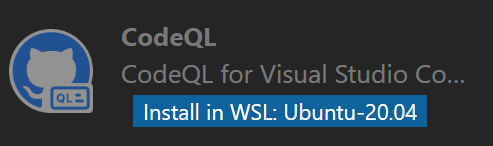
However VSCode CodeQL extension shares some global state, because installing the extension in WSL breaks the installation on Windows and reinstallation of it in Windows breaks it in WSL.
Version
All of them, it bugs me already for a while.
To reproduce
- Install VSCode CodeQL extension in VSCode in Windows. Make sure the CodeQL CLI is downloaded and installed (I usually click on the QL toolbar button to trigger it.). See it succeeded. Close the VSCode window.
- Open your WSL Linux terminal and run
code .It opens VSCode with the current WSL folder opened. - Go to extensions, search for the CodeQL extension and click
Install in WSL. Click QL button in the toolbar to trigger CodeQL CLI download. See it succeeded. - Close VSCode. Open the VSCode in Windows (Note that you need to open a folder in Windows, otherwise it opens the last known session, i.e. the WSL one.). Click on QL button in toolbar and see that VSCode fails to find CodeQL CLI path.
Expected behavior
Updating CodeQL in WSL doesn't break it in Windows. It is completely independent from the version in Windows or updated together.
Additional context
It looks like CodeQL extension generates incremental folder names for the CLI installation. So when my Windows installation is put to c:\Users\name\AppData\Roaming\Code\User\globalStorage\github.vscode-codeql\distribution30\ folder, the WSL installation is put into ~/.vscode-server/data/User/globalStorage/github.vscode-codeql/distribution31/. When I open VSCode in Windows it fails to find CodeQL CLI with a message WARNING: Expected to find a CodeQL CLI executable at c:\Users\name\AppData\Roaming\Code\User\globalStorage\github.vscode-codeql\distribution31\codeql\codeql.exe but one was not found. Will try PATH.. Note the distribution31 in the path.
Related to https://github.com/github/vscode-codeql/issues/1380
- 主要语言
- TypeScript
- 星标
- 539
- 派生
- 240
- 平均合并
- 2 天 6 小时
- 30 天内合并 PR
- 29
贡献指南
从这里开始
- 先读完整个 Issue,再读项目的贡献指南。
- 在 Issue 下留言说明你要接手 —— 这能避免两个人做同样的事。
- Fork 仓库,在一个分支上完成修改。
- 提交 Pull Request,并在描述里引用这个 Issue 编号。
github/vscode-codeql 的其他 Issue
-
bug VSCode
难度 2/5 1-3 小时 新手友好度 68/100
github/vscode-codeql#4471 · 1 条评论 ·
-
bug enhancement VSCode
难度 2/5 1-3 小时 新手友好度 68/100
github/vscode-codeql#592 · 2 条评论 ·
-
enhancement VSCode
难度 3/5 1-2 天 新手友好度 55/100
github/vscode-codeql#4432 · 1 条评论 ·
-
bug VSCode
难度 3/5 1-2 天 新手友好度 52/100
github/vscode-codeql#4356 ·
-
bug VSCode
难度 3/5 1-2 天 新手友好度 64/100
github/vscode-codeql#4339 · 1 条评论 ·
查看 github/vscode-codeql 的全部 Issue
相似的 Issue
-
S: triage
难度 1/5 1 小时以内 新手友好度 85/100
-
难度 2/5 1-3 小时 新手友好度 76/100
-
fix(errors): EHOSTUNREACH from a happy-eyeballs connect is reported as a resolver error (STAMP-80) 未关闭
难度 2/5 1-3 小时 新手友好度 90/100
snapshot-labs/stamp#666 ·
-
bug
难度 2/5 1-3 小时 新手友好度 75/100
GauravKarakoti/SecureFlow#1070 · 1 条评论 ·
-
feature:Languages/Translations good first issue ready Web
难度 2/5 1-3 小时 新手友好度 72/100
digitalfabrik/integreat-app#4394 ·