VSCode CodeQL update breaks the CodeQL CLI installation either in Windows or WSL (Linux on Windows)
Nadie ha tomado este issue todavía.
Evaluación
- Dificultad
- 4/5
- Tiempo estimado
- 3-5 días
- Aptitud para principiantes
- 35/100
- Tipo de issue
- Error
- Claridad
- Bastante claro
- Estado de actividad
- Estancado
- Stack tecnológico
- typescript, vscode
- Área
- devtools
Línea de trabajo
Reproduce el flujo de instalación instalando la extensión VSCode CodeQL en Windows y WSL; después, compara las carpetas de distribución de globalStorage que se muestran en el informe. Empieza por la ruta de descarga de la barra de herramientas QL y verifica que actualizar un entorno no haga que el otro busque el directorio de distribución incorrecto.
Escrito por el modelo de indexación a partir del texto del issue.
Descripción
Describe the bug
VSCode allows opening WSL folders and working with them from Windows. VSCode has native support for running extensions in this scenario and allows to select which extensions installed in Windows should also be installed in WSL:
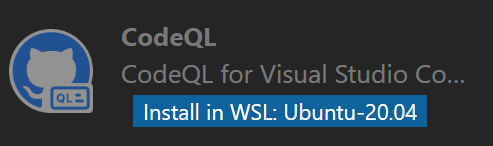
However VSCode CodeQL extension shares some global state, because installing the extension in WSL breaks the installation on Windows and reinstallation of it in Windows breaks it in WSL.
Version
All of them, it bugs me already for a while.
To reproduce
- Install VSCode CodeQL extension in VSCode in Windows. Make sure the CodeQL CLI is downloaded and installed (I usually click on the QL toolbar button to trigger it.). See it succeeded. Close the VSCode window.
- Open your WSL Linux terminal and run
code .It opens VSCode with the current WSL folder opened. - Go to extensions, search for the CodeQL extension and click
Install in WSL. Click QL button in the toolbar to trigger CodeQL CLI download. See it succeeded. - Close VSCode. Open the VSCode in Windows (Note that you need to open a folder in Windows, otherwise it opens the last known session, i.e. the WSL one.). Click on QL button in toolbar and see that VSCode fails to find CodeQL CLI path.
Expected behavior
Updating CodeQL in WSL doesn't break it in Windows. It is completely independent from the version in Windows or updated together.
Additional context
It looks like CodeQL extension generates incremental folder names for the CLI installation. So when my Windows installation is put to c:\Users\name\AppData\Roaming\Code\User\globalStorage\github.vscode-codeql\distribution30\ folder, the WSL installation is put into ~/.vscode-server/data/User/globalStorage/github.vscode-codeql/distribution31/. When I open VSCode in Windows it fails to find CodeQL CLI with a message WARNING: Expected to find a CodeQL CLI executable at c:\Users\name\AppData\Roaming\Code\User\globalStorage\github.vscode-codeql\distribution31\codeql\codeql.exe but one was not found. Will try PATH.. Note the distribution31 in the path.
Related to https://github.com/github/vscode-codeql/issues/1380
- Lenguaje dominante
- TypeScript
- Estrellas
- 539
- Forks
- 240
- Merge medio
- 2 d 6 h
- PR fusionados (30 d)
- 29
Guía de contribución
Primeros pasos
- Lee el issue completo y luego la guía de contribución del proyecto.
- Comenta en el issue que vas a ocuparte — evita que dos personas hagan lo mismo.
- Haz un fork del repositorio y trabaja en una rama.
- Abre un pull request que haga referencia al número del issue.
Más de github/vscode-codeql
-
bug VSCode
Dificultad 2/5 1-3 horas Aptitud para principiantes 68/100
github/vscode-codeql#4471 · 1 comentario ·
-
bug enhancement VSCode
Dificultad 2/5 1-3 horas Aptitud para principiantes 68/100
github/vscode-codeql#592 · 2 comentarios ·
-
enhancement VSCode
Dificultad 3/5 1-2 días Aptitud para principiantes 55/100
github/vscode-codeql#4432 · 1 comentario ·
-
bug VSCode
Dificultad 3/5 1-2 días Aptitud para principiantes 52/100
github/vscode-codeql#4356 ·
-
bug VSCode
Dificultad 3/5 1-2 días Aptitud para principiantes 64/100
github/vscode-codeql#4339 · 1 comentario ·
Todos los issues de github/vscode-codeql
Issues similares
-
bug
Dificultad 2/5 1-3 horas Aptitud para principiantes 68/100
linagora/twake-calendar-frontend#1377 · 1 comentario ·
-
Claiming namespace Londopy Abierto
Dificultad 1/5 Menos de una hora Aptitud para principiantes 72/100
EclipseFdn/open-vsx.org#13385 · 1 comentario ·
-
front-end UI/UX
Dificultad 1/5 Menos de una hora Aptitud para principiantes 75/100
-
[Icon Request]: Frankenphp Abierto
Dificultad 2/5 1-3 horas Aptitud para principiantes 65/100
-
S: triage
Dificultad 1/5 Menos de una hora Aptitud para principiantes 85/100