VSCode CodeQL update breaks the CodeQL CLI installation either in Windows or WSL (Linux on Windows)
まだ誰も着手していません。
評価
- 難易度
- 4/5
- 見積もり時間
- 3〜5日
- 初心者へのやさしさ
- 35/100
- issue の種類
- バグ
- 明瞭さ
- おおむね明確
- 活発さ
- 停滞
- 技術スタック
- typescript, vscode
- 領域
- devtools
調査の方向性
Windows と WSL に VSCode CodeQL 拡張機能をインストールしてインストールフローを再現し、その後、レポートに表示される globalStorage のディストリビューションフォルダーを比較します。まず QL ツールバーのダウンロードパスから始め、一方の環境を更新しても、もう一方が誤ったディストリビューションディレクトリを探すことにならないことを確認します。
索引モデルが issue の本文から書いたものです。
説明
Describe the bug
VSCode allows opening WSL folders and working with them from Windows. VSCode has native support for running extensions in this scenario and allows to select which extensions installed in Windows should also be installed in WSL:
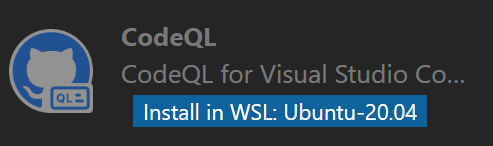
However VSCode CodeQL extension shares some global state, because installing the extension in WSL breaks the installation on Windows and reinstallation of it in Windows breaks it in WSL.
Version
All of them, it bugs me already for a while.
To reproduce
- Install VSCode CodeQL extension in VSCode in Windows. Make sure the CodeQL CLI is downloaded and installed (I usually click on the QL toolbar button to trigger it.). See it succeeded. Close the VSCode window.
- Open your WSL Linux terminal and run
code .It opens VSCode with the current WSL folder opened. - Go to extensions, search for the CodeQL extension and click
Install in WSL. Click QL button in the toolbar to trigger CodeQL CLI download. See it succeeded. - Close VSCode. Open the VSCode in Windows (Note that you need to open a folder in Windows, otherwise it opens the last known session, i.e. the WSL one.). Click on QL button in toolbar and see that VSCode fails to find CodeQL CLI path.
Expected behavior
Updating CodeQL in WSL doesn't break it in Windows. It is completely independent from the version in Windows or updated together.
Additional context
It looks like CodeQL extension generates incremental folder names for the CLI installation. So when my Windows installation is put to c:\Users\name\AppData\Roaming\Code\User\globalStorage\github.vscode-codeql\distribution30\ folder, the WSL installation is put into ~/.vscode-server/data/User/globalStorage/github.vscode-codeql/distribution31/. When I open VSCode in Windows it fails to find CodeQL CLI with a message WARNING: Expected to find a CodeQL CLI executable at c:\Users\name\AppData\Roaming\Code\User\globalStorage\github.vscode-codeql\distribution31\codeql\codeql.exe but one was not found. Will try PATH.. Note the distribution31 in the path.
Related to https://github.com/github/vscode-codeql/issues/1380
- 主要言語
- TypeScript
- スター
- 539
- フォーク
- 240
- 平均マージ
- 2日 6時間
- マージ済み PR(30日)
- 29
コントリビューションガイド
はじめの一歩
- issue を最後まで読み、次にプロジェクトのコントリビューションガイドを読みます。
- 着手することを issue にコメントします — 二人が同じ作業をするのを防げます。
- リポジトリをフォークし、ブランチを切って変更します。
- issue 番号を参照したプルリクエストを送ります。
github/vscode-codeql のほかの issue
-
bug VSCode
難易度 2/5 1〜3時間 初心者へのやさしさ 68/100
github/vscode-codeql#4471 · コメント 1 件 ·
-
bug enhancement VSCode
難易度 2/5 1〜3時間 初心者へのやさしさ 68/100
github/vscode-codeql#592 · コメント 2 件 ·
-
enhancement VSCode
難易度 3/5 1〜2日 初心者へのやさしさ 55/100
github/vscode-codeql#4432 · コメント 1 件 ·
-
bug VSCode
難易度 3/5 1〜2日 初心者へのやさしさ 52/100
github/vscode-codeql#4356 ·
-
bug VSCode
難易度 3/5 1〜2日 初心者へのやさしさ 64/100
github/vscode-codeql#4339 · コメント 1 件 ·
github/vscode-codeql の issue をすべて見る
似ている issue
-
enhancement
難易度 2/5 1〜3時間 初心者へのやさしさ 70/100
dennys-bd/agent-hive#184 ·
-
Add: hunch オープン
難易度 2/5 1〜3時間 初心者へのやさしさ 74/100
AbdelStark/awesome-typesafe#104 ·
-
ai-observability bug team/ai-observability
難易度 2/5 1〜3時間 初心者へのやさしさ 78/100
-
難易度 2/5 1〜3時間 初心者へのやさしさ 78/100
-
難易度 2/5 1〜3時間 初心者へのやさしさ 78/100
vicharanashala/fln#563 ·