[Windows]: norton 360 vpn
Nadie ha tomado este issue todavía.
Evaluación
- Dificultad
- 4/5
- Tiempo estimado
- 3-5 días
- Aptitud para principiantes
- 12/100
- Tipo de issue
- Error
- Claridad
- Necesita aclaración
- Estado de actividad
- Activo
- Área
- networking
Línea de trabajo
This is a user-submitted compatibility report for AdGuard for Windows v8.0.4, not a scoped code change: the reporter says Norton 360 VPN cannot obtain an IP address while AdGuard protection is on, and that starting the VPN before enabling AdGuard works. There is no file or test named, and the fix would live in the AdGuard for Windows WFP-driver/network-filtering code rather than in this listing repository. A maintainer would first reproduce with the WFP driver enabled, the exported settings link, and the driver logs the reporter offered by email, then narrow which protection module breaks the VPN's address negotiation. Done means a confirmed repro and a filter or driver-level fix recorded against this issue.
Escrito por el modelo de indexación a partir del texto del issue.
Descripción
Application Name
norton 360 vpn
Application Executable Name
"C:\Program Files\Norton\Suite\NortonUI.exe"
Troubleshooting Result
- Disabling Ad blocking, Tracking protection, Browsing security, and DNS protection (Suggests a filtering rule issue)
Suggested Configuration List
I am not sure, please investigate
Description of the Problem
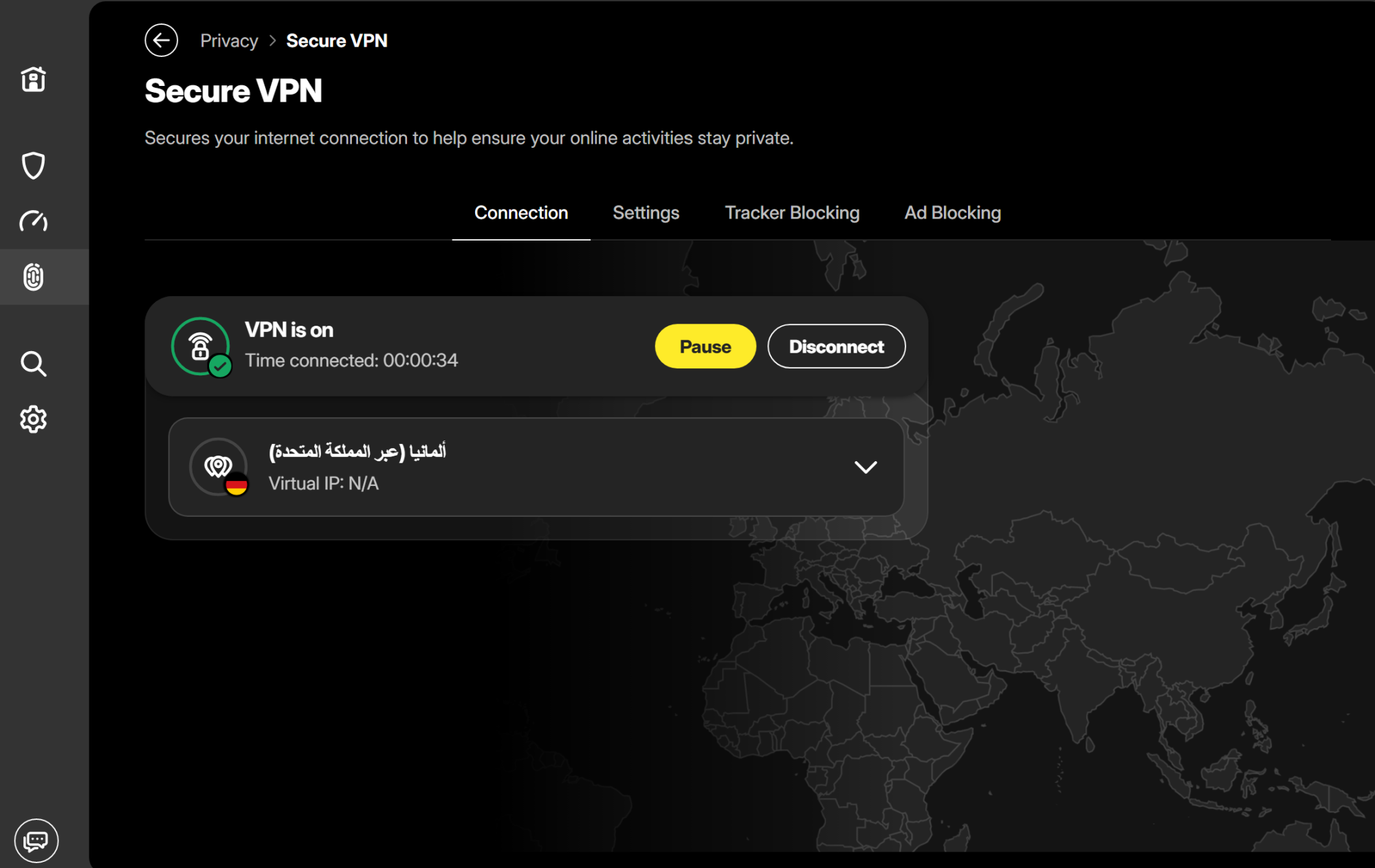
- Other: my norton vpn cant get ip addres if adguard protaction on
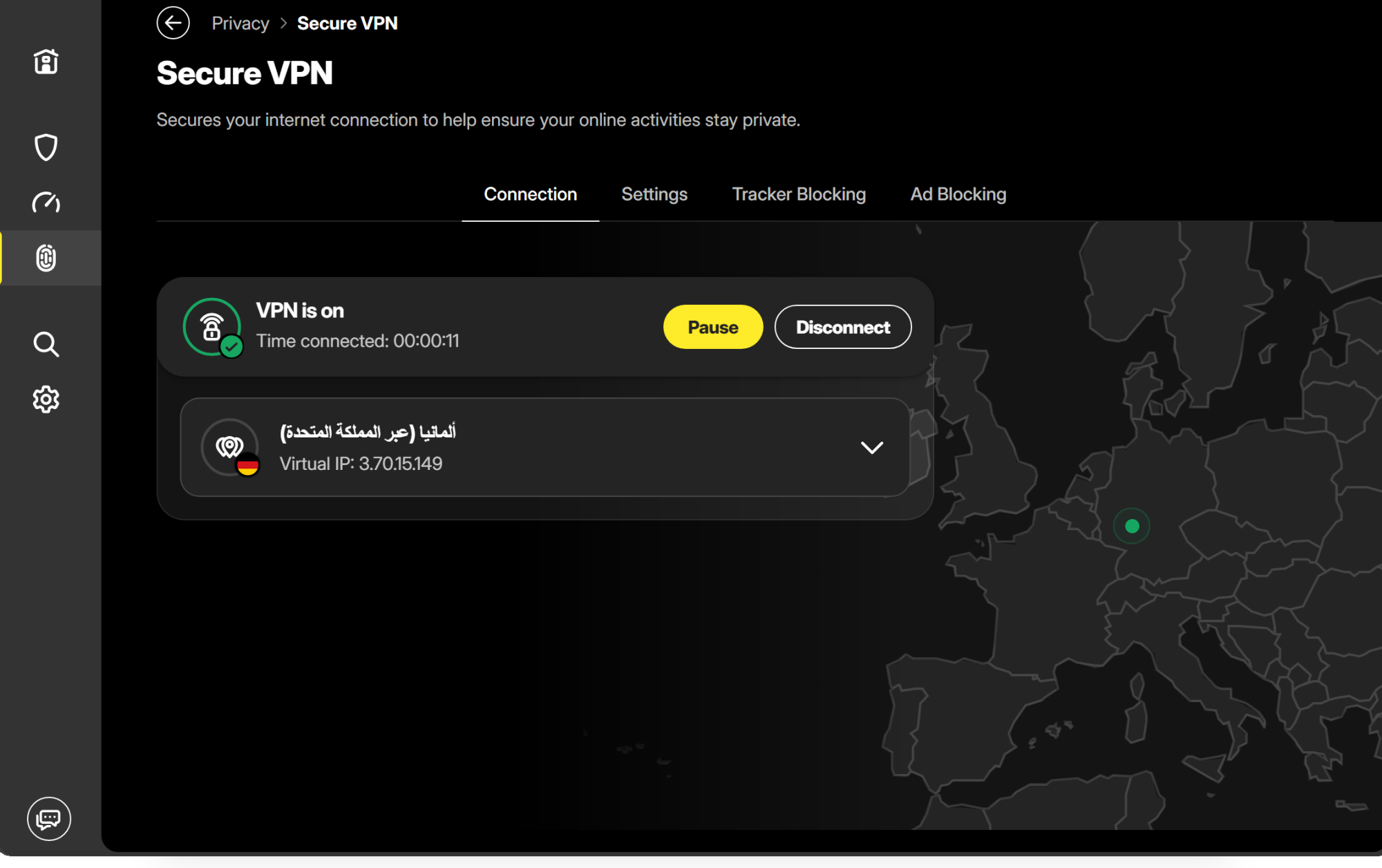
if i open vpn befor adguard my vpn get ip addrers
if my adgarud protaction is on and i start vpn the vpn cant get ip adress its gives me A/N mean no ip addres working and my internet didnt loading fast if that happen
ill send the errors log fine to the email address
Final Checks
- I have confirmed that disabling the Tracking Protection or specific filters did NOT fix the issue.
Screenshots
Screenshot 1
Screenshot 2
System configuration
| Information | Value |
|---|---|
| AdGuard product: | AdGuard for Windows v8.0.4 |
| System version: | Microsoft Windows NT 10.0.26300.0 |
| License type: | paid |
| AdGuard driver: | WFP |
| Filters: | Ad blocking: AdGuard Base Privacy: AdGuard Tracking Protection, AdGuard URL Tracking Annoyances: AdGuard Popups, AdGuard Mobile App Banners, AdGuard Other Annoyances, AdGuard Widgets Language-specific: AdGuard German, AdGuard Polish, Liste AR |
| Custom filters: | User rules (url: none) |
| Tracking protection: | General settings: Block trackers, Strip URLs from tracking parameters, Hide your search queries, Send Do-Not-Track header Tracking methods: Self-destructing first-party cookies (4320 min), Self-destructing third-party cookies (180 min), Disable cache for third-party requests, Block third-party Authorization header Browser API: Block WebRTC, Block Push API, Block Location API, Block Flash, Block Java Windows tracking: Turn off Advertising ID, Disable Windows Defender automatic samples submission Miscellaneous: Hide your IP address (208.54.104.184), Remove X-Client-Data header from HTTP requests, Protect against DPI |
| DNS filtering: | server: https://d.adguard-dns.com/dns-query/xxxxxxxfilters: AdGuard DNS filter, User rules (url: none) |
| Browsing Security: | enabled |
| Browsing Security statistics: | enabled |
| Userscripts: | AdGuard Extra (url: https://userscripts.adtidy.org/release/adguard-extra/1.0/adguard-extra.user.js)<br>AdGuard Popup Blocker (url: https://userscripts.adtidy.org/release/popup-blocker/2.5/popupblocker.user.js)<br>Web of Trust (url: https://userscripts.adtidy.org/release/adguard-wot/1.0/wot.user.js) |
| Userstyles: | disabled |
Issue configuration
- Lenguaje dominante
- Sin datos de lenguaje
- Estrellas
- 10
- Forks
- 4
- Merge medio
- 1 h 20 min
- PR fusionados (30 d)
- 6
Preparar el entorno
Este proyecto no incluye contenedor de desarrollo, Dockerfile ni guía de contribución, así que la configuración corre por tu cuenta: empieza por su README y consulta nuestra guía para la primera contribución para los pasos generales.
Primeros pasos
- Lee el issue completo y luego la guía de contribución del proyecto.
- Comenta en el issue que vas a ocuparte — evita que dos personas hagan lo mismo.
- Haz un fork del repositorio y trabaja en una rama.
- Abre un pull request que haga referencia al número del issue.
Más de AdguardTeam/CompatibilityIssues
-
[Windows]: Arduino IDE 2.3.11AbiertoCompatibility Priority: P4 Windows
Dificultad 2/5 1-3 horas Aptitud para principiantes 45/100
-
[Windows]: AdguardAbiertoCompatibility Priority: P4 Windows
Dificultad 4/5 3-5 días Aptitud para principiantes 28/100
-
[Windows]: DiscordAbiertoCompatibility Priority: P4 Windows
Dificultad 4/5 3-5 días Aptitud para principiantes 45/100
-
[Windows]: VK Play Игровой центрAbiertoCompatibility Priority: P4 Windows
Dificultad 4/5 3-5 días Aptitud para principiantes 30/100
-
Compatibility Priority: P4 Windows
Dificultad 4/5 3-5 días Aptitud para principiantes 20/100
Todos los issues de AdguardTeam/CompatibilityIssues
Issues similares
-
Dificultad 2/5 1-3 horas Aptitud para principiantes 78/100
smartcontractkit/external-adapters-js#5651 ·
Los mantenedores suelen responder en 1 día
-
needs-info
Dificultad 2/5 1-3 horas Aptitud para principiantes 78/100
-
Dificultad 2/5 1-3 horas Aptitud para principiantes 82/100
Los mantenedores suelen responder en 1 día
-
tools/*_probe.py crash onAbiertogood first issue help wanted
Dificultad 2/5 1-3 horas Aptitud para principiantes 85/100
vishwagw/Sky-Sim-drone-simulator-3.0#46 ·
Los mantenedores suelen responder en 1 día
-
Dificultad 2/5 1-3 horas Aptitud para principiantes 76/100
NuSkooler/enigma-bbs#1213 ·
Los mantenedores suelen responder en 1 día