[Windows]: norton 360 vpn
Nessuno ha ancora preso questa issue.
Valutazione
- Difficoltà
- 4/5
- Tempo stimato
- 3-5 giorni
- Idoneità per principianti
- 12/100
- Tipo di issue
- Bug
- Chiarezza
- Da chiarire
- Stato di attività
- Attiva
- Ambito
- networking
Direzione di ricerca
This is a user-submitted compatibility report for AdGuard for Windows v8.0.4, not a scoped code change: the reporter says Norton 360 VPN cannot obtain an IP address while AdGuard protection is on, and that starting the VPN before enabling AdGuard works. There is no file or test named, and the fix would live in the AdGuard for Windows WFP-driver/network-filtering code rather than in this listing repository. A maintainer would first reproduce with the WFP driver enabled, the exported settings link, and the driver logs the reporter offered by email, then narrow which protection module breaks the VPN's address negotiation. Done means a confirmed repro and a filter or driver-level fix recorded against this issue.
Scritto dal modello di indicizzazione a partire dal testo della issue.
Descrizione
Application Name
norton 360 vpn
Application Executable Name
"C:\Program Files\Norton\Suite\NortonUI.exe"
Troubleshooting Result
- Disabling Ad blocking, Tracking protection, Browsing security, and DNS protection (Suggests a filtering rule issue)
Suggested Configuration List
I am not sure, please investigate
Description of the Problem
- Other: my norton vpn cant get ip addres if adguard protaction on
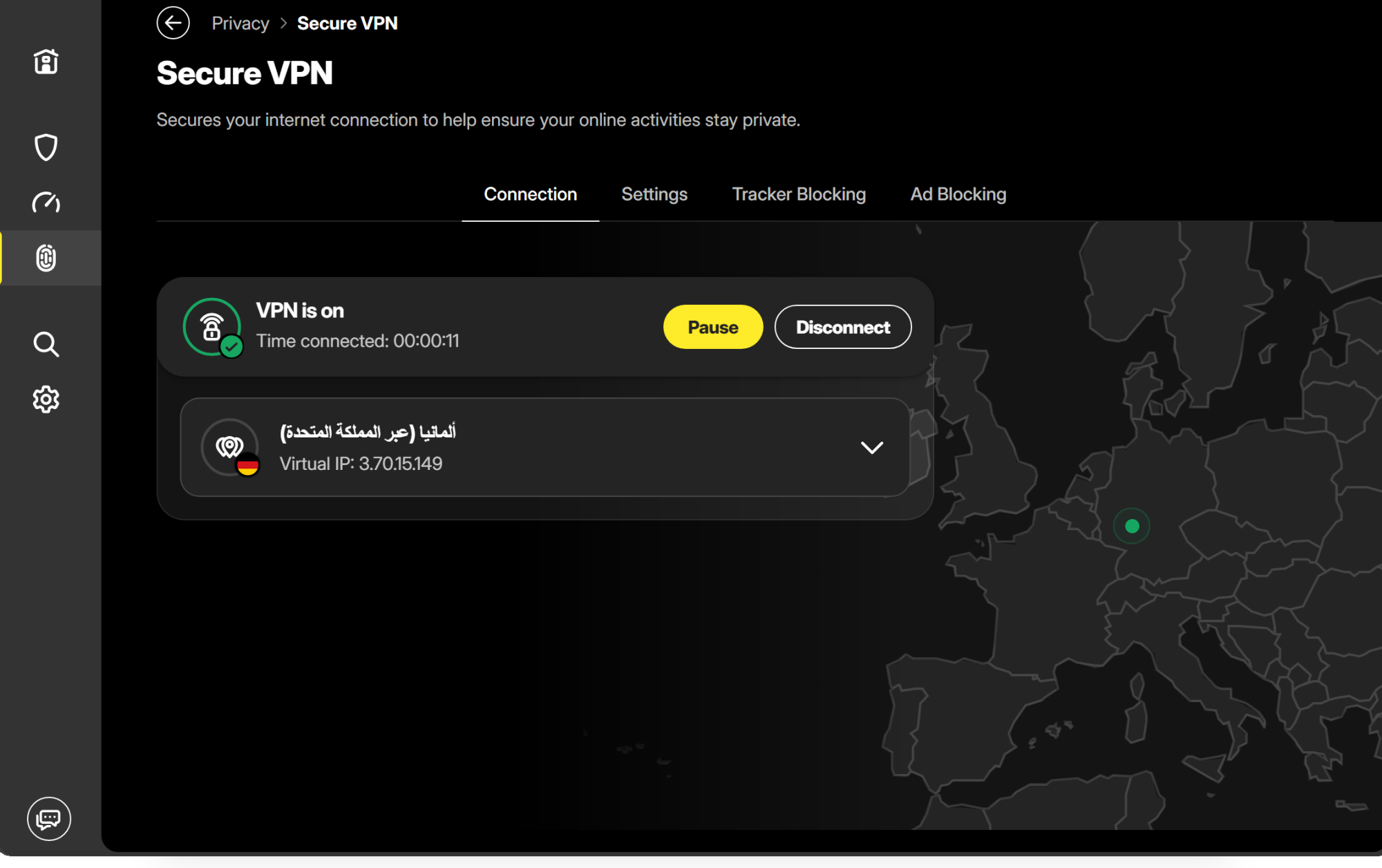
if i open vpn befor adguard my vpn get ip addrers
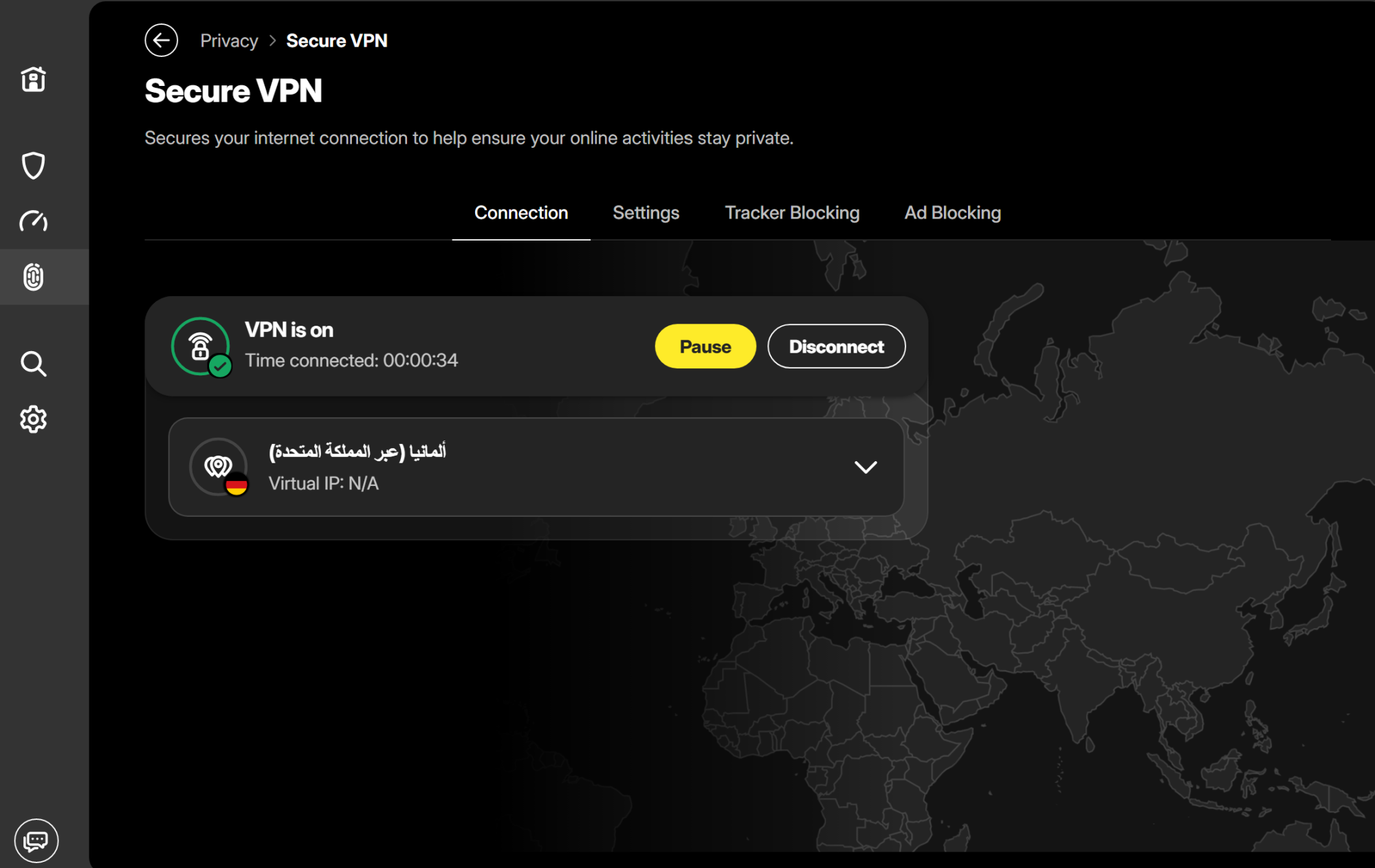
if my adgarud protaction is on and i start vpn the vpn cant get ip adress its gives me A/N mean no ip addres working and my internet didnt loading fast if that happen
ill send the errors log fine to the email address
Final Checks
- I have confirmed that disabling the Tracking Protection or specific filters did NOT fix the issue.
Screenshots
Screenshot 1
Screenshot 2
System configuration
| Information | Value |
|---|---|
| AdGuard product: | AdGuard for Windows v8.0.4 |
| System version: | Microsoft Windows NT 10.0.26300.0 |
| License type: | paid |
| AdGuard driver: | WFP |
| Filters: | Ad blocking: AdGuard Base Privacy: AdGuard Tracking Protection, AdGuard URL Tracking Annoyances: AdGuard Popups, AdGuard Mobile App Banners, AdGuard Other Annoyances, AdGuard Widgets Language-specific: AdGuard German, AdGuard Polish, Liste AR |
| Custom filters: | User rules (url: none) |
| Tracking protection: | General settings: Block trackers, Strip URLs from tracking parameters, Hide your search queries, Send Do-Not-Track header Tracking methods: Self-destructing first-party cookies (4320 min), Self-destructing third-party cookies (180 min), Disable cache for third-party requests, Block third-party Authorization header Browser API: Block WebRTC, Block Push API, Block Location API, Block Flash, Block Java Windows tracking: Turn off Advertising ID, Disable Windows Defender automatic samples submission Miscellaneous: Hide your IP address (208.54.104.184), Remove X-Client-Data header from HTTP requests, Protect against DPI |
| DNS filtering: | server: https://d.adguard-dns.com/dns-query/xxxxxxxfilters: AdGuard DNS filter, User rules (url: none) |
| Browsing Security: | enabled |
| Browsing Security statistics: | enabled |
| Userscripts: | AdGuard Extra (url: https://userscripts.adtidy.org/release/adguard-extra/1.0/adguard-extra.user.js)<br>AdGuard Popup Blocker (url: https://userscripts.adtidy.org/release/popup-blocker/2.5/popupblocker.user.js)<br>Web of Trust (url: https://userscripts.adtidy.org/release/adguard-wot/1.0/wot.user.js) |
| Userstyles: | disabled |
Issue configuration
- Lingua principale
- Nessun dato sulla lingua
- Stelle
- 10
- Fork
- 4
- Merge medio
- 1h 20m
- PR unite (30g)
- 6
Preparare l'ambiente
Questo progetto non fornisce container di sviluppo, Dockerfile né guida per i contributori, quindi l'ambiente è a tuo carico: parti dal suo README e consulta la nostra guida al primo contributo per i passaggi generali.
Come iniziare
- Leggi tutta la issue e poi la guida ai contributi del progetto.
- Commenta sulla issue per dire che te ne occupi tu — evita che due persone facciano lo stesso lavoro.
- Fai un fork del repository e lavora su un branch.
- Apri una pull request che faccia riferimento al numero della issue.
Altre issue di AdguardTeam/CompatibilityIssues
-
Compatibility Priority: P4 Windows
Difficoltà 2/5 1-3 ore Idoneità per principianti 45/100
-
[Windows]: AdguardApertaCompatibility Priority: P4 Windows
Difficoltà 4/5 3-5 giorni Idoneità per principianti 28/100
-
[Windows]: DiscordApertaCompatibility Priority: P4 Windows
Difficoltà 4/5 3-5 giorni Idoneità per principianti 45/100
-
Compatibility Priority: P4 Windows
Difficoltà 4/5 3-5 giorni Idoneità per principianti 30/100
-
Compatibility Priority: P4 Windows
Difficoltà 4/5 3-5 giorni Idoneità per principianti 20/100
Tutte le issue di AdguardTeam/CompatibilityIssues
Issue simili
-
Difficoltà 2/5 1-3 ore Idoneità per principianti 78/100
smartcontractkit/external-adapters-js#5651 ·
I maintainer di solito rispondono entro 1 giorno
-
needs-info
Difficoltà 2/5 1-3 ore Idoneità per principianti 78/100
-
Difficoltà 2/5 1-3 ore Idoneità per principianti 82/100
I maintainer di solito rispondono entro 1 giorno
-
tools/*_probe.py crash onApertagood first issue help wanted
Difficoltà 2/5 1-3 ore Idoneità per principianti 85/100
vishwagw/Sky-Sim-drone-simulator-3.0#46 ·
I maintainer di solito rispondono entro 1 giorno
-
Difficoltà 2/5 1-3 ore Idoneità per principianti 76/100
NuSkooler/enigma-bbs#1213 ·
I maintainer di solito rispondono entro 1 giorno