[Windows]: norton 360 vpn
まだ誰も着手していません。
評価
- 難易度
- 4/5
- 見積もり時間
- 3〜5日
- 初心者へのやさしさ
- 12/100
- issue の種類
- バグ
- 明瞭さ
- 説明が足りない
- 活発さ
- 活発
- 領域
- networking
調査の方向性
This is a user-submitted compatibility report for AdGuard for Windows v8.0.4, not a scoped code change: the reporter says Norton 360 VPN cannot obtain an IP address while AdGuard protection is on, and that starting the VPN before enabling AdGuard works. There is no file or test named, and the fix would live in the AdGuard for Windows WFP-driver/network-filtering code rather than in this listing repository. A maintainer would first reproduce with the WFP driver enabled, the exported settings link, and the driver logs the reporter offered by email, then narrow which protection module breaks the VPN's address negotiation. Done means a confirmed repro and a filter or driver-level fix recorded against this issue.
索引モデルが issue の本文から書いたものです。
説明
Application Name
norton 360 vpn
Application Executable Name
"C:\Program Files\Norton\Suite\NortonUI.exe"
Troubleshooting Result
- Disabling Ad blocking, Tracking protection, Browsing security, and DNS protection (Suggests a filtering rule issue)
Suggested Configuration List
I am not sure, please investigate
Description of the Problem
- Other: my norton vpn cant get ip addres if adguard protaction on
if i open vpn befor adguard my vpn get ip addrers
if my adgarud protaction is on and i start vpn the vpn cant get ip adress its gives me A/N mean no ip addres working and my internet didnt loading fast if that happen
ill send the errors log fine to the email address
Final Checks
- I have confirmed that disabling the Tracking Protection or specific filters did NOT fix the issue.
Screenshots
Screenshot 1
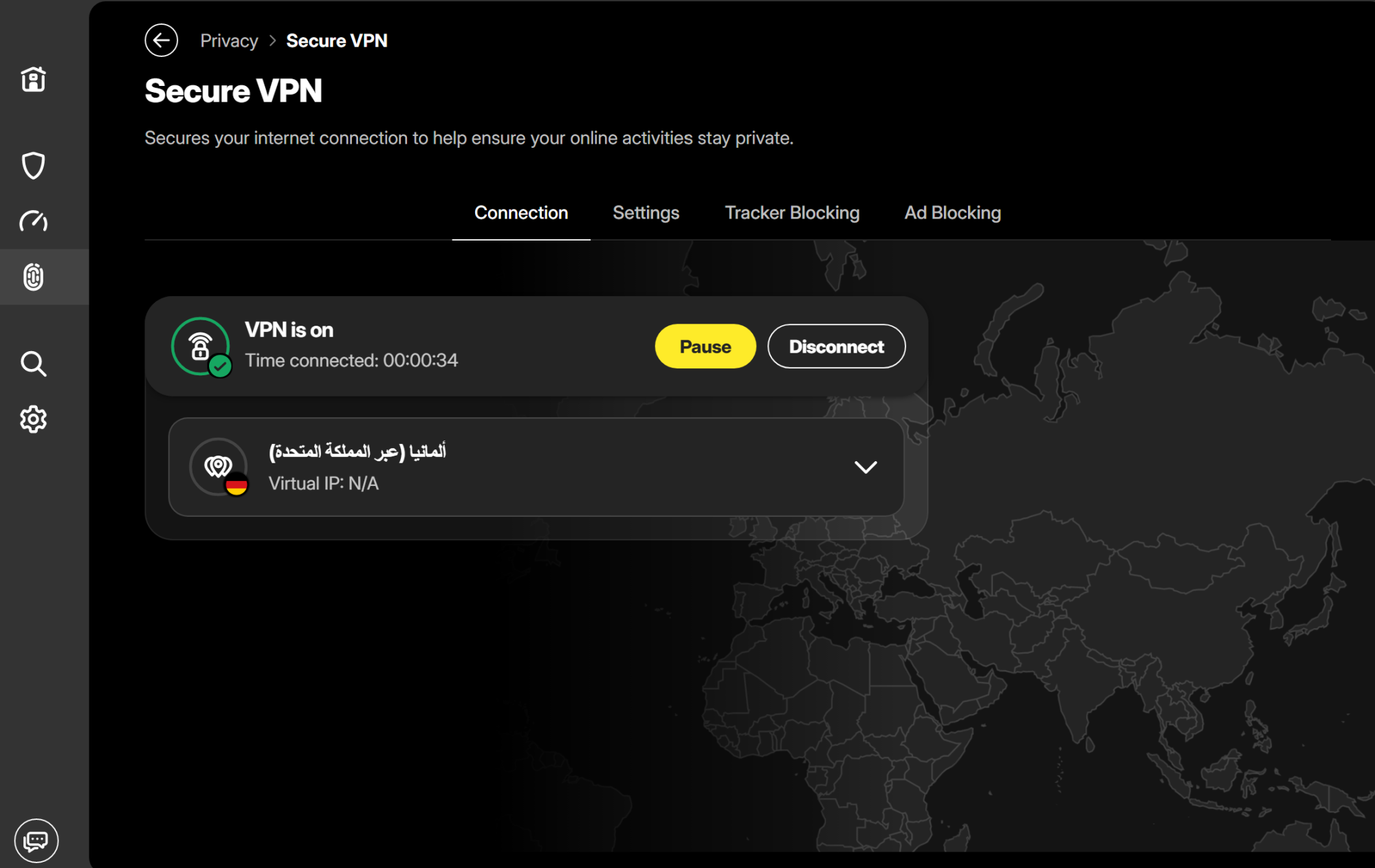
Screenshot 2
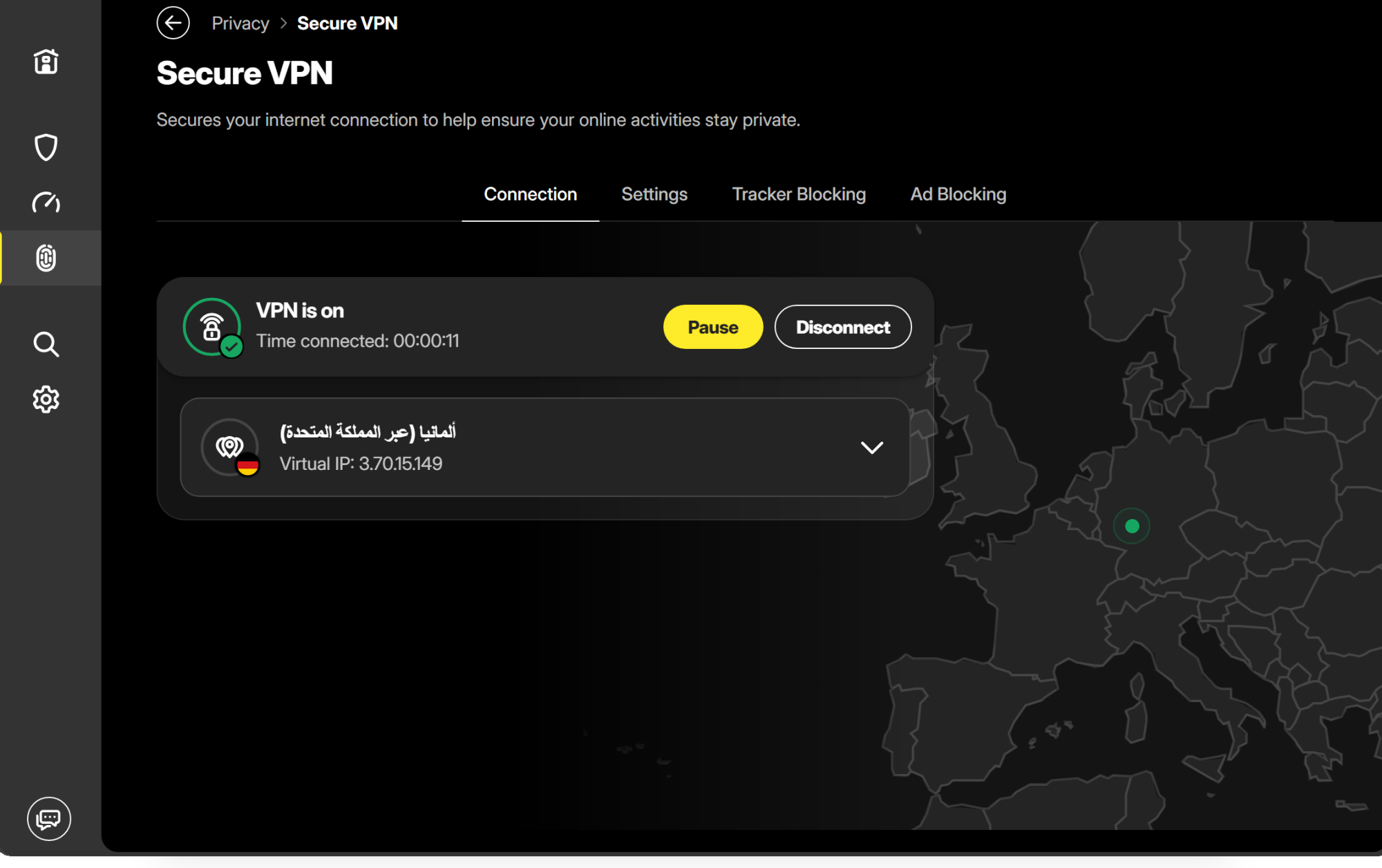
System configuration
| Information | Value |
|---|---|
| AdGuard product: | AdGuard for Windows v8.0.4 |
| System version: | Microsoft Windows NT 10.0.26300.0 |
| License type: | paid |
| AdGuard driver: | WFP |
| Filters: | Ad blocking: AdGuard Base Privacy: AdGuard Tracking Protection, AdGuard URL Tracking Annoyances: AdGuard Popups, AdGuard Mobile App Banners, AdGuard Other Annoyances, AdGuard Widgets Language-specific: AdGuard German, AdGuard Polish, Liste AR |
| Custom filters: | User rules (url: none) |
| Tracking protection: | General settings: Block trackers, Strip URLs from tracking parameters, Hide your search queries, Send Do-Not-Track header Tracking methods: Self-destructing first-party cookies (4320 min), Self-destructing third-party cookies (180 min), Disable cache for third-party requests, Block third-party Authorization header Browser API: Block WebRTC, Block Push API, Block Location API, Block Flash, Block Java Windows tracking: Turn off Advertising ID, Disable Windows Defender automatic samples submission Miscellaneous: Hide your IP address (208.54.104.184), Remove X-Client-Data header from HTTP requests, Protect against DPI |
| DNS filtering: | server: https://d.adguard-dns.com/dns-query/xxxxxxxfilters: AdGuard DNS filter, User rules (url: none) |
| Browsing Security: | enabled |
| Browsing Security statistics: | enabled |
| Userscripts: | AdGuard Extra (url: https://userscripts.adtidy.org/release/adguard-extra/1.0/adguard-extra.user.js)<br>AdGuard Popup Blocker (url: https://userscripts.adtidy.org/release/popup-blocker/2.5/popupblocker.user.js)<br>Web of Trust (url: https://userscripts.adtidy.org/release/adguard-wot/1.0/wot.user.js) |
| Userstyles: | disabled |
Issue configuration
- 主要言語
- 言語のデータがありません
- スター
- 10
- フォーク
- 4
- 平均マージ
- 1時間 20分
- マージ済み PR(30日)
- 6
環境構築
このプロジェクトには開発コンテナ、Dockerfile、コントリビューションガイドがありません。まず README を読み、一般的な手順ははじめてのコントリビューションガイドを参照してください。
はじめの一歩
- issue を最後まで読み、次にプロジェクトのコントリビューションガイドを読みます。
- 着手することを issue にコメントします — 二人が同じ作業をするのを防げます。
- リポジトリをフォークし、ブランチを切って変更します。
- issue 番号を参照したプルリクエストを送ります。
AdguardTeam/CompatibilityIssues のほかの issue
-
Compatibility Priority: P4 Windows
難易度 2/5 1〜3時間 初心者へのやさしさ 45/100
-
[Windows]: AdguardオープンCompatibility Priority: P4 Windows
難易度 4/5 3〜5日 初心者へのやさしさ 28/100
-
[Windows]: DiscordオープンCompatibility Priority: P4 Windows
難易度 4/5 3〜5日 初心者へのやさしさ 45/100
-
Compatibility Priority: P4 Windows
難易度 4/5 3〜5日 初心者へのやさしさ 30/100
-
Compatibility Priority: P4 Windows
難易度 4/5 3〜5日 初心者へのやさしさ 20/100
AdguardTeam/CompatibilityIssues の issue をすべて見る
似ている issue
-
難易度 2/5 1〜3時間 初心者へのやさしさ 78/100
smartcontractkit/external-adapters-js#5651 ·
メンテナーはふだん 1 日以内に返信
-
needs-info
難易度 2/5 1〜3時間 初心者へのやさしさ 78/100
-
難易度 2/5 1〜3時間 初心者へのやさしさ 82/100
メンテナーはふだん 1 日以内に返信
-
good first issue help wanted
難易度 2/5 1〜3時間 初心者へのやさしさ 85/100
vishwagw/Sky-Sim-drone-simulator-3.0#46 ·
メンテナーはふだん 1 日以内に返信
-
難易度 2/5 1〜3時間 初心者へのやさしさ 76/100
NuSkooler/enigma-bbs#1213 ·
メンテナーはふだん 1 日以内に返信