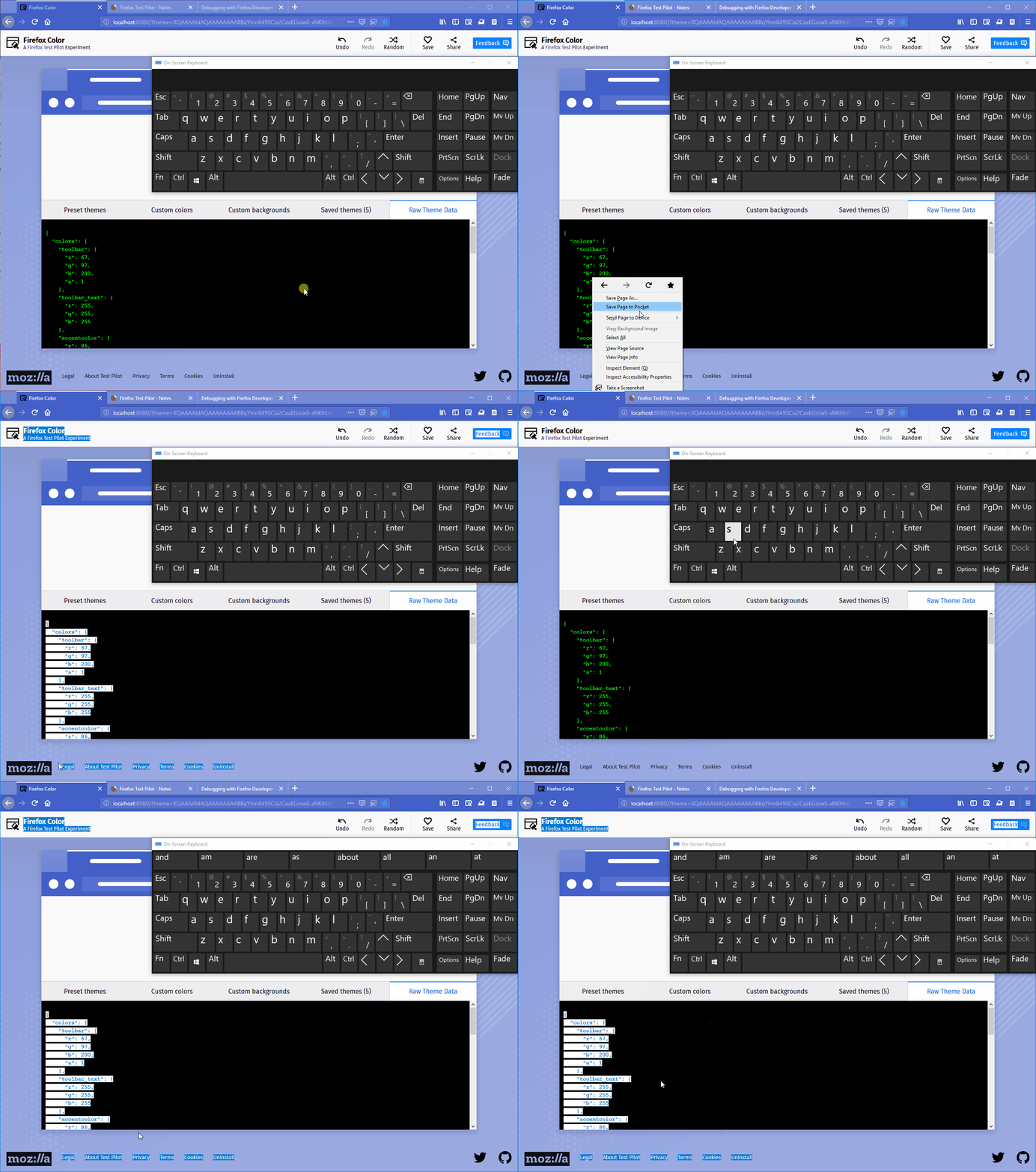
Only the "Raw Theme Data" should be selected when using the "Select All" option
还没有人认领这个 Issue。
评估
- 难度
- 3/5
- 预计耗时
- 1-2 天
- 新手友好度
- 45/100
- Issue 类型
- 缺陷
- 描述清晰度
- 描述清楚
- 活跃度
- 停滞
- 技术栈
- javascript
- 领域
- frontend
调研方向
使用列出的 Firefox Color 配置文件复现该问题,打开 "Raw Theme Data" 标签页,并分别尝试 Select All 和 Ctrl+A。跟踪 Raw Theme Data 区域的选择行为;完成的标准是仅选中该区域的内容,而不是整个页面。
由索引模型根据 Issue 内容生成。
描述
[Affected versions]:
- Firefox 62.0.2 and above
[Affected Platforms]:
- All Windows
- All Mac
- All Linux
[Prerequisites]:
- Have a Firefox profile with the latest version of the "Firefox Color" add-on (1.2.0) custom built on 10/1/2018 installed.
[Steps to reproduce]:
- Open the browser with the profile from prerequisites and click the "Firefox Color" toolbar button.
- Click the "Firefox Color" toolbar button and select the "Raw Theme Data" tab.
- Right click in the "Raw Theme Data" area and select the "Select All" option.
- Observe the behavior.
[Expected result]:
- Only the content from the "Raw Theme Data" area is selected.
[Actual result]:
- All the page's content is selected.
[Notes]:
- This issue is also reproducible if at step 3 you will use the "Ctrl+A" keyboard shortcut instead.
- Attached a screen recording of the issue:
- 主要语言
- JavaScript
- 星标
- 506
- 派生
- 100
- PR 合并指标
- 30 天内没有已合并 PR
环境准备
从这里开始
- 先读完整个 Issue,再读项目的贡献指南。
- 在 Issue 下留言说明你要接手 —— 这能避免两个人做同样的事。
- Fork 仓库,在一个分支上完成修改。
- 提交 Pull Request,并在描述里引用这个 Issue 编号。
mozilla/FirefoxColor 的其他 Issue
-
难度 2/5 1-3 小时 新手友好度 68/100
mozilla/FirefoxColor#1081 · 1 条评论 ·
-
难度 3/5 1-2 天 新手友好度 35/100
mozilla/FirefoxColor#1087 · 1 条评论 ·
-
难度 5/5 一周以上 新手友好度 35/100
mozilla/FirefoxColor#1085 · 1 条评论 ·
-
难度 3/5 1-2 天 新手友好度 68/100
mozilla/FirefoxColor#1084 · 1 条评论 ·
-
难度 5/5 一周以上 新手友好度 35/100
mozilla/FirefoxColor#1083 · 1 个 reaction ·
查看 mozilla/FirefoxColor 的全部 Issue
相似的 Issue
-
bug good first issue
难度 2/5 1-3 小时 新手友好度 86/100
amponce/archive-movie-browser#354 ·
维护者通常 1 天内回复
-
难度 2/5 1-3 小时 新手友好度 74/100
saayam-for-all/webapp#1870 ·
维护者通常 1 天内回复
-
难度 2/5 1-3 小时 新手友好度 76/100
Imageomics/OpenCite#66 ·
维护者通常 1 天内回复
-
难度 2/5 1-3 小时 新手友好度 64/100
chr15m/twiiit.com#20 ·
-
documentation
难度 2/5 1-3 小时 新手友好度 88/100
antropos17/Aegis#629 ·
维护者通常 4 天内回复