Welcome
还没有人认领这个 Issue。
评估
- 难度
- 5/5
- 预计耗时
- 一周以上
- 新手友好度
- 15/100
- Issue 类型
- 文档
- 描述清晰度
- 需要澄清
- 活跃度
- 停滞
- 技术栈
- github
- 领域
- documentation, release
调研方向
请先阅读此 issue 中的发布工作流和 GitHub Pages 说明。该 issue 未指出任何文件、测试或仓库变更,也未定义完成应是什么样的。
由索引模型根据 Issue 内容生成。
描述
Welcome
This repository will teach you about release workflows. By the end of this course, you'll have two versions of the classic arcade game, "Alien Invasion". Let's get started! If you'd like, you can use GitHub Pages to host your Invasion game and see live updates. Go to the Settings tab of this repository. Scroll down to GitHub Pages. Select master as a Source, and click Save.
The GitHub flow
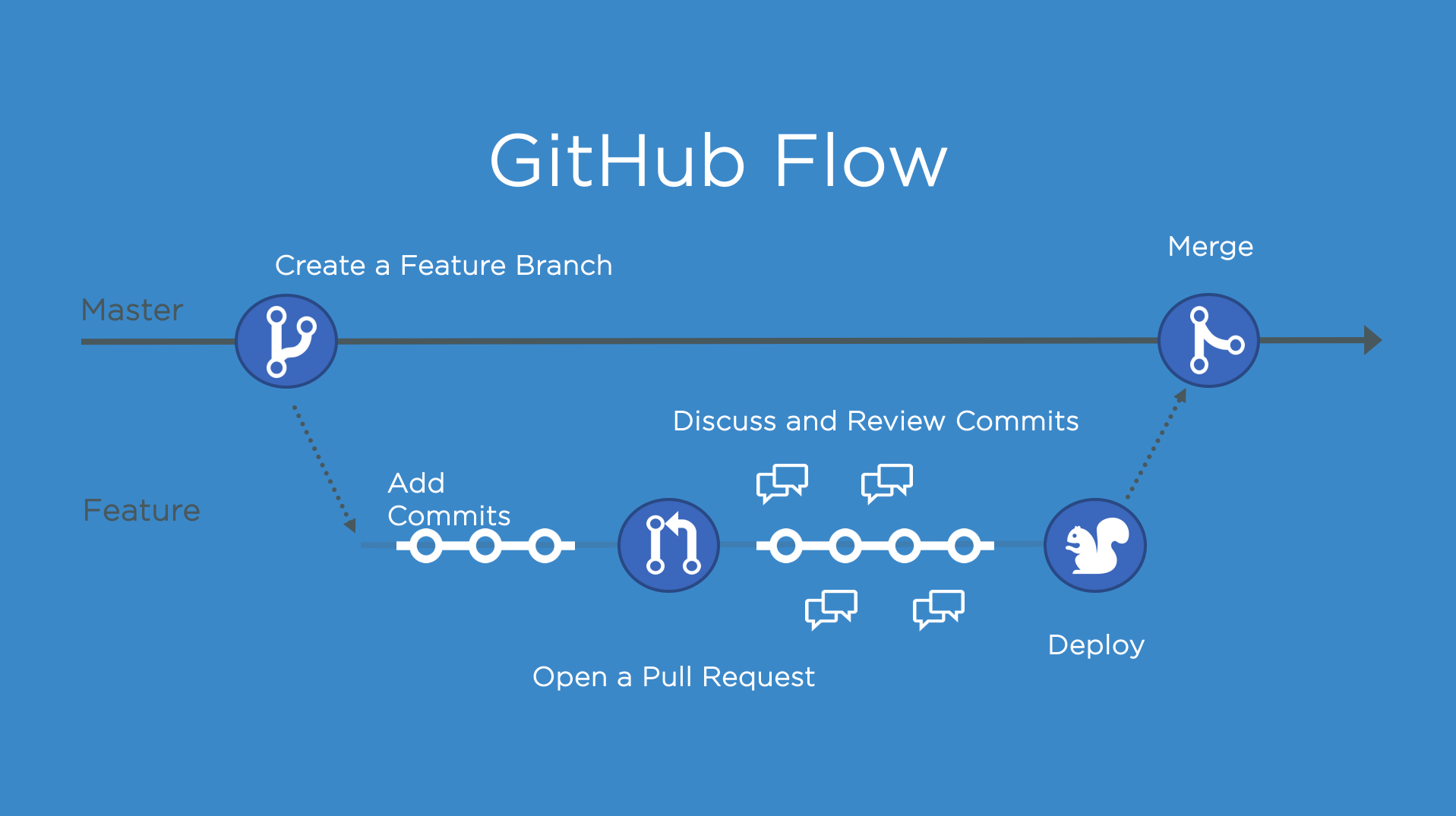
The GitHub Flow is a lightweight, branch-based workflow for projects with regular deployments.
Some projects may deploy more often, with continuous deployment. There might be a "release" every time there's a new commit on master.
But, some projects rely on a different structure for versions and releases.
Versions
Versions are different iterations of updated software like operating systems, apps, or dependencies. Common examples are "Windows 8.1" to "Windows 10", or "macOS High Sierra" to "macOS Mojave".
Developers update code, and then run tests on the project for bugs. During that time, the developers might set up certain securities to protect from new code or bugs. Then, the tested code is ready for production. Teams version the code and release it for installation by end users.
Step 1: Create a beta release
Create a release for this repository on GitHub.
GitHub Releases point to a specific commit. Releases can include release notes in Markdown, and attached binaries.
Before using a release based workflow for a larger release, let's create a tag and release.
⌨️ Activity: Create a release for the current codebase
- Go to the Releases page for this repository.
- You can click the link above, or click the Code tab at the top of your repository. Then, find the navigation bar below the repository description, and click 0 releases.
- Click Create a new release.
- In the field for Tag version, specify a number. In this case, use v0.9. Keep the Target as master.
- Give the release a title, like "First beta release". If you'd like, you could also give the release a short description.
- Select the checkbox next to This is a pre-release, since it is representing a beta version.
- Click Publish release.
Note: There are a lot of options here, like pre-releases, and attaching binaries. We'll talk more about these later. You might also see some yellow bars along the top in this repository for existing branches. We'll come to those later, too.
I'll respond below for your next step
Sometimes I respond too fast for the page to update! If you perform an expected action and don't see a response, wait a few seconds and refresh the page for your next steps.
- 主要语言
- JavaScript
- 星标
- 4
- 派生
- 0
- PR 合并指标
- 30 天内没有已合并 PR
环境准备
我们还没有检查这个项目的环境配置文件。先看它的 README,通用步骤见我们的新手贡献指南。
从这里开始
- 先读完整个 Issue,再读项目的贡献指南。
- 在 Issue 下留言说明你要接手 —— 这能避免两个人做同样的事。
- Fork 仓库,在一个分支上完成修改。
- 提交 Pull Request,并在描述里引用这个 Issue 编号。
相似的 Issue
-
难度 2/5 1-3 小时 新手友好度 75/100
维护者通常 1 天内回复
-
难度 2/5 1-3 小时 新手友好度 86/100
维护者通常 1 天内回复
-
curriculum documentation quality
难度 2/5 1-3 小时 新手友好度 78/100
githubnext/gh-aw-workshop#3897 ·
维护者通常 2 天内回复
-
难度 2/5 1-3 小时 新手友好度 84/100
维护者通常 1 天内回复
-
agent/quality hive/hosted-available-lke648397-260827-5n31 quality testing
难度 2/5 1-3 小时 新手友好度 91/100
维护者通常 1 天内回复