Welcome
まだ誰も着手していません。
評価
- 難易度
- 5/5
- 見積もり時間
- 1週間以上
- 初心者へのやさしさ
- 15/100
- issue の種類
- ドキュメント
- 明瞭さ
- 説明が足りない
- 活発さ
- 停滞
- 技術スタック
- github
- 領域
- documentation, release
調査の方向性
まず、この issue にあるリリースワークフローと GitHub Pages の手順を読んでください。変更対象のファイル、テスト、またはリポジトリは特定されておらず、完了がどのような状態を指すのかも issue では定義されていません。
索引モデルが issue の本文から書いたものです。
説明
Welcome
This repository will teach you about release workflows. By the end of this course, you'll have two versions of the classic arcade game, "Alien Invasion". Let's get started! If you'd like, you can use GitHub Pages to host your Invasion game and see live updates. Go to the Settings tab of this repository. Scroll down to GitHub Pages. Select master as a Source, and click Save.
The GitHub flow
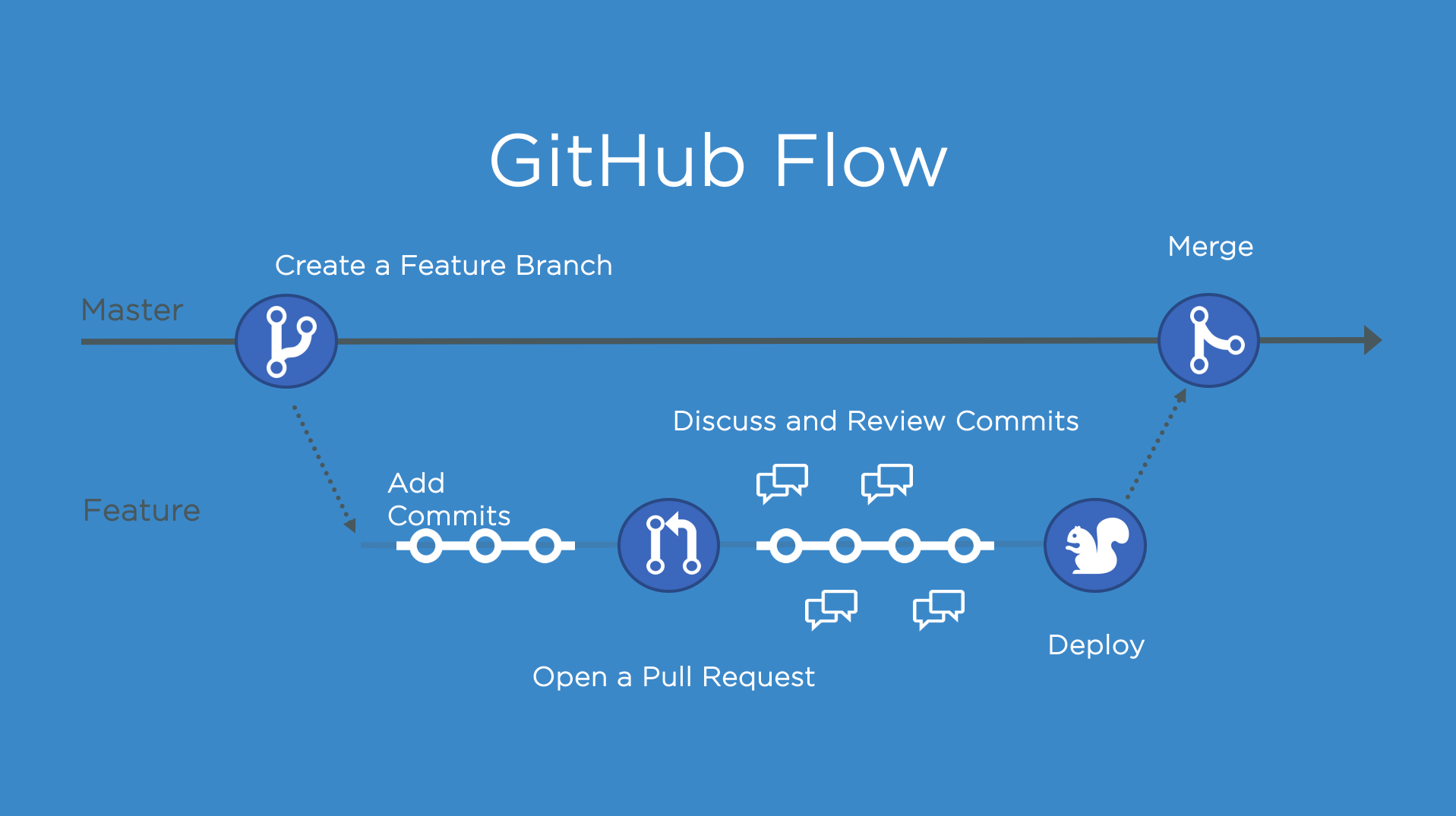
The GitHub Flow is a lightweight, branch-based workflow for projects with regular deployments.
Some projects may deploy more often, with continuous deployment. There might be a "release" every time there's a new commit on master.
But, some projects rely on a different structure for versions and releases.
Versions
Versions are different iterations of updated software like operating systems, apps, or dependencies. Common examples are "Windows 8.1" to "Windows 10", or "macOS High Sierra" to "macOS Mojave".
Developers update code, and then run tests on the project for bugs. During that time, the developers might set up certain securities to protect from new code or bugs. Then, the tested code is ready for production. Teams version the code and release it for installation by end users.
Step 1: Create a beta release
Create a release for this repository on GitHub.
GitHub Releases point to a specific commit. Releases can include release notes in Markdown, and attached binaries.
Before using a release based workflow for a larger release, let's create a tag and release.
⌨️ Activity: Create a release for the current codebase
- Go to the Releases page for this repository.
- You can click the link above, or click the Code tab at the top of your repository. Then, find the navigation bar below the repository description, and click 0 releases.
- Click Create a new release.
- In the field for Tag version, specify a number. In this case, use v0.9. Keep the Target as master.
- Give the release a title, like "First beta release". If you'd like, you could also give the release a short description.
- Select the checkbox next to This is a pre-release, since it is representing a beta version.
- Click Publish release.
Note: There are a lot of options here, like pre-releases, and attaching binaries. We'll talk more about these later. You might also see some yellow bars along the top in this repository for existing branches. We'll come to those later, too.
I'll respond below for your next step
Sometimes I respond too fast for the page to update! If you perform an expected action and don't see a response, wait a few seconds and refresh the page for your next steps.
- 主要言語
- JavaScript
- スター
- 4
- フォーク
- 0
- PR マージ指標
- 30日以内にマージされた PR はありません
コントリビューションガイド
このリポジトリのコントリビューションガイドは索引されていません
はじめの一歩
- issue を最後まで読み、次にプロジェクトのコントリビューションガイドを読みます。
- 着手することを issue にコメントします — 二人が同じ作業をするのを防げます。
- リポジトリをフォークし、ブランチを切って変更します。
- issue 番号を参照したプルリクエストを送ります。
似ている issue
-
難易度 2/5 1〜3時間 初心者へのやさしさ 82/100
-
area-deployment area-integrations triage:bot-seen
難易度 2/5 半日 初心者へのやさしさ 86/100
-
Issue-Bug
難易度 2/5 1〜3時間 初心者へのやさしさ 68/100
sugarlabs/musicblocks#8924 ·
-
難易度 1/5 1時間未満 初心者へのやさしさ 90/100
ArduPilot/ardupilot_wiki#8088 ·
-
[BUG] createTool tools cannot be registered with Mastra when exactOptionalPropertyTypes is enabled オープンcustomer-eng status: needs triage
難易度 2/5 1〜3時間 初心者へのやさしさ 84/100