unable to read DataMatrix
Nobody has claimed this yet.
Assessment
- Difficulty
- 5/5
- Estimated time
- Over a week
- Newbie friendliness
- 12/100
- Issue type
- Bug
- Clarity
- Needs clarification
- Activity status
- Stale
- Tech stack
- csharp
- Domain
- computer-vision
Research direction
Start with the reader setup in the issue: a DecodingOptions with TryInverted, TryHarder and AssumeGS1, passed to a BarcodeReader with AutoRotate set to true. Reproduce against the three attached DataMatrix images, where the first decodes, the second decodes only after manual inversion and rotation, and the third fails. Comparing how the detector handles the inverted and rotated cases is where the work lies. Done would mean the third image decodes with AutoRotate enabled, which the issue does not yet show a path to.
Written by the indexing model from the issue text.
Description
I'm having hard time decoding a certain DM barcode.
-
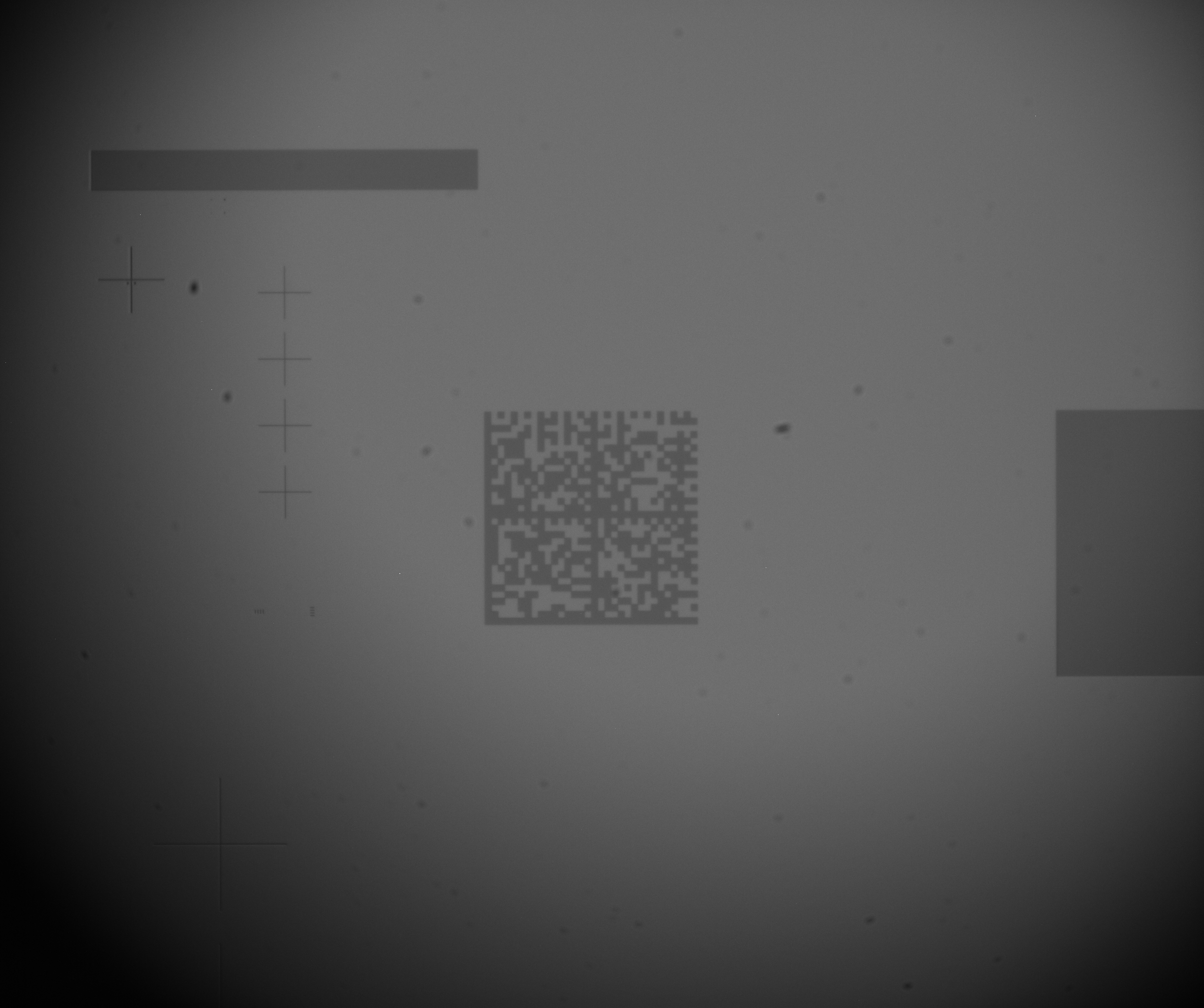
this one is decoded just fine:
-
this one is decoded just after I invert and rotate the bitmap manually until i get the code:

-
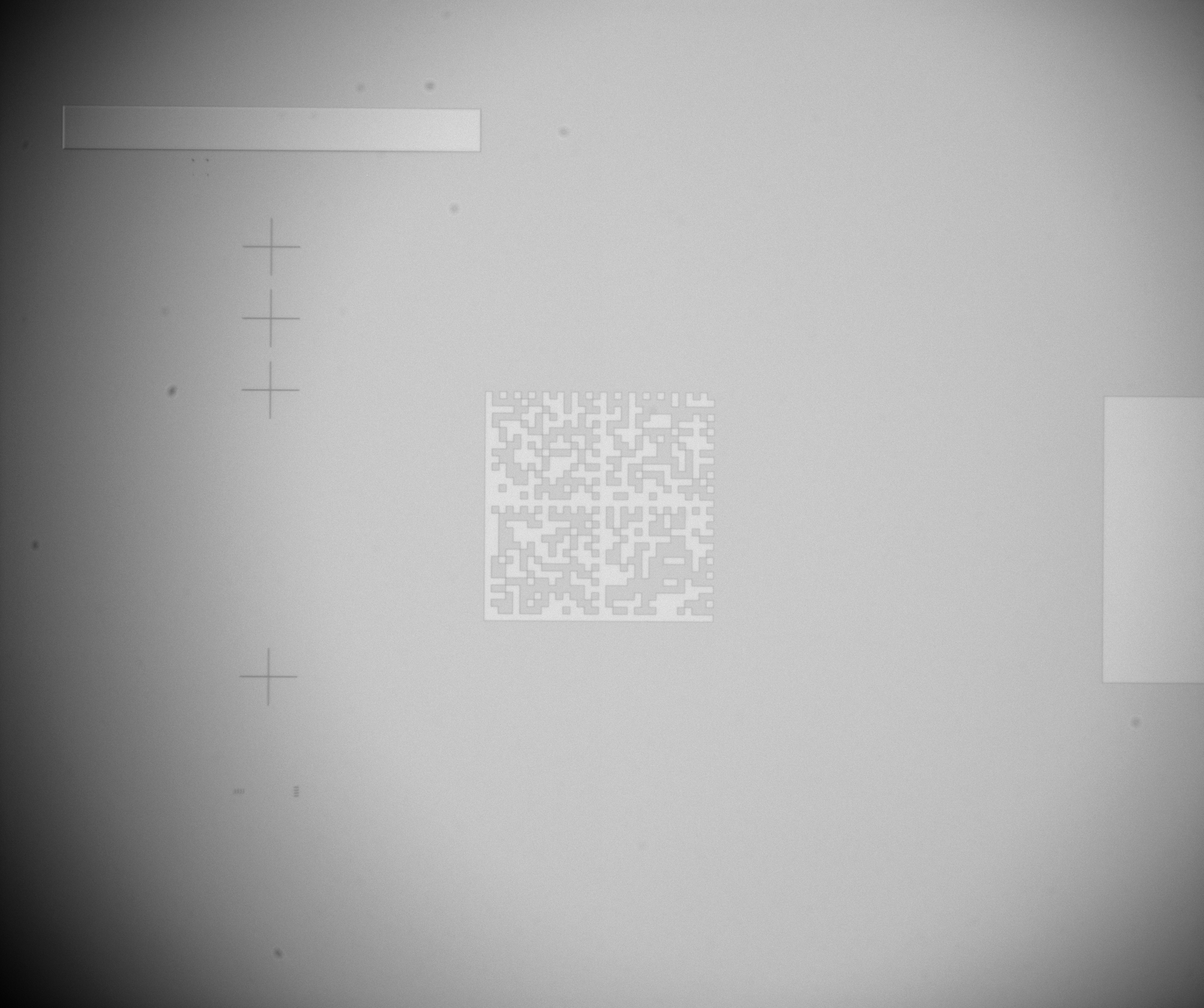
but this one is not working:
this is the reader:
var options = new DecodingOptions()
{
TryInverted = true,
TryHarder = true,
AssumeGS1 = true,
PossibleFormats = new List()
{
BarcodeFormat.QR_CODE,
BarcodeFormat.CODE_39,
BarcodeFormat.CODE_93,
BarcodeFormat.CODE_128,
BarcodeFormat.CODABAR,
BarcodeFormat.DATA_MATRIX
}
};
         var reader = new ZXing.BarcodeReader()
        {
            AutoRotate = true,
            Options = options
        };

       zxingResult = reader.Decode(bitmap);
as you can see, the autoRotate=true, but the second barcode is decoded just when I rotate it manualy.
does anyone have an idea what can i do?
- Dominant language
- C#
- Stars
- 3.1k
- Forks
- 704
- Avg merge
- 13d 17h
- Merged PRs (30d)
- 2
Getting set up
This project ships no dev container, Dockerfile or contributing guide, so setting up is up to you: start from its README, and see our first-contribution guide for the general steps.
First steps
- Read the whole issue, then the project's contributing guide.
- Comment on the issue to say you are picking it up — it saves two people doing the same work.
- Fork the repository and make your change on a branch.
- Open a pull request that references the issue number.
More from micjahn/ZXing.Net
-
Difficulty 1/5 Under an hour Newbie friendliness 92/100
-
Difficulty 2/5 1-3 hours Newbie friendliness 62/100
-
Difficulty 3/5 Half a day Newbie friendliness 22/100
-
Difficulty 3/5 1-2 days Newbie friendliness 42/100
-
Difficulty 4/5 3-5 days Newbie friendliness 12/100
All issues in micjahn/ZXing.Net
Similar issues
-
area: core priority: low type: bug
Difficulty 2/5 1-3 hours Newbie friendliness 74/100
RicoSuter/Namotion.Interceptor#863 ·
Maintainers usually reply within 1 day
-
area-cli
Difficulty 2/5 1-3 hours Newbie friendliness 72/100
Maintainers usually reply within 1 day
-
0.3.0
Difficulty 2/5 1-3 hours Newbie friendliness 78/100
Maintainers usually reply within 1 day
-
Difficulty 2/5 1-3 hours Newbie friendliness 86/100
Maintainers usually reply within 2 days
-
[Bug] Decompression leaves metadata that makes recompression throw and corrupt the content typeOpen
Difficulty 2/5 1-3 hours Newbie friendliness 78/100
BrighterCommand/Brighter#4683 ·
Maintainers usually reply within 1 day