Check pathnames for illegal characters (e.g. outputPath for build files)
まだ誰も着手していません。
評価
- 難易度
- 3/5
- 見積もり時間
- 1〜2日
- 初心者へのやさしさ
- 35/100
- issue の種類
- バグ
- 明瞭さ
- 明確に書かれている
- 活発さ
- 停滞
- 技術スタック
- angular, typescript
- 領域
- build-system, cli
調査の方向性
まず、issue で説明されている angular.json の設定を使い、outputPath を .../dist に設定した ng build コマンドを Windows サンドボックスで再現します。ビルドがそのパスをどのように処理するかを追跡し、無効なパス名によってファイルやディレクトリが作成される前に警告またはエラーが発生することを確認します。
索引モデルが issue の本文から書いたものです。
説明
🐞 Bug report
Command (mark with an x)
- new
- build
- serve
- test
- e2e
- generate
- add
- update
- lint
- extract-i18n
- run
- config
- help
- version
- doc
Description
The Angular CLI should warn the user if a specified path is invalid for the current system.
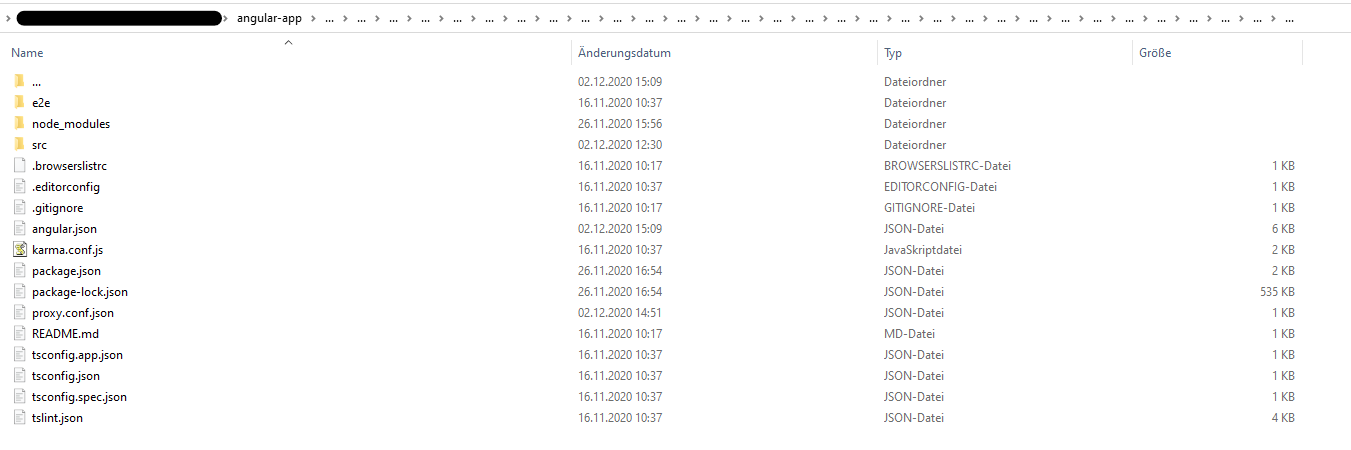
I accidently set ".../dist" (three dots) as outputPath in angular.json. Correct is "../dist" (two dots). Running ng build created a huge mess. In the app root a folder has been created with ... as name (ending a folder name in Windows with a dot is illegal). Inside of this three dot folder all of my project files were listed (including node_modules folder). There was also a folder named ..., which again contained my whole project files. This recursively went to whatever level (I clicked throuhg the folder approximately 30 levels down, there was still a ... folder). Deleting the first ... folder lastet more than 15 minutes, then telling me the files which should be deleted aren't there anymore. Also my project files in the root directory were deleted in this process (luckily most of it in Git). That was the strangest thing, it felt like the content inside of ... mirrored my root project somehow (like in https://superuser.com/questions/528502/cant-remove-three-dots-folder-on-my-hdd). I also tried reverting my files using Git which did not work at all. I managed to delete the whole repository locally with rm -rf 'folder' using the GitBash. After cloning the project again, my IDE (Webstorm) listed the ... folder once again, which luckily could be deleted this time. The project looks fine right now, and with the correct outputPath the app builds correctly.
It would be nice if the CLI checks pathnames for illegal characters. I did not try any other illegal characters inside of the path name.
🔬 Minimal Reproduction
Caution: Try in a sandbox environment with unimported files only to prevent loss of data!
- Change the
"outputPath"inangular.jsonto".../dist"(three dots) - Run
ng build
🌍 Your Environment
Angular CLI: 11.0.1
Node: 14.15.0
OS: win32 x64

Angular: 11.0.0
... animations, common, compiler, compiler-cli, core, forms
... platform-browser, platform-browser-dynamic, router
Ivy Workspace: Yes

Package                         Version
---------------------------------------------------------
@angular-devkit/architect       0.1100.1
@angular-devkit/build-angular   0.1100.1
@angular-devkit/core            11.0.1
@angular-devkit/schematics      11.0.1
@angular/cdk                    11.0.1
@angular/cli                    11.0.1
@angular/material               11.0.1
@schematics/angular             11.0.1
@schematics/update              0.1100.1
rxjs                            6.6.3
typescript                      4.0.5
Anything else relevant?
- 主要言語
- TypeScript
- スター
- 27k
- フォーク
- 11.8k
- 平均マージ
- 16時間 35分
- マージ済み PR(30日)
- 176
コントリビューションガイド
はじめの一歩
- issue を最後まで読み、次にプロジェクトのコントリビューションガイドを読みます。
- 着手することを issue にコメントします — 二人が同じ作業をするのを防げます。
- リポジトリをフォークし、ブランチを切って変更します。
- issue 番号を参照したプルリクエストを送ります。
angular/angular-cli のほかの issue
-
area: @angular/build gemini-triaged
難易度 2/5 1〜3時間 初心者へのやさしさ 74/100
angular/angular-cli#33955 ·
-
area: @angular/cli gemini-triaged
難易度 2/5 1〜3時間 初心者へのやさしさ 72/100
angular/angular-cli#33055 · コメント 1 件 · リアクション 3 件 ·
-
area: @angular/build gemini-triaged
難易度 4/5 3〜5日 初心者へのやさしさ 72/100
angular/angular-cli#34137 ·
-
angular/build:library area: @angular/build gemini-triaged
angular/angular-cli#34131 · 担当者 1 名 ·
-
angular/build:library area: @angular/build gemini-triaged
angular/angular-cli#34130 · 担当者 1 名 ·
angular/angular-cli の issue をすべて見る
似ている issue
-
clawsweeper:linked-pr-open clawsweeper:no-new-fix-pr clawsweeper:source-repro impact:message-loss issue-rating: 🦞 diamond lobster maturity:stable P2
難易度 2/5 1〜3時間 初心者へのやさしさ 88/100
-
難易度 2/5 1〜3時間 初心者へのやさしさ 84/100
Eynzof/Hermes-CN-Desktop#616 ·
-
ZCode 3.14.3 に対応する オープン
難易度 2/5 1〜3時間 初心者へのやさしさ 68/100
supermomonga/zcode-acp#24 ·
-
難易度 2/5 1〜3時間 初心者へのやさしさ 76/100
growthbook/growthbook#7100 ·
-
triage
難易度 1/5 1〜3時間 初心者へのやさしさ 88/100