INotifyDataErrorInfo Error Message is overflowing the TextBox inside a DataGrid
維護者通常 1 天內回覆
還沒有人認領這個 Issue。
評估
研究方向
首先,在包含 100 個 TextBox 項目、使用 INotifyDataErrorInfo 驗證以及回報的 MaterialDesignInXamlToolkit 4.5.0 版本的 WPF DataGrid 中重現問題。比較使用 ValidationRules、清除文字和捲動時的行為。完成的標準是:在編輯和捲動期間,所有列的驗證訊息都保持正確定位。
由索引模型根據 Issue 內容生成。
描述
Bug explanation
Is anyone here having the same problem when using INotifyDataErrorInfo where the Error Message of the TextBox is overflowing? No issue when using ValidationRules at all.
I have a DataGrid with 100 items, each item has a TextBox. In my ViewModel, I implemented the INotifyDataErrorInfo. For some reason, if all of the Error Message is shown below the TextBox, some of them are overflowing. I tried using ValidationRules but everything is fine, the problem occurs only when using INotifyDataErrorInfo.
Here is an example of the issue when all of the error is being shown.
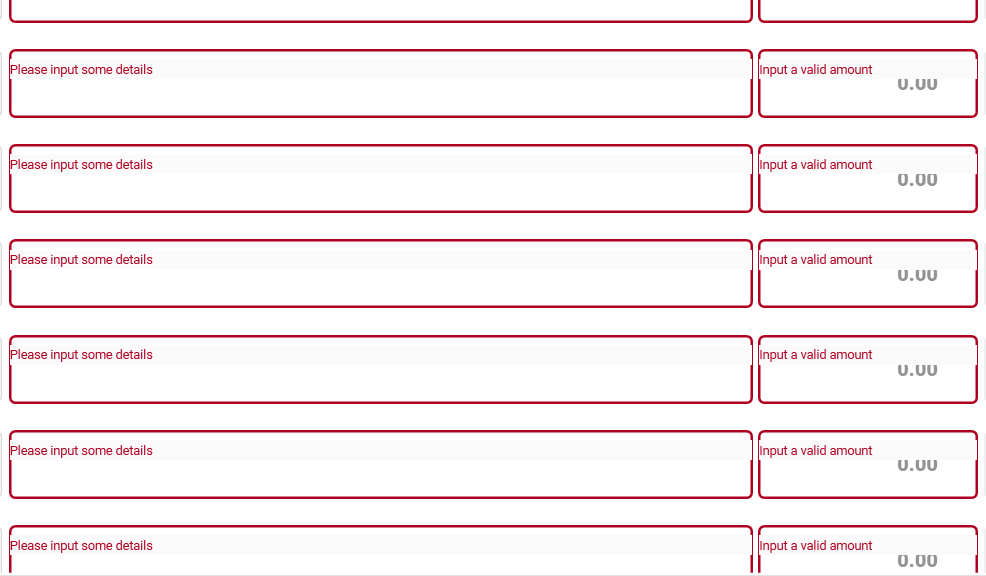
Could this be an issue with the DataGrid? The first 20 items are showing the error message in the correct position, but after that until the end of the items is not.
UPDATE: I tried to input the correct entry in the TextBox, then remove the text by clicking the clear icon of the TextBox. After that, the position of the Error Message is corrected, but then I tried to scroll and the problem occur again.
-
I tried typing some text.
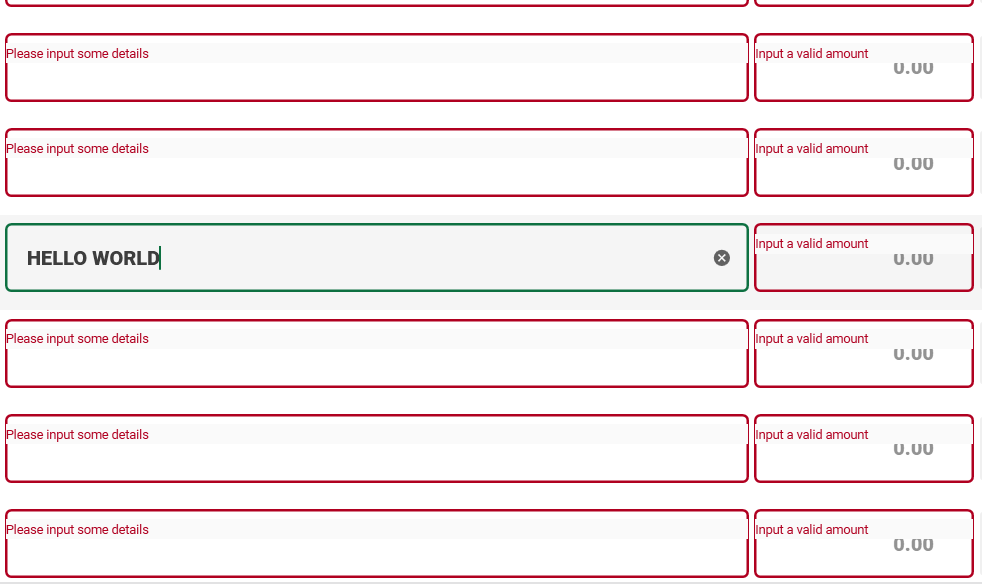
-
Then cleared the text by clicking the
clearicon. (Noticed that the position of the error message is corrected)
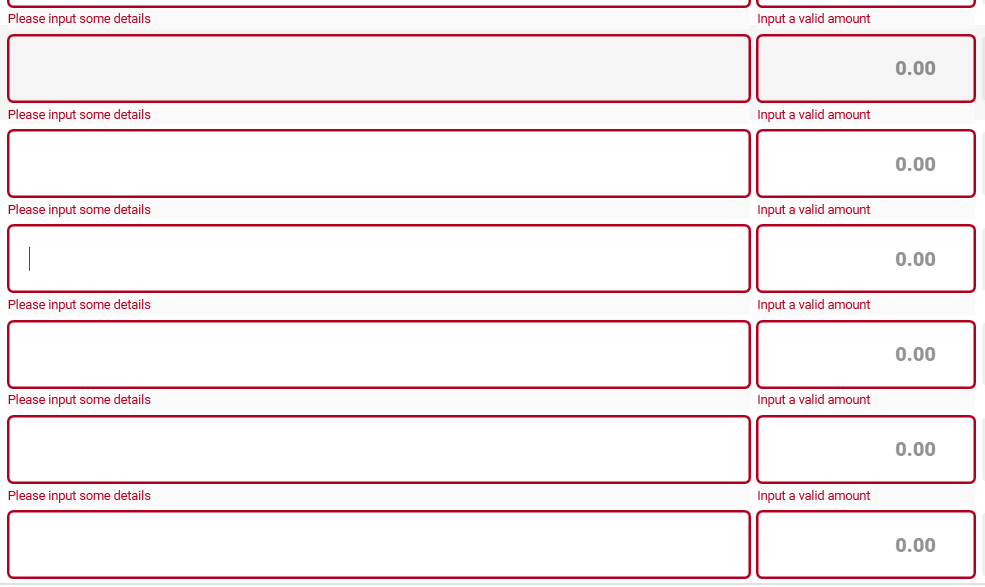
-
Retype some text. (Everything is fine as of now)
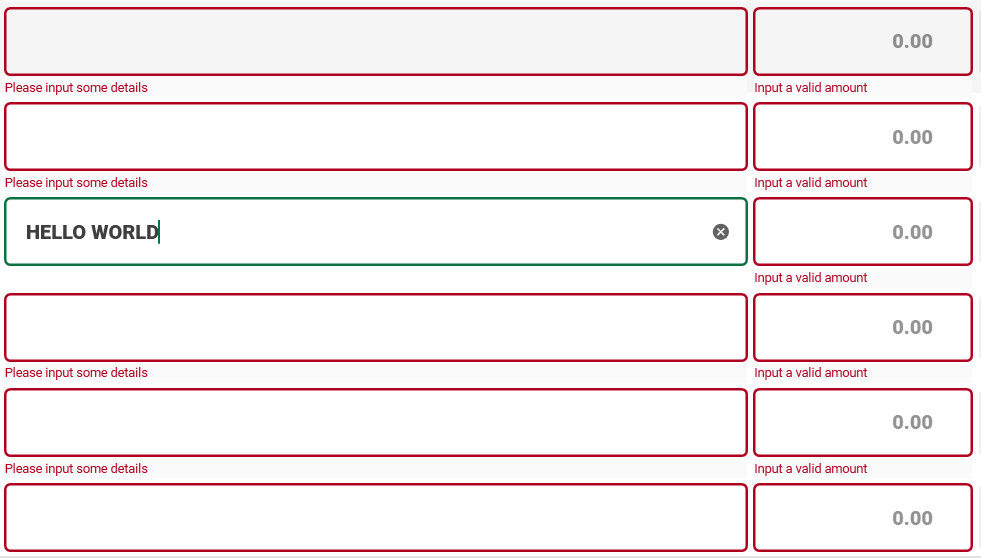
-
I tried to scroll, going down. (Problem occurred again)
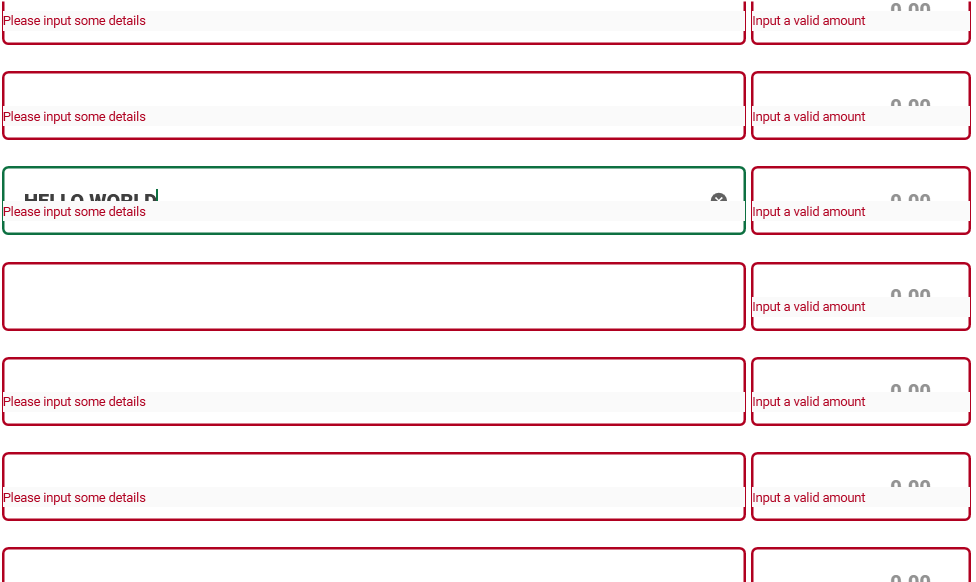
-
Then scroll again, going up. (Still the same problem)
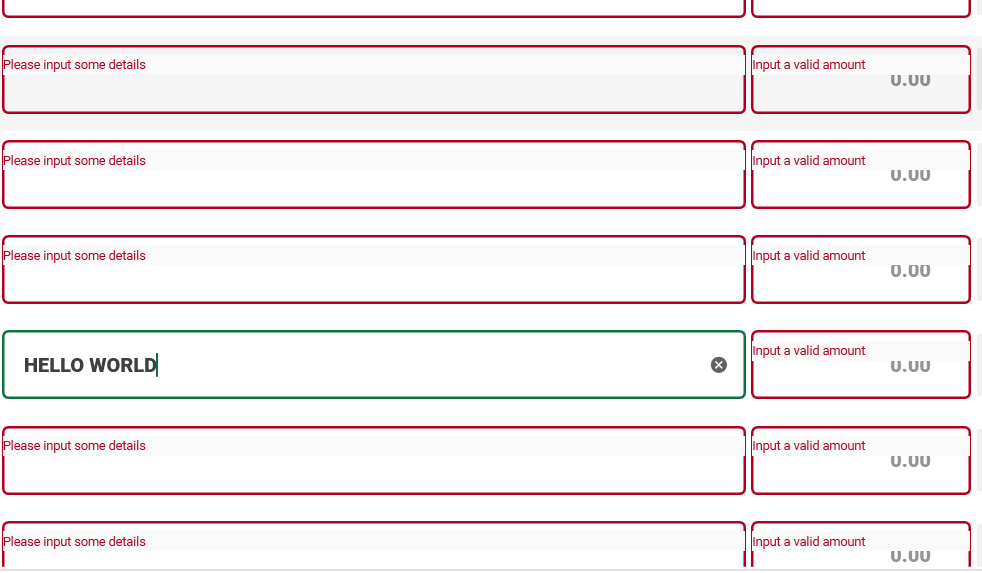
Version
using version 4.5.0
- 主要語言
- C#
- 星號
- 16.3k
- 分支
- 3.5k
- 平均合併
- 4 小時 25 分鐘
- 30 天內合併 PR
- 4
環境準備
- 沒有 Dockerfile 或 Docker Compose 檔案
- 沒有 Pull Request 範本
- 閱讀貢獻指南
從這裡開始
- 先讀完整個 Issue,再讀專案的貢獻指南。
- 在 Issue 下留言說明你要接手 —— 這能避免兩個人做同樣的事。
- Fork 儲存庫,在一個分支上完成修改。
- 送出 Pull Request,並在描述裡引用這個 Issue 編號。
MaterialDesignInXAML/MaterialDesignInXamlToolkit 的其他 Issue
-
難度 1/5 1 小時以內 新手友好度 88/100
MaterialDesignInXAML/MaterialDesignInXamlToolkit#4124 ·
維護者通常 1 天內回覆
-
MaterialDesignChoiceChipListBoxItem missing 'Path=Name' in GroupName binding causes selection conflict between ListBoxes可能已有人在做 @corvinsz 於 12 天前認領。 未關閉bug evaluation required
難度 1/5 1-3 小時 新手友好度 78/100
MaterialDesignInXAML/MaterialDesignInXamlToolkit#4118 · 1 則留言 ·
維護者通常 1 天內回覆
-
enhancement up-for-grabs
難度 2/5 1-3 小時 新手友好度 68/100
MaterialDesignInXAML/MaterialDesignInXamlToolkit#2485 ·
維護者通常 1 天內回覆
-
enhancement evaluation required
難度 3/5 半天 新手友好度 30/100
MaterialDesignInXAML/MaterialDesignInXamlToolkit#4120 · 1 則留言 ·
維護者通常 1 天內回覆
-
Add Semantic, Theme-Aware Colors可能已有人在做 @corvinsz 於 23 天前認領。 未關閉enhancement
難度 4/5 3-5 天 新手友好度 48/100
MaterialDesignInXAML/MaterialDesignInXamlToolkit#4114 · 1 個 reaction ·
維護者通常 1 天內回覆
查看 MaterialDesignInXAML/MaterialDesignInXamlToolkit 的全部 Issue
相似的 Issue
-
bug
難度 2/5 1-3 小時 新手友好度 78/100
NimblePros/eShopOnWeb#333 ·
維護者通常 1 天內回覆
-
難度 2/5 1-3 小時 新手友好度 68/100
Natvs/Nt.Automaton#33 ·
-
enhancement
難度 2/5 1-3 小時 新手友好度 68/100
-
難度 2/5 1-3 小時 新手友好度 62/100
-
documentation
難度 2/5 半天 新手友好度 65/100
維護者通常 1 天內回覆