INotifyDataErrorInfo Error Message is overflowing the TextBox inside a DataGrid
メンテナーはふだん 1 日以内に返信
まだ誰も着手していません。
評価
調査の方向性
まず、100個のTextBox項目、INotifyDataErrorInfo検証、および報告されたMaterialDesignInXamlToolkitバージョン4.5.0を使用するWPF DataGridで問題を再現します。ValidationRules、テキストのクリア、およびスクロール時の動作を比較します。編集およびスクロール中に、すべての行で検証メッセージが正しい位置に留まれば完了です。
索引モデルが issue の本文から書いたものです。
説明
Bug explanation
Is anyone here having the same problem when using INotifyDataErrorInfo where the Error Message of the TextBox is overflowing? No issue when using ValidationRules at all.
I have a DataGrid with 100 items, each item has a TextBox. In my ViewModel, I implemented the INotifyDataErrorInfo. For some reason, if all of the Error Message is shown below the TextBox, some of them are overflowing. I tried using ValidationRules but everything is fine, the problem occurs only when using INotifyDataErrorInfo.
Here is an example of the issue when all of the error is being shown.
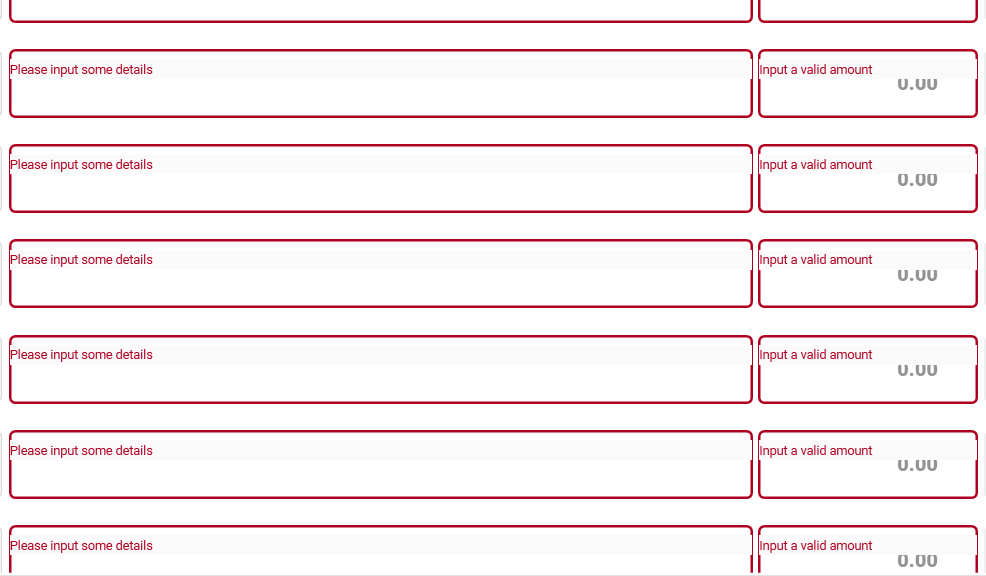
Could this be an issue with the DataGrid? The first 20 items are showing the error message in the correct position, but after that until the end of the items is not.
UPDATE: I tried to input the correct entry in the TextBox, then remove the text by clicking the clear icon of the TextBox. After that, the position of the Error Message is corrected, but then I tried to scroll and the problem occur again.
-
I tried typing some text.
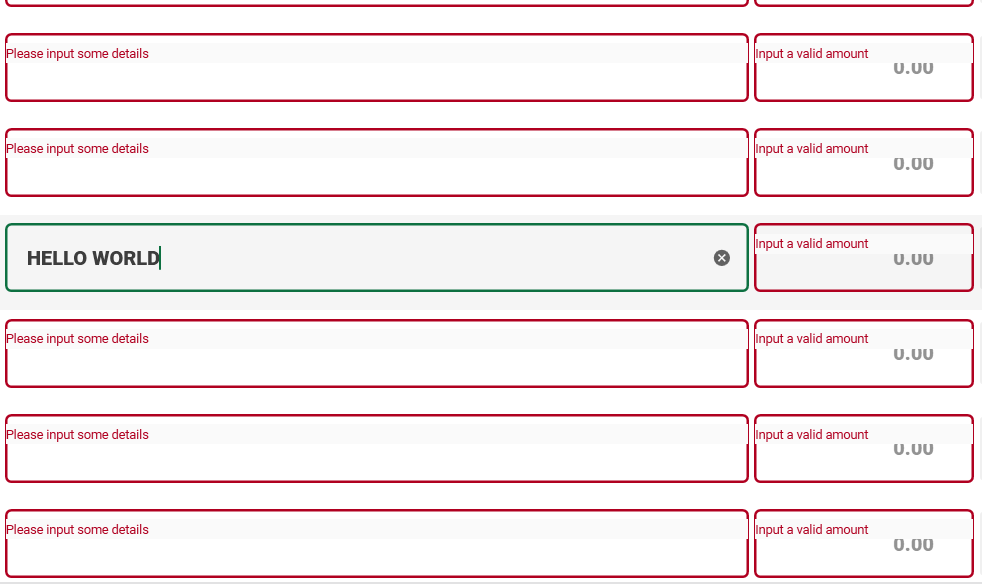
-
Then cleared the text by clicking the
clearicon. (Noticed that the position of the error message is corrected)
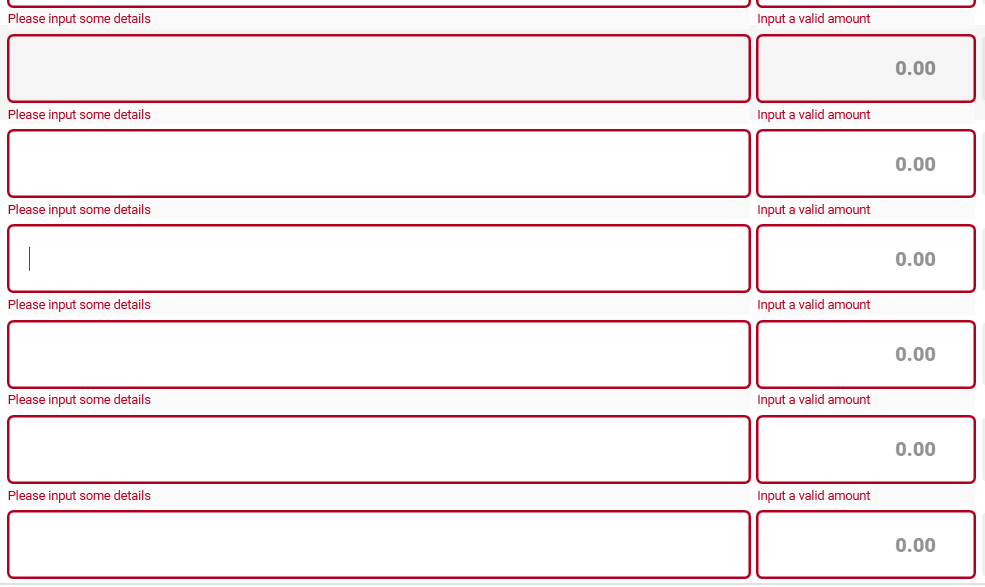
-
Retype some text. (Everything is fine as of now)
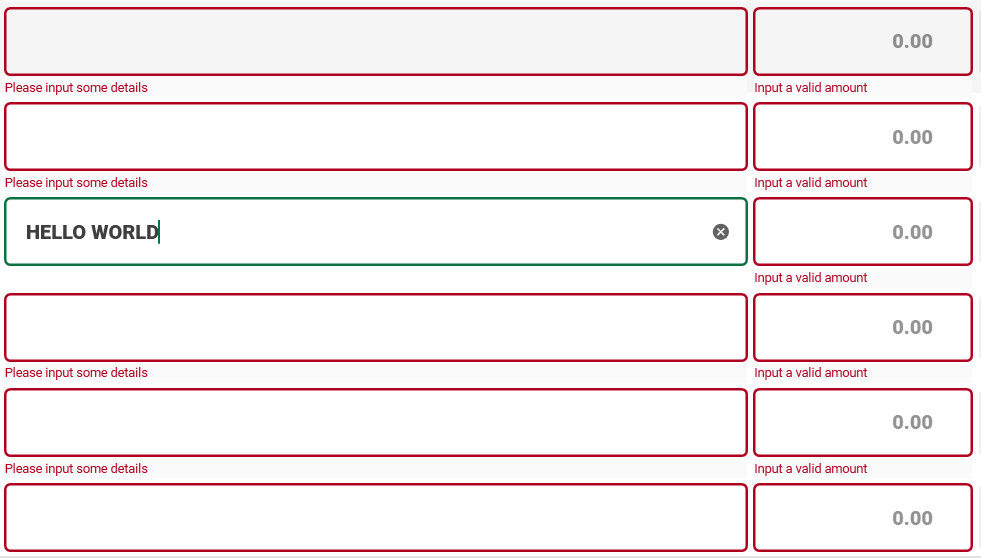
-
I tried to scroll, going down. (Problem occurred again)
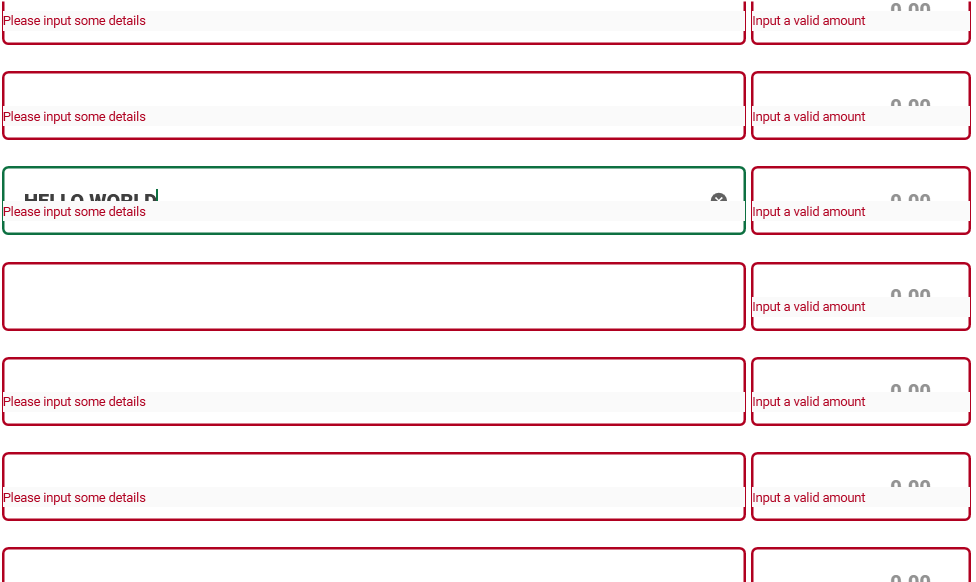
-
Then scroll again, going up. (Still the same problem)
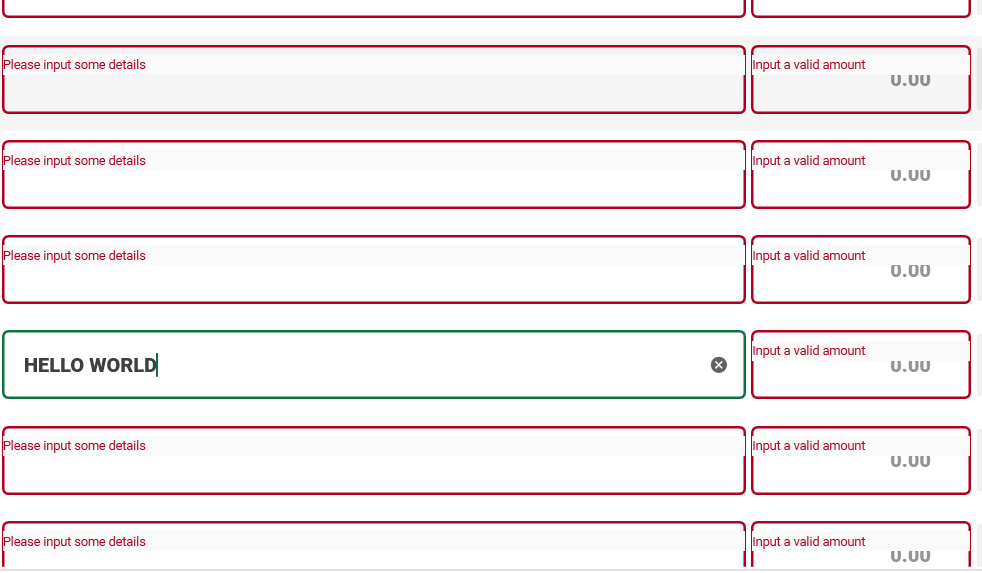
Version
using version 4.5.0
- 主要言語
- C#
- スター
- 16.3k
- フォーク
- 3.5k
- 平均マージ
- 4時間 25分
- マージ済み PR(30日)
- 4
環境構築
- Dockerfile・Docker Compose ファイルなし
- プルリクエストのテンプレートなし
- コントリビューションガイドを読む
はじめの一歩
- issue を最後まで読み、次にプロジェクトのコントリビューションガイドを読みます。
- 着手することを issue にコメントします — 二人が同じ作業をするのを防げます。
- リポジトリをフォークし、ブランチを切って変更します。
- issue 番号を参照したプルリクエストを送ります。
MaterialDesignInXAML/MaterialDesignInXamlToolkit のほかの issue
-
難易度 1/5 1時間未満 初心者へのやさしさ 88/100
MaterialDesignInXAML/MaterialDesignInXamlToolkit#4124 ·
メンテナーはふだん 1 日以内に返信
-
MaterialDesignChoiceChipListBoxItem missing 'Path=Name' in GroupName binding causes selection conflict between ListBoxes対応中かも @corvinsz が 12 日前に担当しました。 オープンbug evaluation required
難易度 1/5 1〜3時間 初心者へのやさしさ 78/100
MaterialDesignInXAML/MaterialDesignInXamlToolkit#4118 · コメント 1 件 ·
メンテナーはふだん 1 日以内に返信
-
enhancement up-for-grabs
難易度 2/5 1〜3時間 初心者へのやさしさ 68/100
MaterialDesignInXAML/MaterialDesignInXamlToolkit#2485 ·
メンテナーはふだん 1 日以内に返信
-
enhancement evaluation required
難易度 3/5 半日 初心者へのやさしさ 30/100
MaterialDesignInXAML/MaterialDesignInXamlToolkit#4120 · コメント 1 件 ·
メンテナーはふだん 1 日以内に返信
-
Add Semantic, Theme-Aware Colors対応中かも @corvinsz が 22 日前に担当しました。 オープンenhancement
難易度 4/5 3〜5日 初心者へのやさしさ 48/100
MaterialDesignInXAML/MaterialDesignInXamlToolkit#4114 · リアクション 1 件 ·
メンテナーはふだん 1 日以内に返信
MaterialDesignInXAML/MaterialDesignInXamlToolkit の issue をすべて見る
似ている issue
-
難易度 2/5 1〜3時間 初心者へのやさしさ 68/100
Natvs/Nt.Automaton#33 ·
-
enhancement
難易度 2/5 1〜3時間 初心者へのやさしさ 68/100
-
a-corriger documentation
難易度 2/5 1〜3時間 初心者へのやさしさ 82/100
christian-raj/S-Aloha#312 ·
-
ready-for-agent tech-debt
難易度 1/5 1〜3時間 初心者へのやさしさ 85/100
DigiBanks99/menlo#640 ·
メンテナーはふだん 1 日以内に返信
-
ci
難易度 1/5 1時間未満 初心者へのやさしさ 62/100
OpenTabletDriver/OpenTabletDriver#5283 ·
メンテナーはふだん 3 日以内に返信