Poor dark theme contrast on console output
まだ誰も着手していません。
評価
- 難易度
- 4/5
- 見積もり時間
- 3〜5日
- 初心者へのやさしさ
- 32/100
- issue の種類
- バグ
- 明瞭さ
- おおむね明確
- 活発さ
- 停滞
- 技術スタック
- linux
- 領域
- accessibility, desktop, frontend
調査の方向性
elementaryOS 6.1のダークモードでdevtoolsコンソールを開き、コンソール出力を選択して、Epiphany 41.0で問題を再現します。ダークテーマとライトテーマのスクリーンショットを比較し、コントラストがEpiphany、WebKitGTK、またはelementaryOSのスタイルシートのどれに由来するのかを判断します。ダークモードで選択したコンソールテキストが読みやすければ完了です。
索引モデルが issue の本文から書いたものです。
説明
What Happened?
Hello! How are y'all doing?
I'd like to thank y'all first for the amazing work with elementaryOS 6.1 Jólnir, you guys did something really good here.
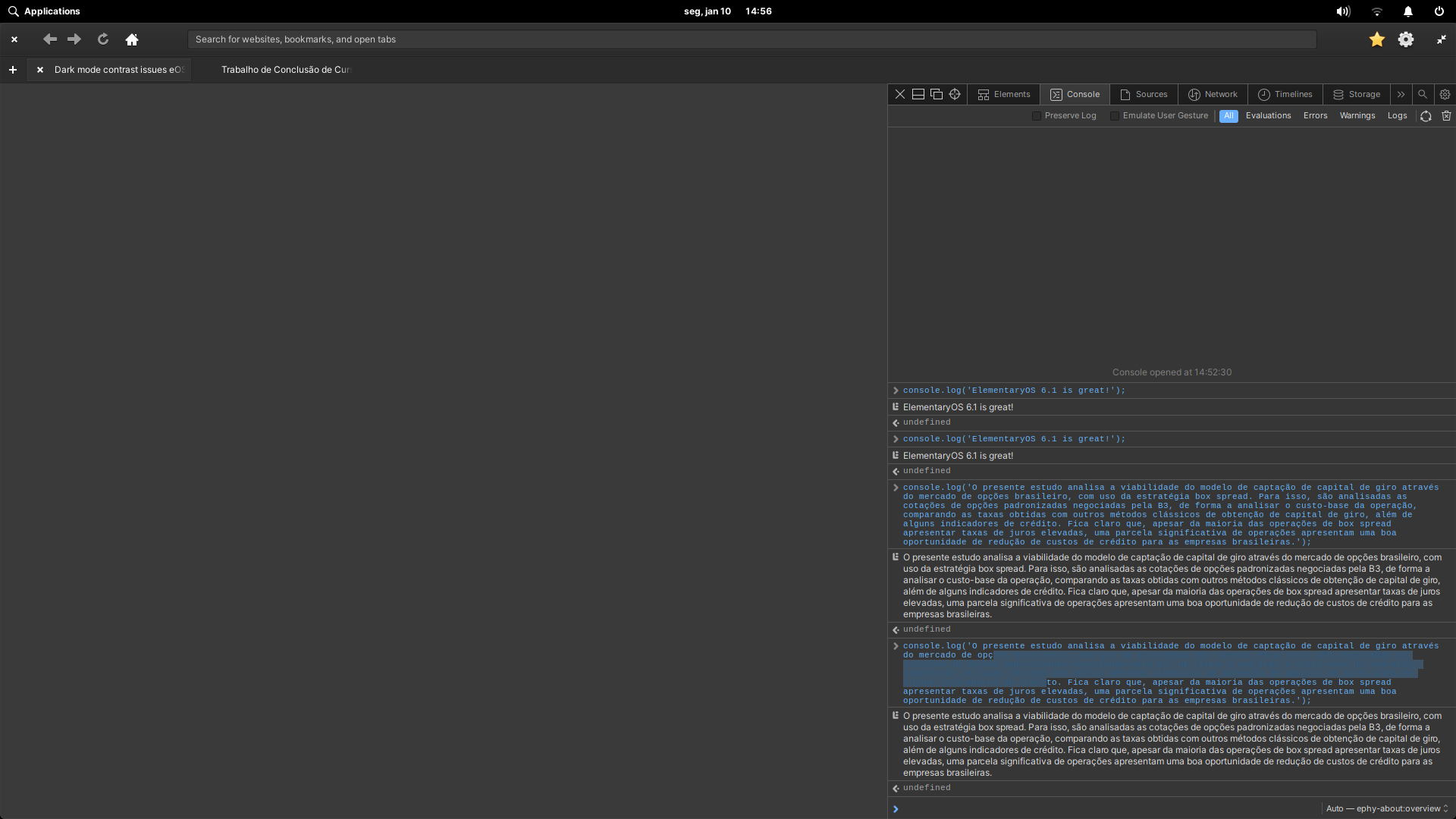
About the issue, I was experimenting with Epiphany 41.0 today on my elementaryOS 6.1 install and noticed that, when using the dark mode, the text selection becomes quite hard to read on the devtools console due to bad contrast. I don't know if it is a WebkitGTK issue, if it is an Epiphany issue or if it is a elementaryOS stylesheet issue, but it gets really bad to read, and that's not a good experience for those using dark mode and GNOME Web at the same time.
Here are some screenshots of this problem.
Dark theme console selection with poor contrast
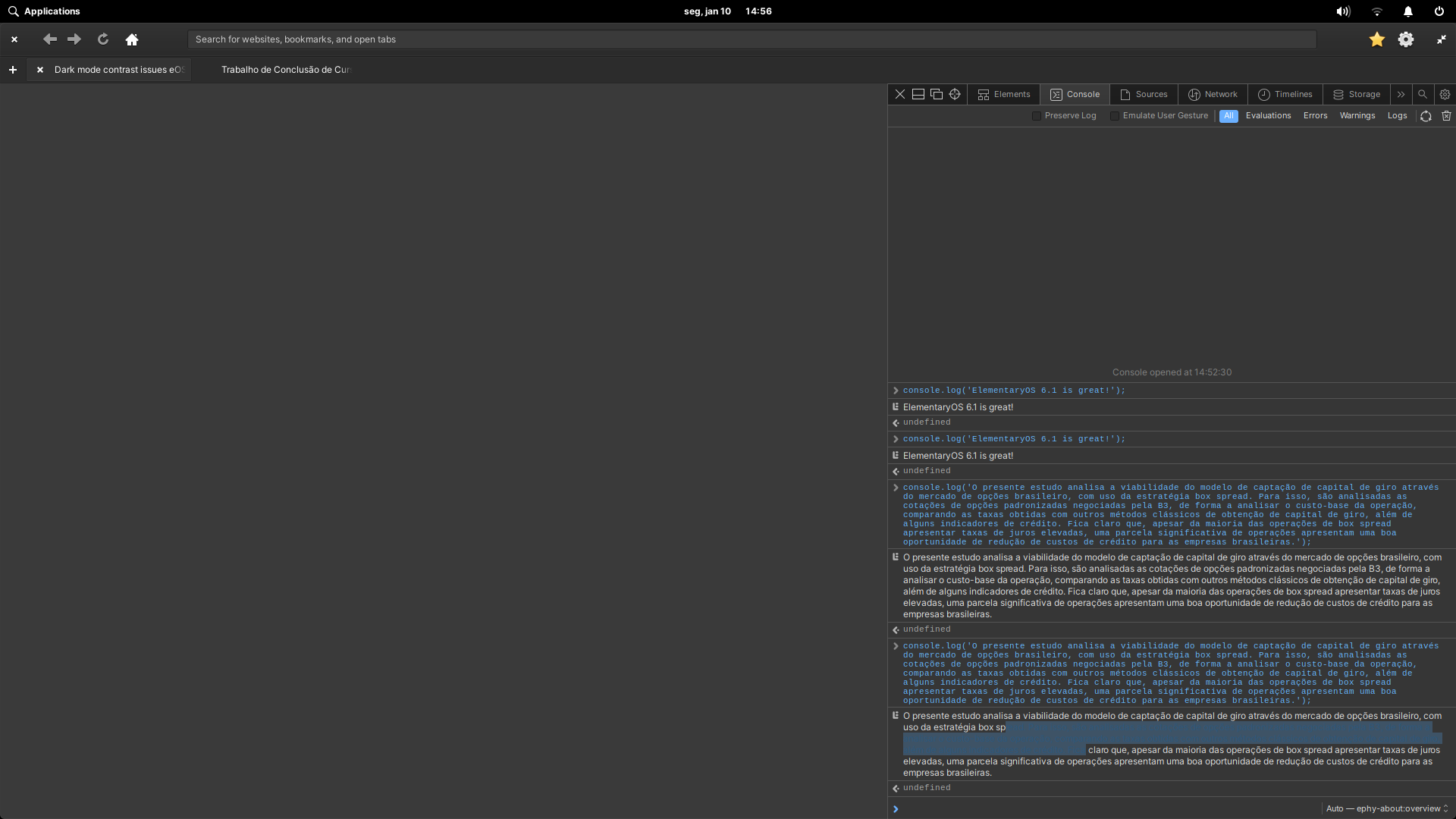
Dark theme console output selection with poor contrast
And here are some screenshots of the light theme that works just fine!
Light theme console selection with good contrast
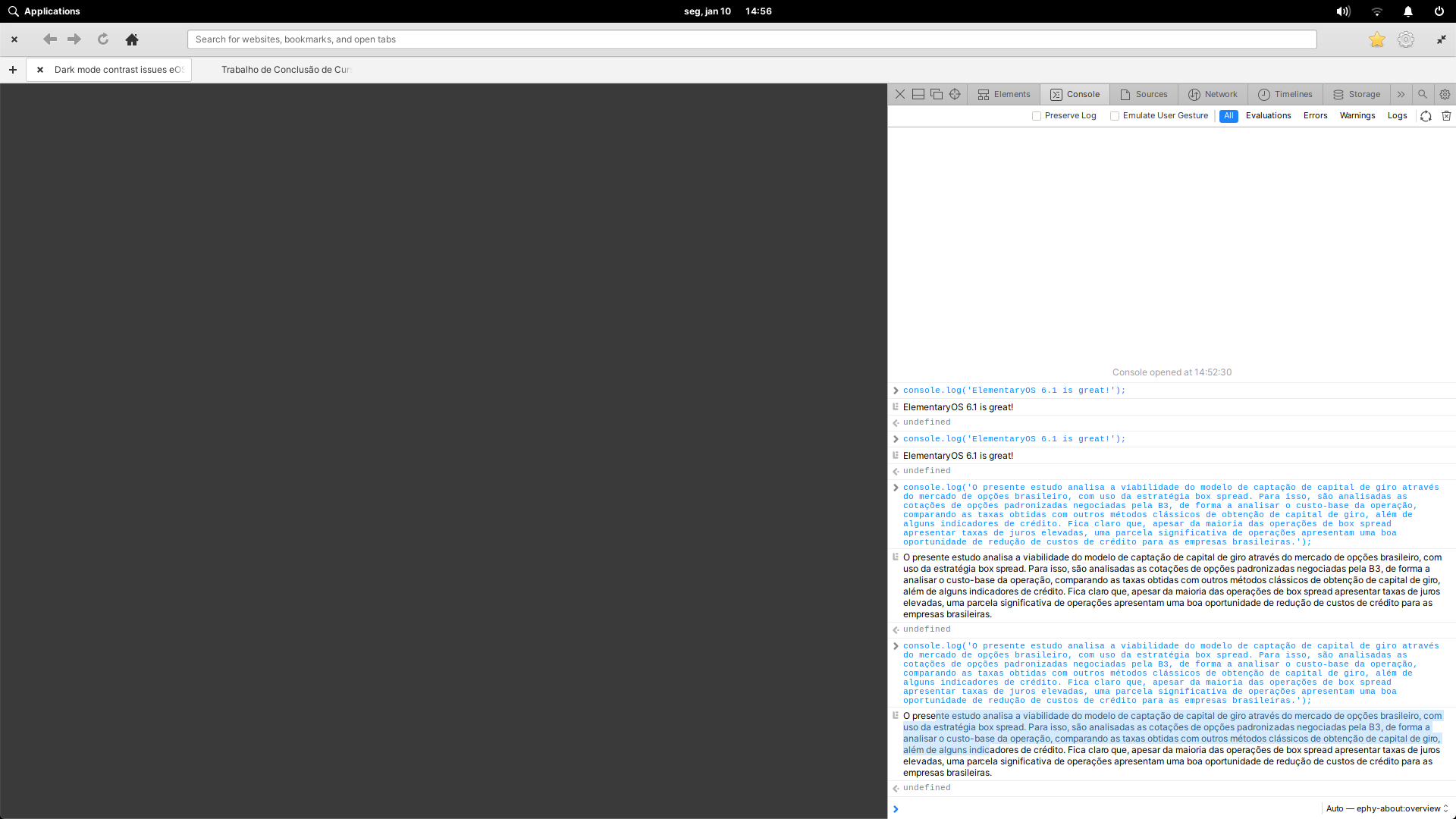
Light theme console output selection with good contrast

Using elementaryOS 6.1 Jólnir and GNOME Web 41.0.
System up to date as of January 1st, 2022.
Steps to Reproduce
- Set your elementaryOS 6.1 Jólnir to dark mode.
- Open Epiphany 41.0 (GNOME Web).
- Open the devtools (F12).
- Open the console.
- console.log('something');
- Try to select the logged text.
Expected Behavior
Good contrast in dark mode.
OS Version
6.x (Odin)
Software Version
Latest release (I have run all updates)
Log Output
No logs found.
Hardware Info
System specs:
- CPU: Intel Core i5 4460
- GPU: Nvidia Geforce GTX 750 TI
- RAM: 8GB DDR3 1600MHz
- 主要言語
- Meson
- スター
- 8
- フォーク
- 4
- 平均マージ
- 37分
- マージ済み PR(30日)
- 1
環境構築
- Dockerfile・Docker Compose ファイルなし
- プルリクエストのテンプレートなし
- コントリビューションガイドを読む
はじめの一歩
- issue を最後まで読み、次にプロジェクトのコントリビューションガイドを読みます。
- 着手することを issue にコメントします — 二人が同じ作業をするのを防げます。
- リポジトリをフォークし、ブランチを切って変更します。
- issue 番号を参照したプルリクエストを送ります。
elementary/browser のほかの issue
-
難易度 4/5 3〜5日 初心者へのやさしさ 25/100
elementary/browser#182 ·
-
Needs Design
難易度 3/5 1〜2日 初心者へのやさしさ 35/100
elementary/browser#178 ·
-
Needs Design Status: Confirmed
難易度 2/5 1〜3時間 初心者へのやさしさ 40/100
elementary/browser#145 · リアクション 2 件 ·
-
難易度 4/5 3〜5日 初心者へのやさしさ 25/100
elementary/browser#132 ·
-
難易度 4/5 3〜5日 初心者へのやさしさ 25/100
elementary/browser#118 · コメント 2 件 ·
elementary/browser の issue をすべて見る
似ている issue
-
難易度 2/5 1〜3時間 初心者へのやさしさ 72/100
-
難易度 1/5 1時間未満 初心者へのやさしさ 88/100
-
accessibility ready-for-agent
難易度 2/5 1〜3時間 初心者へのやさしさ 88/100
メンテナーはふだん 1 日以内に返信
-
accessibility good first issue hacktoberfest help wanted ui
難易度 1/5 1〜3時間 初心者へのやさしさ 92/100
メンテナーはふだん 1 日以内に返信
-
bug help wanted
難易度 1/5 1時間未満 初心者へのやさしさ 92/100
メンテナーはふだん 1 日以内に返信