[Android] With enableFabricCommitBranching, a commit hook's clone in the React revision merge drops the raw props the view is created from
Los mantenedores suelen responder en 2 días
Nadie ha tomado este issue todavía.
Evaluación
- Dificultad
- 5/5
- Tiempo estimado
- Más de una semana
- Aptitud para principiantes
- 22/100
- Tipo de issue
- Error
- Claridad
- Bastante claro
- Estado de actividad
- Activo
- Stack tecnológico
- android, cpp, react-native
- Área
- mobile-dev
Línea de trabajo
Start from ShadowNode::propsForClonedShadowNode and Props::initializeDynamicProps to see why the source's raw props are dropped once hasBeenMounted_ is set, then follow FabricUIManager's merge callback and FabricMountingManager::getProps. Use the linked reproducer's NativePropsWriter.cpp and its commit=ReactRevisionMerge logcat lines to confirm the clone loses nativeID and backgroundColor. Done means the merge commit creates the view with React's original raw props, so the red box renders with commit branching enabled.
Escrito por el modelo de indexación a partir del texto del issue.
Descripción
Description
On Android with enableFabricCommitBranching on, a view created by React's commit can mount without the props React gave it. That happens whenever a commit hook clones the node in the merge of React's revision: a background colour, nativeID, testID and everything else React set are missing from the view.
React's commit lands on its branch and runs updateMountedFlag, which marks each node it created as mounted (hasBeenMounted_), although no revision holding those nodes has mounted yet. The merge mounts them later, in FabricUIManager's frame callback. Commit hooks run again in that merge commit (ShadowTreeCommitSource::ReactRevisionMerge). A hook that clones a node passing only the props it writes, as Reanimated's ShadowTreeCloner and the animation backend's commit hook do, gets props whose raw props hold only those props: Props::initializeDynamicProps keeps the raw props of its own parse, and ShadowNode::propsForClonedShadowNode merges the source's raw props in only while the source has not been mounted. The merge then creates the view from those raw props, since FabricMountingManager::getProps sends rawProps at the default flags.
With the flag off, the same hook clones the node in the commit that creates it, before updateMountedFlag, so propsForClonedShadowNode keeps React's raw props and the view mounts complete.
Steps to reproduce
- Clone https://github.com/YevheniiKotyrlo/react-native-merge-clone-raw-props and install:
cd ReproducerApp && yarn install. It is the reproducer template on[email protected], with@react-native-community/[email protected]. - Build and install it with commit branching on:
cd android && ./gradlew assembleRelease -PreactNativeArchitectures=arm64-v8a, thenadb install -r app/build/outputs/apk/release/app-release.apk. - Launch the app. It installs a C++ commit hook (
ReproducerApp/android/app/src/main/jni/NativePropsWriter.cpp) that writesopacity: 1onto every node whosenativeIDstarts withwritten-, then renders a red 200 × 200 view withnativeIDandtestIDwritten-box. - Read
adb logcat -s PropsWriter, which logs each clone the hook makes, and look at the screen. - Repeat steps 2 to 4 with
-PcommitBranching=falseadded to the Gradle command.
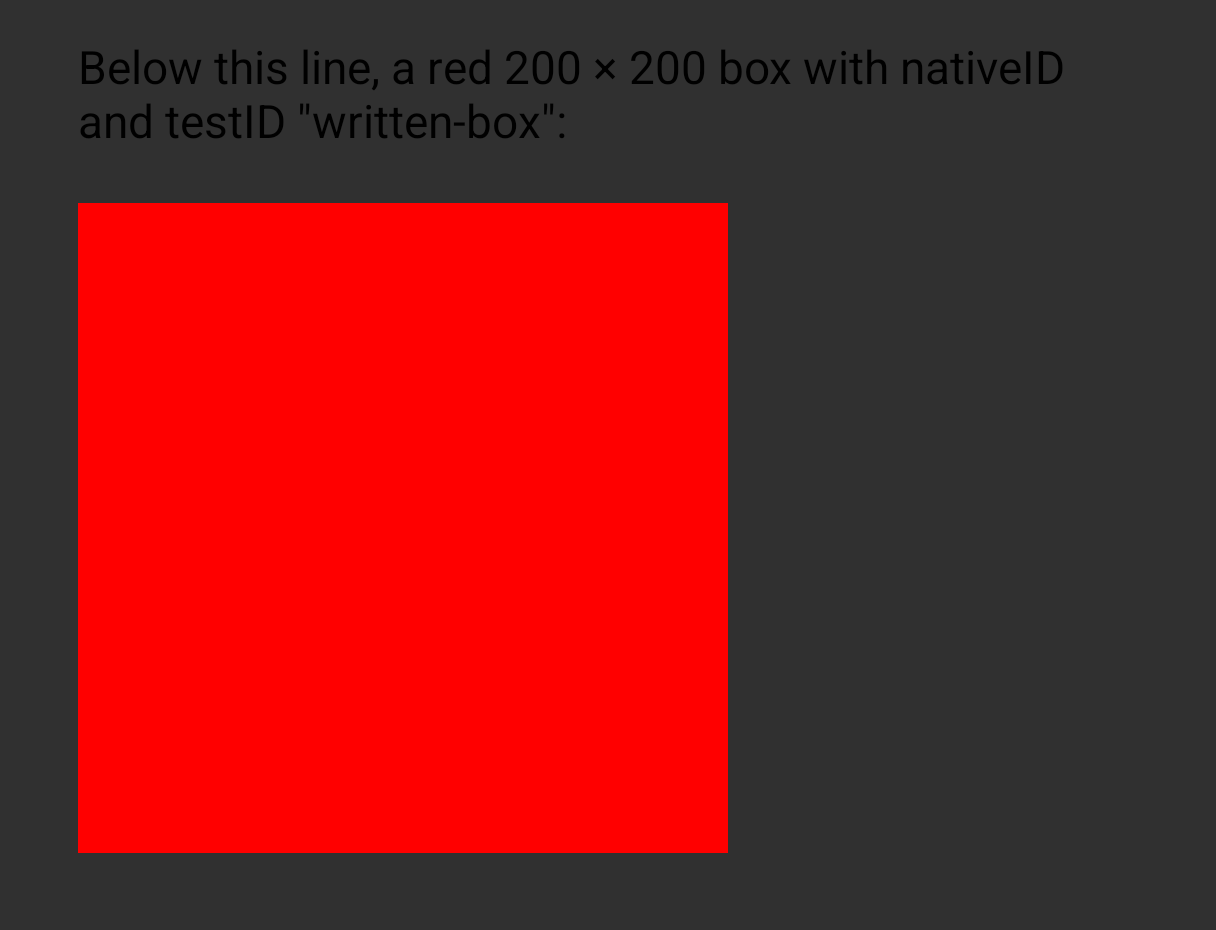
Expected (what step 5 shows): the red box shows.
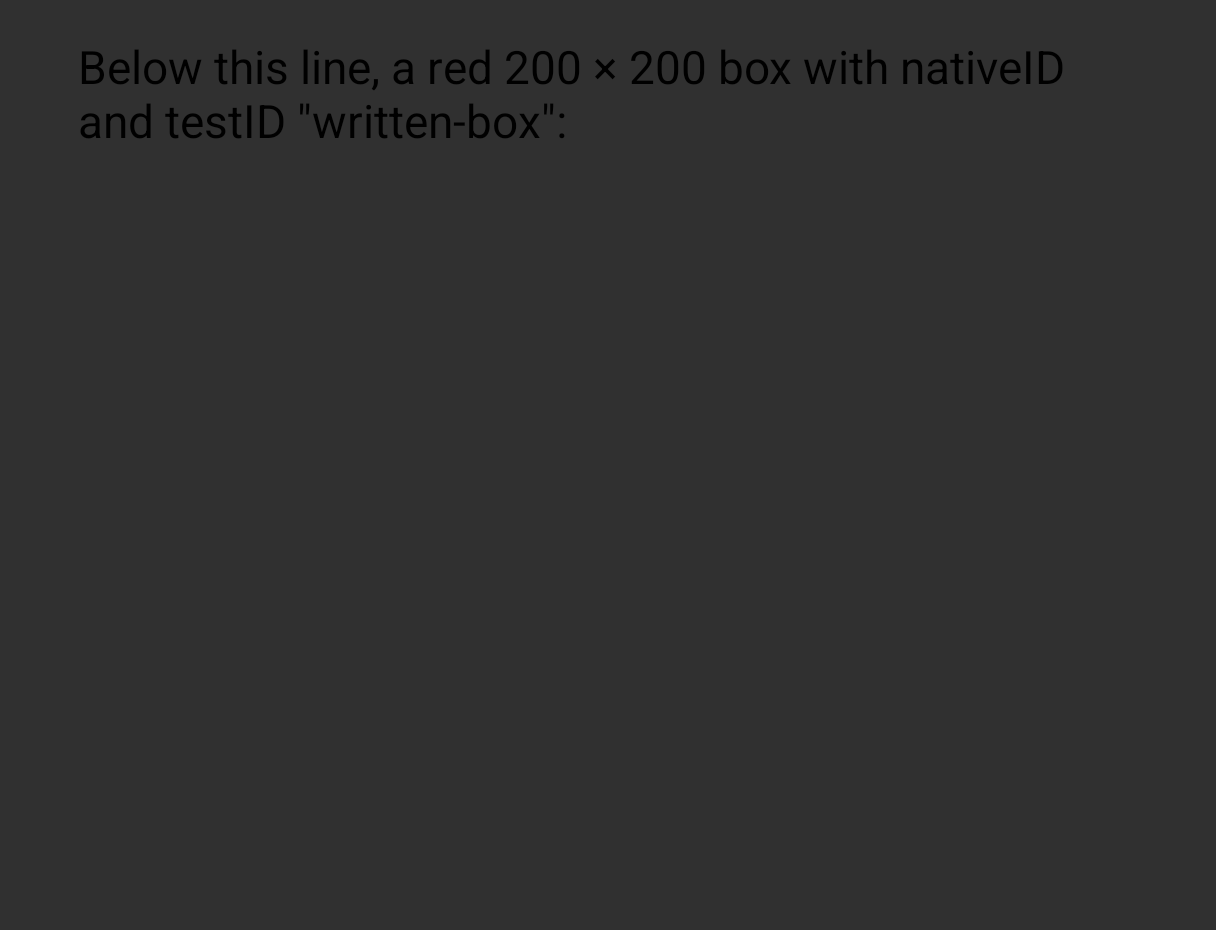
Actual with the flag on: no box shows. The hook's clone in React's commit keeps the node's raw props; its clone in the merge (commit=ReactRevisionMerge) holds neither nativeID nor backgroundColor, and the merge creates the view from it, so the view has no background colour and none of the props React set. With the flag off, the view is created in React's own commit from the clone that kept them; the later clones there drop them too, but by then the view exists, and an update only applies what changed.
React Native Version
0.89.0-nightly-20261030-4afc5d5b9
Affected Platforms
Runtime - Android, Build - Windows
Output of npx @react-native-community/cli info
System:
  OS: Windows 11 10.0.26300
  CPU: "(32) x64 AMD Ryzen 9 9950X3D 16-Core Processor          "
  Memory: 148.06 GB / 255.67 GB
Binaries:
  Node:
    version: 26.12.1
    path: C:\Program Files\nodejs\node.EXE
  Yarn:
    version: 1.22.22
    path: C:\Users\yevhe.YEVHENII\AppData\Roaming\npm\yarn.CMD
  npm:
    version: 12.2.1
    path: C:\Program Files\nodejs\npm.CMD
  Watchman: Not Found
SDKs:
  Android SDK:
    API Levels:
      - "33"
      - "35"
      - "35"
      - "35"
      - "36"
      - "37"
      - "37"
    Build Tools:
      - 35.0.0
      - 36.0.0
      - 36.1.0
      - 37.0.0
    System Images:
      - android-26 | Google APIs Intel x86_64 Atom
      - android-28 | Google APIs Intel x86_64 Atom
      - android-29 | Google APIs Intel x86_64 Atom
      - android-30 | Google APIs Intel x86_64 Atom
      - android-31 | Google APIs Intel x86_64 Atom
      - android-32 | Google APIs Intel x86_64 Atom
      - android-33 | Google APIs Intel x86_64 Atom
      - android-34 | Google APIs Intel x86_64 Atom
      - android-35 | Google APIs Intel x86_64 Atom
      - android-36.1 | Google Play Intel x86_64 Atom
      - android-36.1 | Pre-Release 16 KB Page Size Google Play Intel x86_64 Atom
      - android-37.0 | Google APIs Intel x86_64 Atom
    Android NDK: Not Found
  Windows SDK: Not Found
IDEs:
  Android Studio: AI-262.9437.185.2621.16467767
  Visual Studio: Not Found
Languages:
  Java:
    version: 17.0.20.1
    path: C:\Program Files\Microsoft\jdk-17.0.20.101-hotspot\bin\javac.EXE
  Ruby: Not Found
npmPackages:
  "@react-native-community/cli":
    installed: 21.0.0-alpha.1
    wanted: 21.0.0-alpha.1
  react:
    installed: 19.3.0
    wanted: 19.3.0
  react-native:
    installed: 0.89.0-nightly-20261030-4afc5d5b9
    wanted: 0.89.0-nightly-20261030-4afc5d5b9
  react-native-windows: Not Found
npmGlobalPackages:
  "*react-native*": Not Found
Android:
  hermesEnabled: true
  newArchEnabled: true
iOS:
  hermesEnabled: Not found
  newArchEnabled: Not found
Stacktrace or Logs
With enableFabricCommitBranching (adb logcat -s PropsWriter):
PropsWriter: commit=React tag=10 source rawProps: nativeID=yes backgroundColor=yes; written rawProps: nativeID=yes backgroundColor=yes
PropsWriter: commit=ReactRevisionMerge tag=10 source rawProps: nativeID=yes backgroundColor=yes; written rawProps: nativeID=no backgroundColor=no
PropsWriter: commit=Unknown tag=10 source rawProps: nativeID=no backgroundColor=no; written rawProps: nativeID=no backgroundColor=no

With -PcommitBranching=false:
PropsWriter: commit=React tag=10 source rawProps: nativeID=yes backgroundColor=yes; written rawProps: nativeID=yes backgroundColor=yes
PropsWriter: commit=Unknown tag=10 source rawProps: nativeID=yes backgroundColor=yes; written rawProps: nativeID=no backgroundColor=no
PropsWriter: commit=Unknown tag=10 source rawProps: nativeID=no backgroundColor=no; written rawProps: nativeID=no backgroundColor=no
MANDATORY Reproducer
https://github.com/YevheniiKotyrlo/react-native-merge-clone-raw-props
Screenshots and Videos
RedMagic NX809J, Android 16, release builds of the reproducer:
-PcommitBranching=false |
enableFabricCommitBranching on |
|---|---|
 |
 |
- Lenguaje dominante
- C++
- Estrellas
- 127k
- Forks
- 25.4k
- Merge medio
- 2 d 9 h
- PR fusionados (30 d)
- 91
Preparar el entorno
- Sin Dockerfile ni archivo de Docker Compose
- Tiene una plantilla de pull request
- Leer la guía de contribución
Primeros pasos
- Lee el issue completo y luego la guía de contribución del proyecto.
- Comenta en el issue que vas a ocuparte — evita que dos personas hagan lo mismo.
- Haz un fork del repositorio y trabaja en una rama.
- Abre un pull request que haga referencia al número del issue.
Más de react/react-native
-
Dificultad 2/5 1-3 horas Aptitud para principiantes 70/100
react/react-native#59722 ·
Los mantenedores suelen responder en 2 días
-
Android: new WebSocket() crashes the app for a URL that OkHttp or java.net.URI rejectsPosiblemente ocupada @sorinc03 la tomó hace 1 día. Abierto🌐Networking Needs: Author Feedback Needs: Repro Platform: Android
Dificultad 2/5 1-3 horas Aptitud para principiantes 72/100
react/react-native#59704 · 1 comentario ·
Los mantenedores suelen responder en 2 días
-
Dificultad 1/5 Menos de una hora Aptitud para principiantes 88/100
react/react-native#59694 ·
Los mantenedores suelen responder en 2 días
-
Android autolinking keeps a stale autolinking.json when only bun.lock changes, since bun.lock isn't in the default lockFilesPosiblemente ocupada @lazerg la tomó hace 3 días. Abierto
Dificultad 1/5 Menos de una hora Aptitud para principiantes 85/100
react/react-native#59693 ·
Los mantenedores suelen responder en 2 días
-
Image.resolveAssetSource's TypeScript declaration drops the null it returns for an unknown assetPosiblemente ocupada @Hassan1305 la tomó hace 3 días. Abierto
Dificultad 2/5 1-3 horas Aptitud para principiantes 78/100
react/react-native#59648 · 1 comentario ·
Los mantenedores suelen responder en 2 días
Todos los issues de react/react-native
Issues similares
-
Dificultad 2/5 1-3 horas Aptitud para principiantes 65/100
NVIDIA-RTX/NRI#307 · 1 comentario ·
Los mantenedores suelen responder en 1 día
-
Dificultad 2/5 1-3 horas Aptitud para principiantes 78/100
Los mantenedores suelen responder en 1 día
-
Dificultad 2/5 1-3 horas Aptitud para principiantes 80/100
-
Dificultad 2/5 1-3 horas Aptitud para principiantes 85/100
-
Dificultad 1/5 Menos de una hora Aptitud para principiantes 82/100