VSCode/VSCodium File Type Icons
Nobody has claimed this yet.
Assessment
- Difficulty
- 4/5
- Estimated time
- 3-5 days
- Newbie friendliness
- 25/100
- Issue type
- Feature
- Clarity
- Needs clarification
- Activity status
- Stale
- Tech stack
- vscode
- Domain
- developer-experience
Research direction
The issue names no files, tests, or entry points. Start by reviewing the dev-setup repository and the linked VSCode Icons example to find where editor setup is documented; done means providing recognisable file-type icons for VSCode or VSCodium.
Written by the indexing model from the issue text.
Description
Having easily recognisable file type icons (based on file extension) helps navigate a project with many types of files
https://marketplace.visualstudio.com/items?itemName=vscode-icons-team.vscode-icons
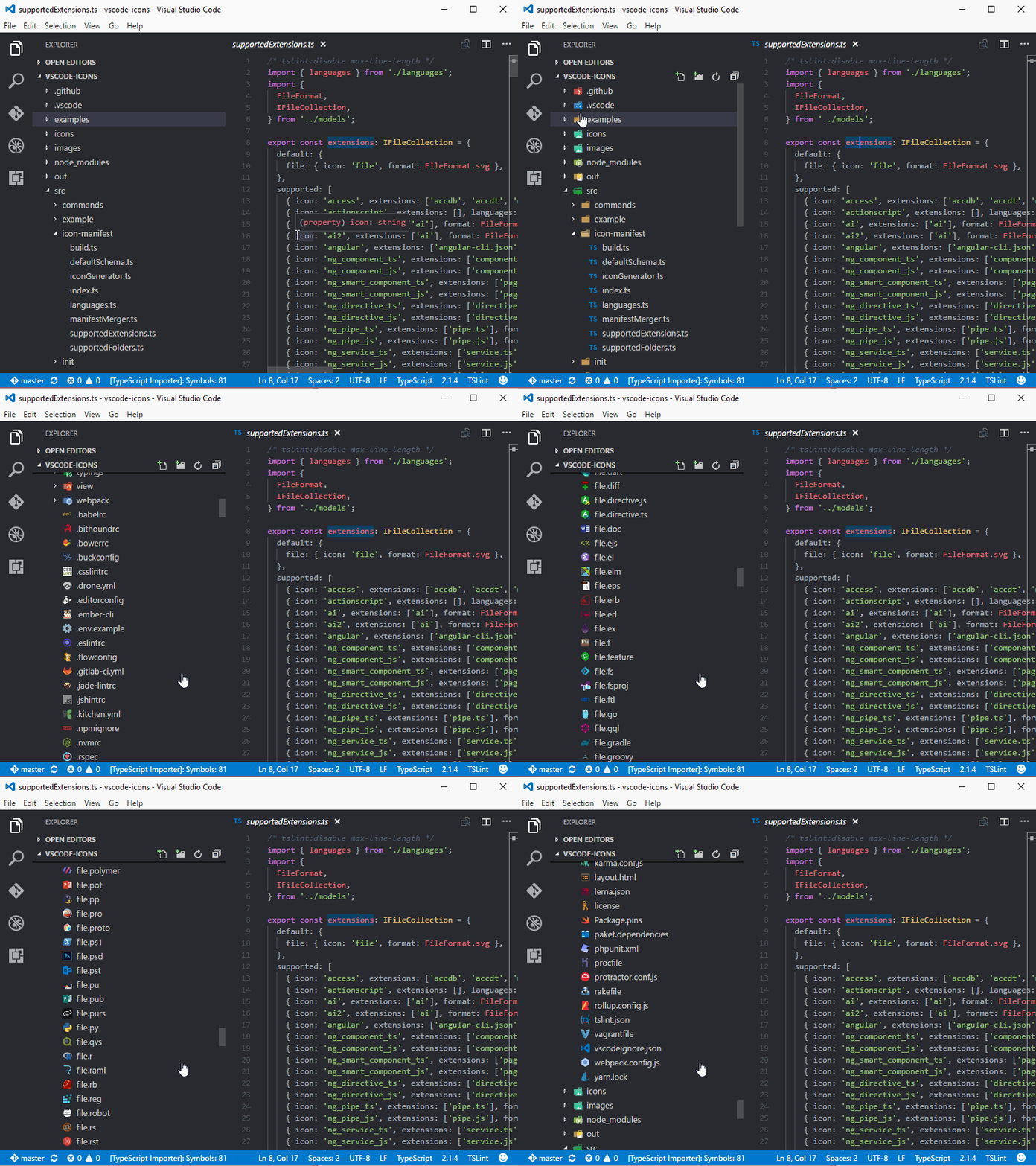
Before:

After:

Marginal improvement for these files.
Slightly more representative:

- Dominant language
- No language data
- Stars
- 84
- Forks
- 22
- PR merge metrics
- No merged PRs in 30d
Getting set up
This project ships no dev container, Dockerfile or contributing guide, so setting up is up to you: start from its README, and see our first-contribution guide for the general steps.
First steps
- Read the whole issue, then the project's contributing guide.
- Comment on the issue to say you are picking it up — it saves two people doing the same work.
- Fork the repository and make your change on a branch.
- Open a pull request that references the issue number.
More from dwyl/dev-setup
-
Difficulty 2/5 1-3 hours Newbie friendliness 45/100
-
discuss enhancement help wanted priority-1 research T4h technical
Difficulty 5/5 Over a week Newbie friendliness 48/100
-
Zellij:Opendiscuss enhancement T25m technical
Difficulty 3/5 1-2 days Newbie friendliness 20/100
-
Download, Install & Link Signal AppMay be free again @davcsj claimed this 724 days ago, and no pull request is open. Openenhancement T5m
dwyl/dev-setup#68 · 3 comments · 2 reactions · 2 assignees ·
-
Setup Your Mac!May be free again @davcsj claimed this 724 days ago, and no pull request is open. Opendiscuss enhancement in-progress priority-2 T2h
Similar issues
-
Difficulty 2/5 1-3 hours Newbie friendliness 70/100
nolabs-ai/nono-packs#44 ·
Maintainers usually reply within 1 day
-
namespace operations
Difficulty 2/5 1-3 hours Newbie friendliness 64/100
EclipseFdn/open-vsx.org#13665 ·
Maintainers usually reply within 1 day
-
Difficulty 2/5 1-3 hours Newbie friendliness 78/100
need4deed-org/sdk#267 ·
Maintainers usually reply within 1 day
-
Difficulty 2/5 1-3 hours Newbie friendliness 88/100
Maintainers usually reply within 1 day
-
easy low
Difficulty 2/5 1-3 hours Newbie friendliness 84/100
open-nudge/opentemplate#184 ·
Maintainers usually reply within 1 day