Setting `set macthinstrokes` doesn't have any effect
Dieses Issue hat noch niemand übernommen.
Bewertung
- Schwierigkeit
- 4/5
- Geschätzter Aufwand
- 3-5 Tage
- Anfängerfreundlichkeit
- 45/100
- Issue-Typ
- Bug
- Klarheit
- Größtenteils klar
- Aktivitätsstatus
- Veraltet
- Tech-Stack
- macos, objective-c
- Bereich
- desktop
Rechercherichtung
Beginne bei den verlinkten Zeilen um 755–758 in MacVim/MMCoreTextView.m und vergleiche dessen Core-Text-Verarbeitung mit dem Code in der verlinkten iTermGraphicsUtilities.m. Reproduziere das Verhalten mit gvim --clean und :set macthinstrokes und bestätige anschließend, dass die Einstellung für dünne Striche die gerenderte Schrift erwartungsgemäß ändert.
Vom Indexierungsmodell aus dem Issue-Text verfasst.
Beschreibung
It looks like there has been regression and the set macthinstrokes option stopped working at some point
Describe the bug
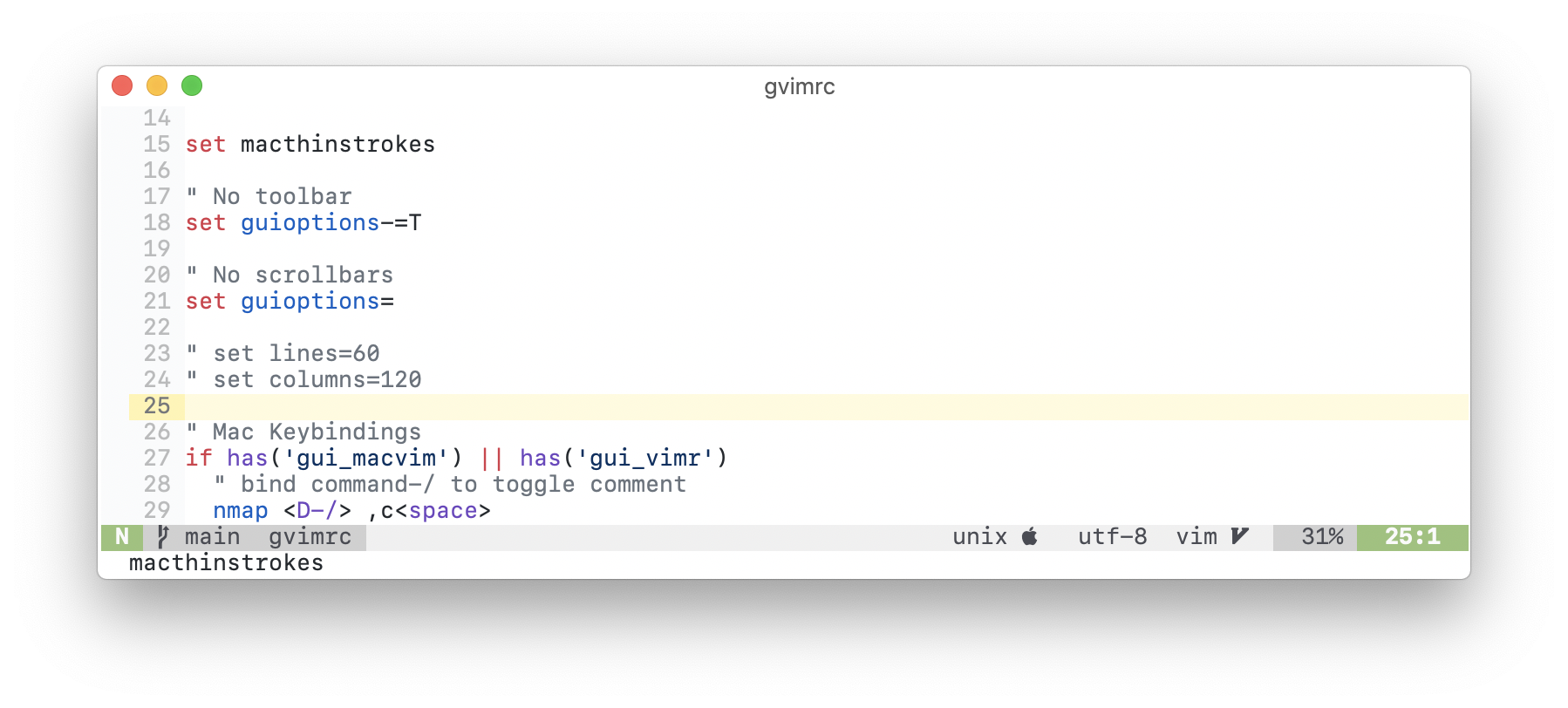
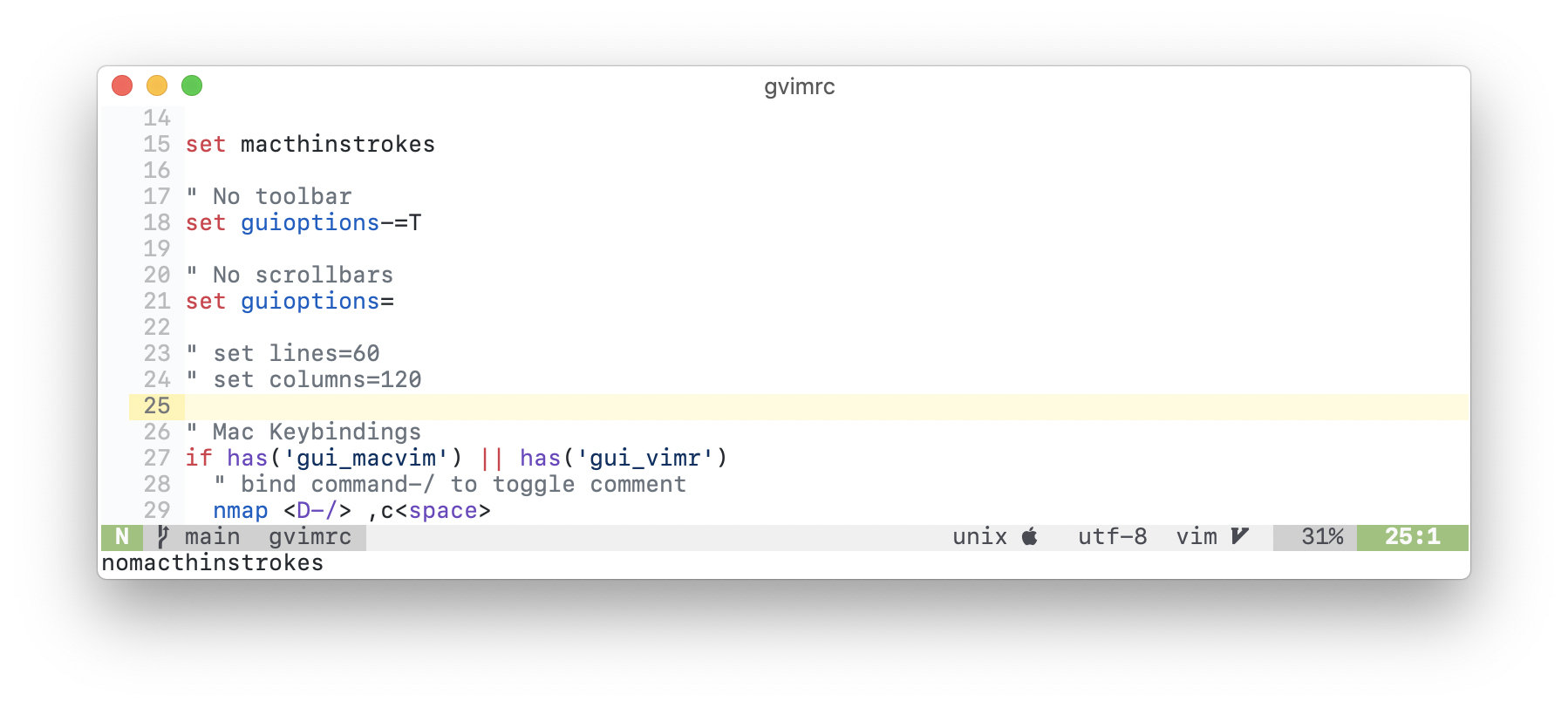
set macthinstrokes doesn't change the way the font is rendered
To Reproduce
- Run
gvim --clean - Set the thin strokes option with
:set macthinstrokes - Observe nothing happens, the font is exactly the same as it was before running the command
Expected behaviour
The font should be slightly thinner
Screenshots
With set macthinstrokes
Without set nomacthinstrokes
Environment:
VIM - Vi IMproved 8.2 (2019 Dec 12, compiled Apr  1 2021 08:37:51)
macOS version - x86_64
Included patches: 1-2681
Compiled by GitHub Actions
Huge version with MacVim GUI.  Features included (+) or not (-):
+acl               +file_in_path      -mouse_sysmouse    -tag_old_static
+arabic            +find_in_path      +mouse_urxvt       -tag_any_white
+autocmd           +float             +mouse_xterm       -tcl
+autochdir         +folding           +multi_byte        +termguicolors
-autoservername    -footer            +multi_lang        +terminal
+balloon_eval      +fork()            -mzscheme          +terminfo
+balloon_eval_term +fullscreen        +netbeans_intg     +termresponse
+browse            +gettext           +num64             +textobjects
++builtin_terms    -hangul_input      +odbeditor         +textprop
+byte_offset       +iconv             +packages          +timers
+channel           +insert_expand     +path_extra        +title
+cindent           +ipv6              +perl/dyn          +toolbar
+clientserver      +job               +persistent_undo   +transparency
+clipboard         +jumplist          +popupwin          +user_commands
+cmdline_compl     +keymap            +postscript        +vartabs
+cmdline_hist      +lambda            +printer           +vertsplit
+cmdline_info      +langmap           +profile           +virtualedit
+comments          +libcall           +python/dyn        +visual
+conceal           +linebreak         +python3/dyn       +visualextra
+cryptv            +lispindent        +quickfix          +viminfo
+cscope            +listcmds          +reltime           +vreplace
+cursorbind        +localmap          +rightleft         +wildignore
+cursorshape       +lua/dyn           +ruby/dyn          +wildmenu
+dialog_con_gui    +menu              +scrollbind        +windows
+diff              +mksession         +signs             +writebackup
+digraphs          +modify_fname      +smartindent       -X11
+dnd               +mouse             -sound             -xfontset
-ebcdic            +mouseshape        +spell             +xim
+emacs_tags        +mouse_dec         +startuptime       -xpm
+eval              -mouse_gpm         +statusline        -xsmp
+ex_extra          -mouse_jsbterm     -sun_workshop      -xterm_clipboard
+extra_search      +mouse_netterm     +syntax            -xterm_save
-farsi             +mouse_sgr         +tag_binary
   system vimrc file: "$VIM/vimrc"
     user vimrc file: "$HOME/.vimrc"
 2nd user vimrc file: "~/.vim/vimrc"
      user exrc file: "$HOME/.exrc"
  system gvimrc file: "$VIM/gvimrc"
    user gvimrc file: "$HOME/.gvimrc"
2nd user gvimrc file: "~/.vim/gvimrc"
       defaults file: "$VIMRUNTIME/defaults.vim"
    system menu file: "$VIMRUNTIME/menu.vim"
  fall-back for $VIM: "/Applications/MacVim.app/Contents/Resources/vim"
Compilation: clang -c -I. -Iproto -DHAVE_CONFIG_H -DFEAT_GUI_MACVIM -Wall -Wno-unknown-pragmas -pipe -DMACOS_X -DMACOS_X_DARWIN -g -O2 -arch x86_64 -arch arm64 -U_FORTIFY_SOURCE -D_FORTIFY_SOURCE=1 -Wall -Wextra -Wshadow -Werror -Wno-error=missing-field-initializers -Wno-error=deprecated-declarations -Wno-error=unused-function
Linking: clang -L. -fstack-protector-strong -L/usr/local/lib -L/usr/local/opt/libyaml/lib -L/usr/local/opt/openssl@1.1/lib -L/usr/local/opt/readline/lib -L. -fstack-protector-strong -L/usr/local/lib -L/usr/local/opt/libyaml/lib -L/usr/local/opt/openssl@1.1/lib -L/usr/local/opt/readline/lib -arch x86_64 -arch arm64 -L/usr/local/lib -o Vim -lm -lncurses -liconv /usr/local/lib/libintl.a -framework AppKit -fstack-protector -L/System/Library/Perl/5.18/darwin-thread-multi-2level/CORE
Additional context
MacVim uses exactly the same API as iTerm2
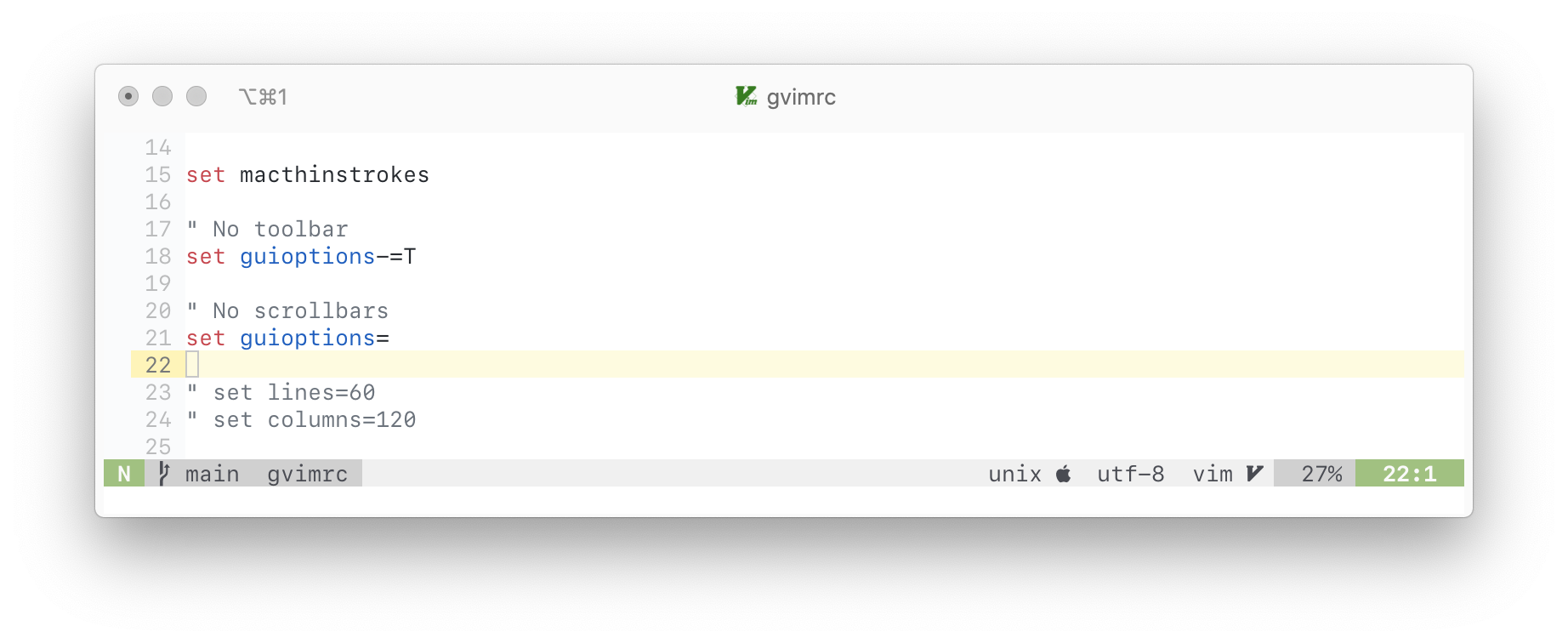
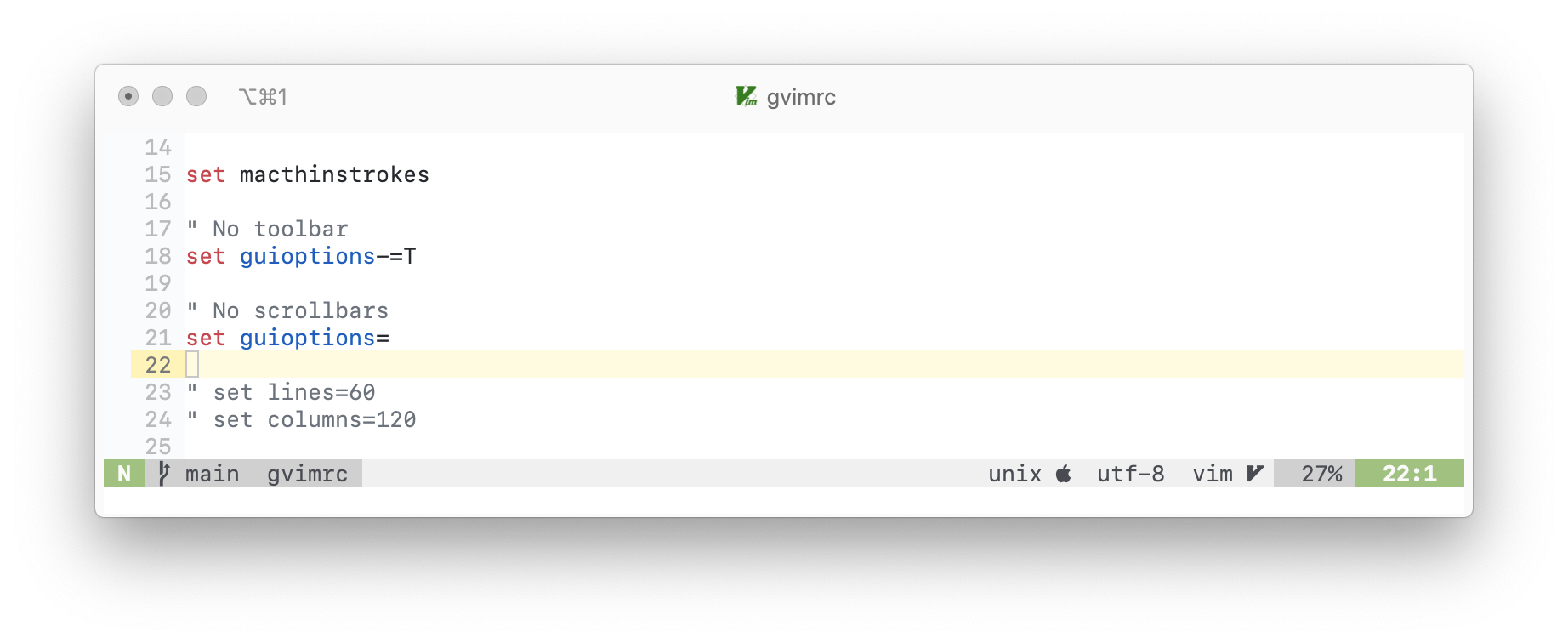
In iTerm2 it is working great, so apparently, there is something wrong and that code in MacVim is never reached
Here are the iTerm2 screenshots:
with the thin strokes option
without the thin strokes option
- Vorherrschende Sprache
- Vim Script
- Sterne
- 7.9k
- Forks
- 691
- PR-Merge-Kennzahlen
- Keine gemergten PRs in 30 T.
Beitragsleitfaden
Erste Schritte
- Lesen Sie das ganze Issue und danach den Beitragsleitfaden des Projekts.
- Schreiben Sie ins Issue, dass Sie es übernehmen — das erspart doppelte Arbeit.
- Forken Sie das Repository und arbeiten Sie in einem Branch.
- Öffnen Sie einen Pull Request, der die Issue-Nummer nennt.
Mehr aus macvim-dev/macvim
-
Schwierigkeit 2/5 1-3 Stunden Anfängerfreundlichkeit 68/100
macvim-dev/macvim#1697 · 5 Kommentare ·
-
Schwierigkeit 2/5 1-3 Stunden Anfängerfreundlichkeit 76/100
macvim-dev/macvim#1658 ·
-
Schwierigkeit 2/5 1-3 Stunden Anfängerfreundlichkeit 76/100
macvim-dev/macvim#1657 ·
-
Schwierigkeit 2/5 1-3 Stunden Anfängerfreundlichkeit 76/100
macvim-dev/macvim#1655 ·
-
Schwierigkeit 2/5 Ein halber Tag Anfängerfreundlichkeit 72/100
macvim-dev/macvim#1653 ·
Alle Issues in macvim-dev/macvim
Ähnliche Issues
-
Startup alerts tell the user to click Save and Apply, but the settings button is labelled Save Offenbug good first issue
Schwierigkeit 2/5 1-3 Stunden Anfängerfreundlichkeit 75/100
alexgorbatchev/simple-ptt#11 ·
-
Schwierigkeit 2/5 1-3 Stunden Anfängerfreundlichkeit 75/100
-
bug good first issue multicut serialization
Schwierigkeit 2/5 1-3 Stunden Anfängerfreundlichkeit 70/100
-
accepted bug via-triage
Schwierigkeit 2/5 1-3 Stunden Anfängerfreundlichkeit 75/100
-
Schwierigkeit 2/5 1-3 Stunden Anfängerfreundlichkeit 75/100
seagle0128/doom-modeline#835 ·