Let users pick a Sentry account when adding a connection
Maintainer antworten meist innerhalb von 1 Tag
Dieses Issue hat noch niemand übernommen.
Bewertung
- Schwierigkeit
- 4/5
- Geschätzter Aufwand
- 3-5 Tage
- Anfängerfreundlichkeit
- 35/100
- Issue-Typ
- Feature
- Klarheit
- Größtenteils klar
- Aktivitätsstatus
- Aktiv
- Tech-Stack
- typescript
- Bereich
- authentication, backend-api-design
Rechercherichtung
Start with packages/mcp-cloudflare/src/server/oauth/routes/authorize.ts and packages/mcp-cloudflare/src/server/oauth/helpers.ts, then trace how the authorization query is built and tested. The issue outlines several approaches, including two small independent changes, but does not choose one; clarify the intended behavior before implementation. Done means a user can select a different Sentry account while reconnecting the same account stays low-friction.
Vom Indexierungsmodell aus dem Issue-Text verfasst.
Beschreibung
Connecting a second, separate Sentry login (for example, a work account and a personal account) to the same MCP client isn't possible without signing out of sentry.io first. If the sign-in browser already has a Sentry session from the first connection, the hosted MCP OAuth flow approves that session silently. The user never sees a login or account choice. Reconnecting the same account should stay low-friction.
Reproduced in Grok's Sentry connector by choosing Add account after a first successful connection:
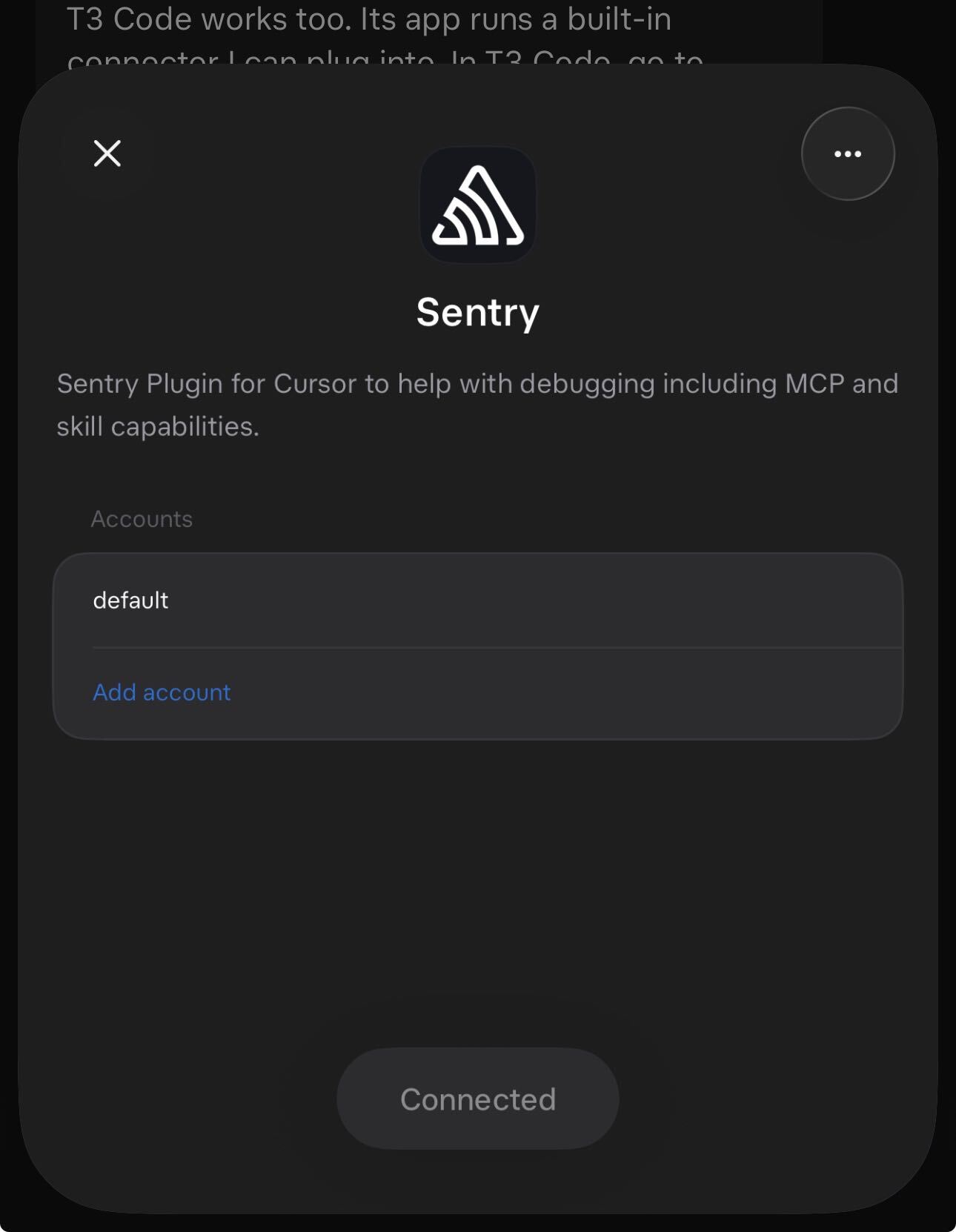
Current behavior
- Our MCP approval screen is shown on every authorization (
authorize.ts#L198). It doesn't know which Sentry user will be used. - The redirect to sentry.io sends only
client_id,redirect_uri,scope,stateandresponse_type(getUpstreamAuthorizeUrl). We don't forward or set anyprompt/force_promptvalue. - Sentry's OAuth page skips its consent step when the signed-in user already approved the app with the same scopes and
force_promptis not set (useOAuthAuthorizeFlow.ts#L79-L83,has_existing_consent). The skipped step is the one that shows the current user and the Switch account action (useOAuthSession.ts#L63). - Sentry's OAuth authorize query accepts no standard OIDC
promptparameter;force_promptis a Sentry-specific query flag read by the frontend. - The client gives the server no signal that tells a reconnect apart from "add another account". Unknown: whether Grok's Add account sends
promptat all. - Workaround: sign out of sentry.io in the sign-in browser, then use Add account.
If both orgs belong to the same Sentry user, a single connection already reaches both, and /mcp/{org} can scope a second connection to one org (subpath constraints). This issue covers separate Sentry logins.
How clients handle multiple accounts
- The MCP authorization spec doesn't cover multiple accounts per server or
prompthandling. Account selection is left to the client and authorization server. - Claude Code: OAuth credentials are keyed by server name, so users add the same URL twice under different names and authenticate each separately (community write-up using Sentry MCP). No
promptis documented in Claude's connector auth requirements. - VS Code: shows "Sign in to another account" when a second server shares a provider. Until microsoft/vscode#343026 (Oct 2026), tokens were keyed by URL origin and the second sign-in overwrote the first (microsoft/vscode#293533).
- GitHub Copilot CLI: forced re-auth appends
prompt=select_accountto MCP authorization URLs, which some servers reject as unsupported (github/copilot-cli#4526). - Grok: has an Add account action per connector; its connector docs don't describe how it signals a new account.
- Upstream providers: GitHub supports
prompt=select_accountand shows its picker when several accounts are signed in; OIDC definesprompt=login|select_account|consent(OIDC Core §3.1.2.1). Notion, Slack and Atlassian ask the user to pick a workspace or site on every approval.
Approaches
Summarized as requested. Goal: improve the multi-account case without adding steps for the common single-account reconnect.
- A. "Use a different Sentry account" option on our MCP approval screen. When selected, add
force_prompt=1to the sentry.io redirect so Sentry shows the signed-in user and Switch account. Uses the existing approval dialog and Sentry's existing flag; MCP-only change; default path unchanged. - B. Forward client
prompt. Mapprompt=login|select_account|consenton our/oauth/authorizetoforce_prompt=1, and advertiseprompt_values_supportedin our authorization server metadata. Standards-aligned and invisible to other users; only helps clients that send it (Copilot CLI does on re-auth). - C. Show the last-connected Sentry identity on our approval screen. Store it in a signed cookie at callback, next to the existing approved-client and skill cookies. Makes the account explicit before continuing; puts user identity in a cookie, so needs a privacy review.
- D. Accept standard
prompton Sentry's OAuth authorize page alongsideforce_prompt. Helps every Sentry OAuth client; requires a getsentry/sentry change. - E. Always send
force_prompt=1. Simplest; adds one Sentry click to every re-auth. Re-auth already shows our approval screen, and routine reconnects should use refresh tokens, so the impact is limited but applies to everyone.
A and B are small, independent, and don't change the default flow. D is the longer-term fix on the Sentry side.
via @sergical.
--
- Vorherrschende Sprache
- TypeScript
- Sterne
- 949
- Forks
- 171
- Ø Merge
- 23 Std. 5 Min.
- Gemergte PRs (30 T.)
- 320
Entwicklungsumgebung
Dieses Projekt bietet weder Dev-Container noch Dockerfile noch Beitragsleitfaden – die Einrichtung liegt bei Ihnen. Beginnen Sie mit der README; die allgemeinen Schritte stehen in unserem Leitfaden für den ersten Beitrag.
Erste Schritte
- Lesen Sie das ganze Issue und danach den Beitragsleitfaden des Projekts.
- Schreiben Sie ins Issue, dass Sie es übernehmen — das erspart doppelte Arbeit.
- Forken Sie das Repository und arbeiten Sie in einem Branch.
- Öffnen Sie einen Pull Request, der die Issue-Nummer nennt.
Mehr aus getsentry/toolkit
-
CLI enhancement MCP
Schwierigkeit 2/5 1-3 Stunden Anfängerfreundlichkeit 63/100
getsentry/toolkit#1908 · 1 Kommentar ·
Maintainer antworten meist innerhalb von 1 Tag
-
Docs MCP URL normalization retains query strings and fragmentsEvtl. vergeben @pcbeingused333 hat das vor 4 Tagen übernommen. Offenbug MCP
Schwierigkeit 2/5 1-3 Stunden Anfängerfreundlichkeit 73/100
getsentry/toolkit#1618 · 1 Kommentar ·
Maintainer antworten meist innerhalb von 1 Tag
-
Schwierigkeit 2/5 1-3 Stunden Anfängerfreundlichkeit 72/100
getsentry/toolkit#1471 · 1 Kommentar ·
Maintainer antworten meist innerhalb von 1 Tag
-
enhancement MCP
Schwierigkeit 5/5 Über eine Woche Anfängerfreundlichkeit 25/100
getsentry/toolkit#1911 · 1 Kommentar ·
Maintainer antworten meist innerhalb von 1 Tag
-
enhancement MCP
Schwierigkeit 4/5 3-5 Tage Anfängerfreundlichkeit 35/100
getsentry/toolkit#1910 · 1 Kommentar ·
Maintainer antworten meist innerhalb von 1 Tag
Alle Issues in getsentry/toolkit
Ähnliche Issues
-
bug module:nodes tests
Schwierigkeit 2/5 1-3 Stunden Anfängerfreundlichkeit 78/100
rocketride-org/rocketride-server#3020 ·
Maintainer antworten meist innerhalb von 2 Tagen
-
area: dashboard area: tests good first issue size: XS tests
Schwierigkeit 1/5 1-3 Stunden Anfängerfreundlichkeit 88/100
Maintainer antworten meist innerhalb von 1 Tag
-
Read canvas commentsOffenenhancement needs-community-review
Schwierigkeit 2/5 1-3 Stunden Anfängerfreundlichkeit 67/100
shaharia-lab/slackcli#501 · 3 Kommentare ·
Maintainer antworten meist innerhalb von 1 Tag
-
[Bug] Pod detail shows CPU usage ten times too high, and throws on decimal memory suffixesEvtl. vergeben @RaphaelFakhri hat das heute übernommen. Offen
Schwierigkeit 2/5 1-3 Stunden Anfängerfreundlichkeit 84/100
Maintainer antworten meist innerhalb von 11 Tagen
-
`package.json`: build tools listed as runtime dependencies, exact pins causing duplicate installsOffen
Schwierigkeit 2/5 1-3 Stunden Anfängerfreundlichkeit 68/100
themesberg/flowbite-vue#471 ·