[Windows]: adguard
Dieses Issue hat noch niemand übernommen.
Bewertung
- Schwierigkeit
- 4/5
- Geschätzter Aufwand
- 3-5 Tage
- Anfängerfreundlichkeit
- 30/100
- Issue-Typ
- Bug
- Klarheit
- Muss geklärt werden
- Aktivitätsstatus
- Aktiv
- Bereich
- backend
Rechercherichtung
Start by investigating the AdGuard for Windows v8.0.4 report and its imported configuration. The report says the home screen stops working after about 30 minutes of inactivity after startup, while version 7 did not show the problem; it does not identify a code location or provide reproduction details. Determine how to reproduce the failure and identify the relevant component before estimating a fix.
Vom Indexierungsmodell aus dem Issue-Text verfasst.
Beschreibung
Application Name
adguard
Application Executable Name
Adguard.exe
Troubleshooting Result
- None of the above helped
Suggested Configuration List
I am not sure, please investigate
Description of the Problem
- Some features aren’t working
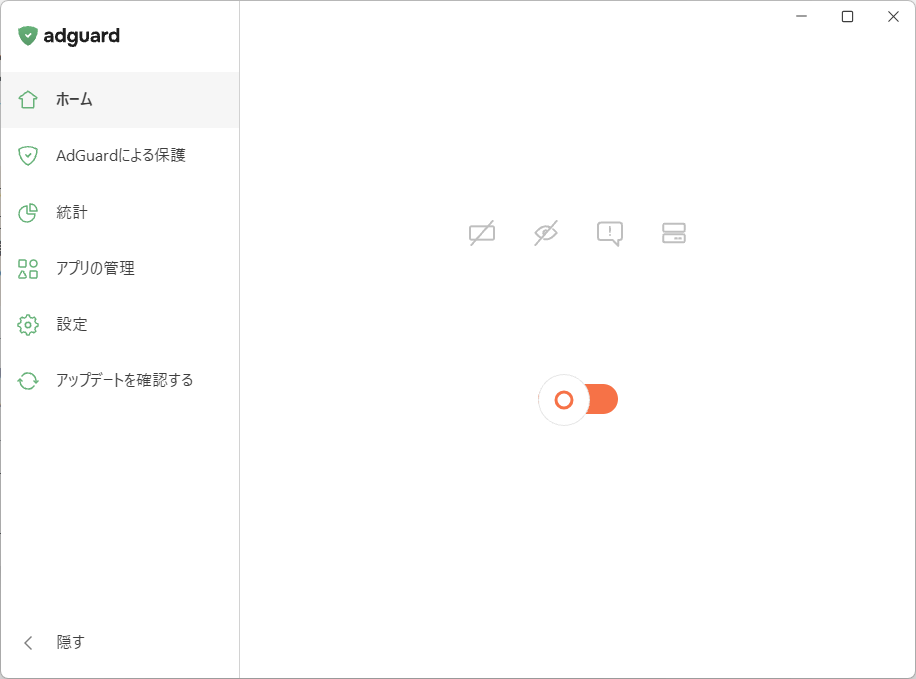
What changed: PC起動後、30分ほど放置するとadguardのホーム画面が正常に動作しない
version7からのアップグレードです。version7では発生していない事象となります。
Final Checks
- I have confirmed that disabling the Tracking Protection or specific filters did NOT fix the issue.
Screenshots
Screenshot 1
System configuration
| Information | Value |
|---|---|
| AdGuard product: | AdGuard for Windows v8.0.4 |
| System version: | Microsoft Windows NT 10.0.26320.0 |
| License type: | paid |
| AdGuard driver: | WFP |
| Filters: | Ad blocking: AdGuard Base Privacy: AdGuard Tracking Protection Social widgets: AdGuard Social Media Annoyances: AdGuard Cookie Notices, AdGuard Popups, AdGuard Mobile App Banners, AdGuard Other Annoyances, AdGuard Widgets Other: AdGuard Experimental Language-specific: AdGuard Japanese, AdGuard Chinese |
| Custom filters: | User rules (url: none) |
| Tracking protection: | General settings: Block trackers, Hide your search queries, Send Do-Not-Track header Windows tracking: Disable Windows Telemetry, Turn off Advertising ID, Disable Windows Recall Miscellaneous: Remove X-Client-Data header from HTTP requests |
| DNS filtering: | server: https://dns.adguard-dns.com/dns-queryfilters: AdGuard DNS filter, User rules (url: none), KOR: YousList (url: https://raw.githubusercontent.com/yous/YousList/master/hosts.txt) |
| Browsing Security: | enabled |
| Browsing Security statistics: | disabled |
| Userscripts: | AdGuard Extra (url: https://userscripts.adtidy.org/release/adguard-extra/1.0/adguard-extra.user.js)<br>AdGuard Popup Blocker (url: https://userscripts.adtidy.org/release/popup-blocker/2.5/popupblocker.user.js) |
| Userstyles: | disabled |
Issue configuration
- Vorherrschende Sprache
- Keine Sprachdaten
- Sterne
- 10
- Forks
- 4
- Ø Merge
- 1 Std. 13 Min.
- Gemergte PRs (30 T.)
- 7
Entwicklungsumgebung
Dieses Projekt bietet weder Dev-Container noch Dockerfile noch Beitragsleitfaden – die Einrichtung liegt bei Ihnen. Beginnen Sie mit der README; die allgemeinen Schritte stehen in unserem Leitfaden für den ersten Beitrag.
Erste Schritte
- Lesen Sie das ganze Issue und danach den Beitragsleitfaden des Projekts.
- Schreiben Sie ins Issue, dass Sie es übernehmen — das erspart doppelte Arbeit.
- Forken Sie das Repository und arbeiten Sie in einem Branch.
- Öffnen Sie einen Pull Request, der die Issue-Nummer nennt.
Mehr aus AdguardTeam/CompatibilityIssues
-
[Windows]: MAXOffenCompatibility Priority: P4 Windows
Schwierigkeit 3/5 Ein halber Tag Anfängerfreundlichkeit 15/100
-
Compatibility Priority: P4 Windows
Schwierigkeit 2/5 1-3 Stunden Anfängerfreundlichkeit 45/100
-
[Windows]: AdguardOffenCompatibility Priority: P4 Windows
Schwierigkeit 4/5 3-5 Tage Anfängerfreundlichkeit 28/100
-
[Windows]: DiscordOffenCompatibility Priority: P4 Windows
Schwierigkeit 4/5 3-5 Tage Anfängerfreundlichkeit 45/100
-
Compatibility Priority: P4 Windows
Schwierigkeit 4/5 3-5 Tage Anfängerfreundlichkeit 30/100
Alle Issues in AdguardTeam/CompatibilityIssues
Ähnliche Issues
-
Schwierigkeit 2/5 1-3 Stunden Anfängerfreundlichkeit 78/100
fedora-infra/anitya#2272 ·
Maintainer antworten meist innerhalb von 1 Tag
-
Appearance enhancement
Schwierigkeit 2/5 Unter einer Stunde Anfängerfreundlichkeit 62/100
novalo-dev/Prestashop-MCP-Server#487 ·
Maintainer antworten meist innerhalb von 1 Tag
-
area/config comp/agent P2 type/perf
Schwierigkeit 2/5 1-3 Stunden Anfängerfreundlichkeit 75/100
NousResearch/hermes-agent#161039 ·
Maintainer antworten meist innerhalb von 1 Tag
-
Schwierigkeit 2/5 1-3 Stunden Anfängerfreundlichkeit 82/100
quickwit-oss/tantivy#3299 ·
Maintainer antworten meist innerhalb von 1 Tag
-
Schwierigkeit 2/5 1-3 Stunden Anfängerfreundlichkeit 76/100
Maintainer antworten meist innerhalb von 1 Tag