[Windows]: Discord、STEAM
还没有人认领这个 Issue。
评估
- 难度
- 2/5
- 预计耗时
- 1-3 小时
- 新手友好度
- 55/100
- Issue 类型
- 缺陷
- 描述清晰度
- 基本清楚
- 活跃度
- 活跃
- 领域
- desktop
调研方向
The report names Discord.exe and steam.exe and says switching the AdGuard for Windows network driver from SockFilter to WFP resolves the startup, login, and connection problems. First, check how this repository records Windows application compatibility reports and whether it has guidance for verifying driver-specific workarounds. Done means the report is clear about the affected apps, the SockFilter symptoms, and the WFP workaround.
由索引模型根据 Issue 内容生成。
描述
Application Name
Discord、STEAM
Application Executable Name
steam.exe、Discord.exe
Troubleshooting Result
- Selecting a different network driver (Suggests low-level network conflict)
Suggested Configuration List
I am not sure, please investigate
Description of the Problem
- App won’t start or keeps crashing
- App lags, freezes, or disconnects
- App conflicts with an antivirus or firewall
- Some features aren’t working
What changed: 造成一些應用程式(如STEAM、Discord)無法正確啟動
如果出現STEAM、Discord桌面版程式啟用延遲、無法登入等問題問題,檢查新版是否將應用程式設定的「網路」選項進去,點選「網路應用程式」,是否為「SockFliter」啟用,若是,改成「WPF」,這樣就可以解決此問題
Final Checks
- I have confirmed that disabling the Tracking Protection or specific filters did NOT fix the issue.
Screenshots
Screenshot 1
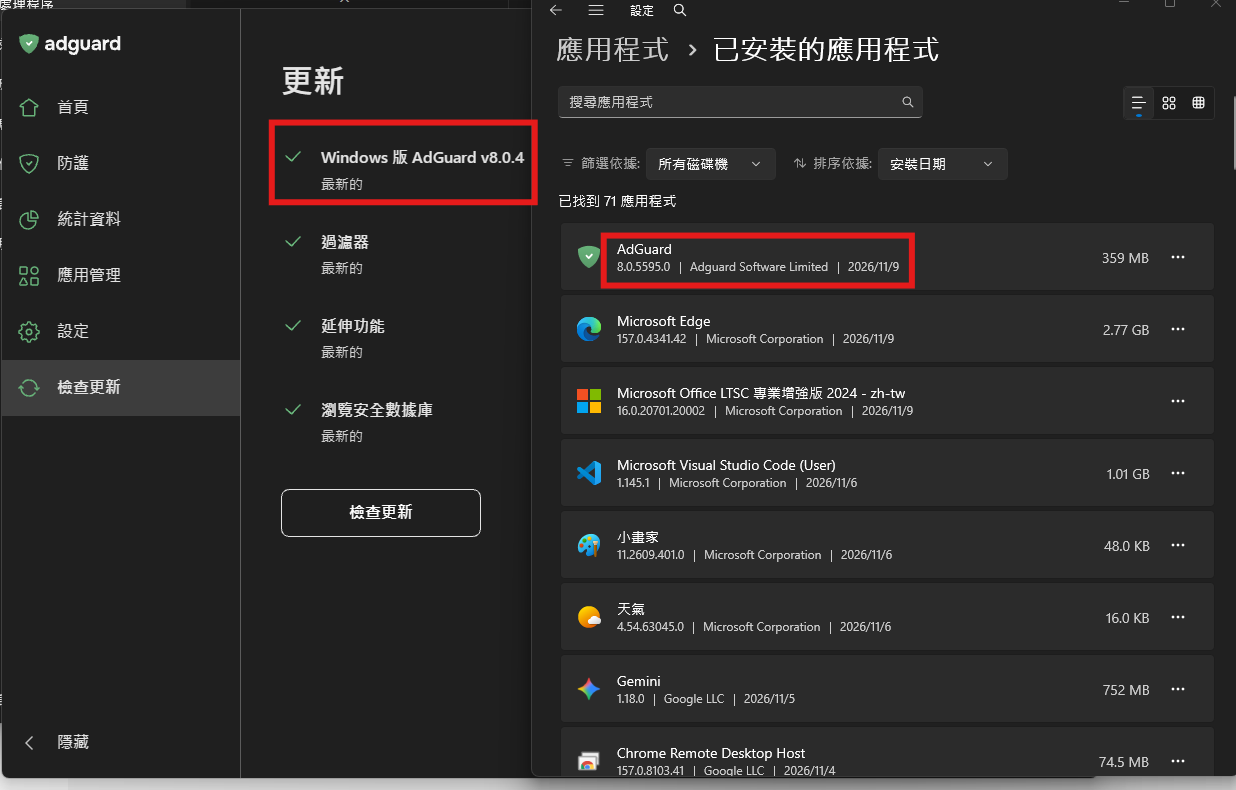
System configuration
| Information | Value |
|---|---|
| AdGuard product: | AdGuard for Windows v8.0.4 |
| System version: | Microsoft Windows NT 10.0.26200.0 |
| Which driver was enabled: | SockFilter (Experimental) |
| Which driver helped: | WFP |
| License type: | paid |
| AdGuard driver: | SOCKFILTER |
| Filters: | Ad blocking: AdGuard Base |
| Custom filters: | User rules (url: none), analytics.google.com (url: none) |
| Tracking protection: | General settings: Block trackers, Send Do-Not-Track header Windows tracking: Disable Windows Telemetry, Turn off Advertising ID, Disable Windows Recall Miscellaneous: Remove X-Client-Data header from HTTP requests |
| DNS filtering: | server: 系統dnsfilters: AWAvenue Ads Rule, AdGuard DNS Popup Hosts filter (url: https://adguardteam.github.io/AdGuardSDNSFilter/Filters/adguard_popup_filter.txt), HaGeZi's DynDNS Blocklist (url: https://raw.githubusercontent.com/hagezi/dns-blocklists/main/adblock/dyndns.txt), HaGeZi's Threat Intelligence Feeds (url: https://raw.githubusercontent.com/hagezi/dns-blocklists/main/adblock/tif.txt), Dandelion Sprout's Game Console Adblock List (url: https://raw.githubusercontent.com/DandelionSprout/adfilt/master/GameConsoleAdblockList.txt), Dan Pollock's List (url: https://someonewhocares.org/hosts/zero/hosts) |
| Browsing Security: | enabled |
| Browsing Security statistics: | enabled |
| Userscripts: | AdGuard Assistant (url: https://userscripts.adtidy.org/release/assistant/4.3/assistant.user.js)<br>AdGuard Extra (url: https://userscripts.adtidy.org/release/adguard-extra/1.0/adguard-extra.user.js)<br>AdGuard Popup Blocker (url: https://userscripts.adtidy.org/release/popup-blocker/2.5/popupblocker.user.js)<br>Web of Trust (url: https://userscripts.adtidy.org/release/adguard-wot/1.0/wot.user.js) |
| Userstyles: | disabled |
Issue configuration
- 主要语言
- 没有语言数据
- 星标
- 10
- 派生
- 4
- 平均合并
- 1 小时 20 分钟
- 30 天内合并 PR
- 6
环境准备
这个项目没有提供开发容器、Dockerfile 或贡献指南,环境需要你自己搭建:先看它的 README,通用步骤见我们的新手贡献指南。
从这里开始
- 先读完整个 Issue,再读项目的贡献指南。
- 在 Issue 下留言说明你要接手 —— 这能避免两个人做同样的事。
- Fork 仓库,在一个分支上完成修改。
- 提交 Pull Request,并在描述里引用这个 Issue 编号。
AdguardTeam/CompatibilityIssues 的其他 Issue
-
Compatibility Priority: P4 Windows
难度 2/5 1-3 小时 新手友好度 45/100
-
Compatibility Priority: P4 Windows
难度 4/5 3-5 天 新手友好度 28/100
-
Compatibility Priority: P4 Windows
难度 4/5 3-5 天 新手友好度 45/100
-
Compatibility Priority: P4 Windows
难度 4/5 3-5 天 新手友好度 30/100
-
Compatibility Priority: P4 Windows
难度 4/5 3-5 天 新手友好度 20/100
查看 AdguardTeam/CompatibilityIssues 的全部 Issue
相似的 Issue
-
p2 ready-mac
难度 2/5 1-3 小时 新手友好度 75/100
维护者通常 1 天内回复
-
bug from-app needs-triage
难度 2/5 1-3 小时 新手友好度 72/100
nightly-labs/openbot#18462 ·
维护者通常 1 天内回复
-
[Bug] Windows: Ctrl+C / Ctrl+V not working in chat input box可能已有人在做 @PranavTJ-05 今天认领。 未关闭comp/desktop desktop/chat desktop/shell os/windows P2 type/bug
难度 2/5 1-3 小时 新手友好度 76/100
NousResearch/hermes-agent#161023 · 2 条评论 ·
维护者通常 1 天内回复
-
难度 2/5 1-3 小时 新手友好度 68/100
Niko1221/Strata#7365 · 2 条评论 ·
维护者通常 4 天内回复
-
难度 2/5 1-3 小时 新手友好度 66/100
commetchat/commet#1123 ·
维护者通常 3 天内回复