Tencent Cloud icon set
@egrimate is already working on this.
Since Jul 27, 2026.
Assessment
This issue has not been assessed yet.
Description
Request: Add Tencent Cloud icon set to draw.io
Description
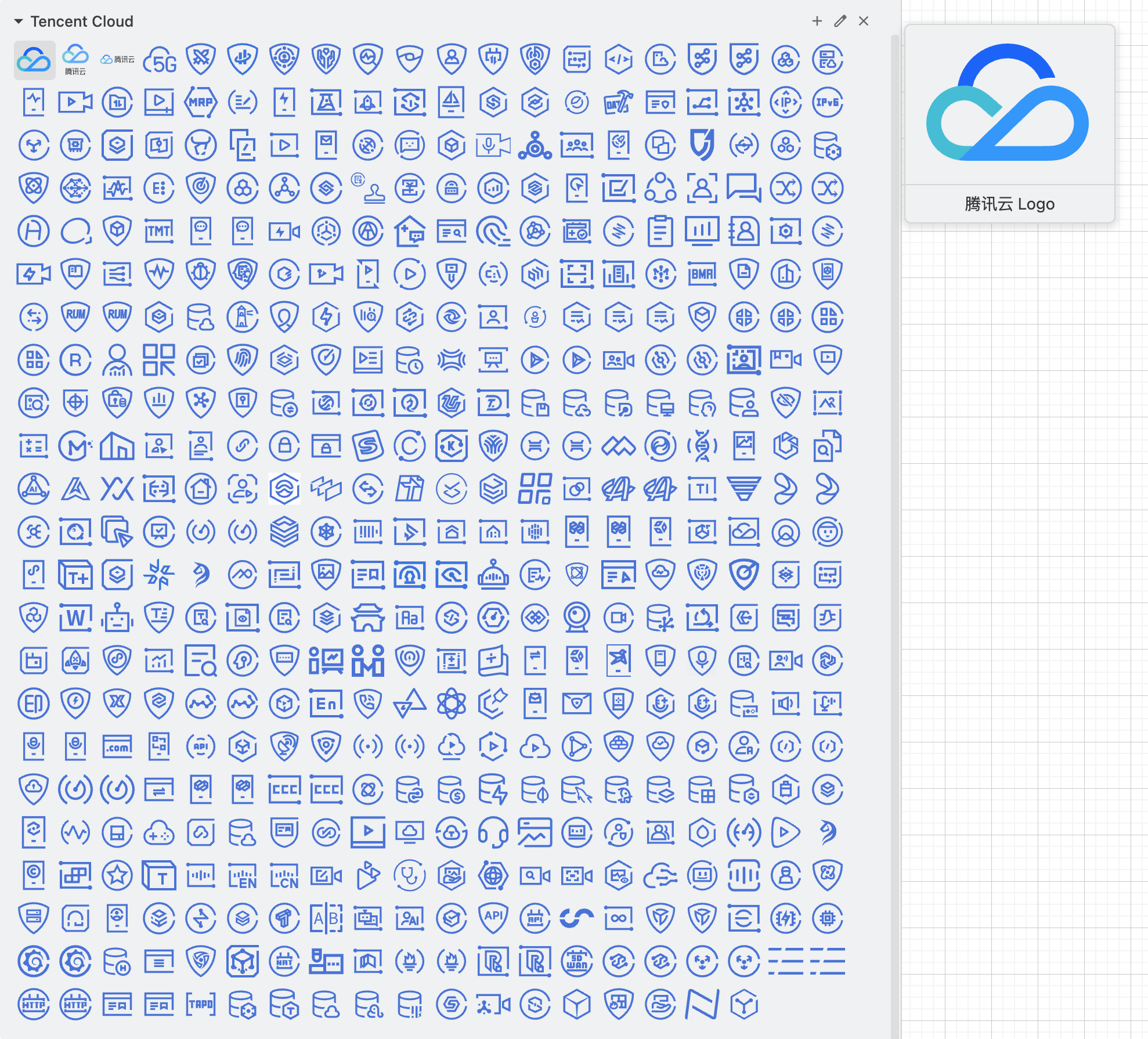
I've collected and organized a complete set of Tencent Cloud official vector icons and generated draw.io compatible library files.
Icon Source
- Official Source: Tencent Cloud Design Center
- Product Categories: Tencent Cloud Products
Icon Details
- Format: SVG vector icons
- Color Code:
#0052D9(Tencent Cloud Blue) - Total Icons: 450+ icons
- Languages: Chinese and English versions available
Categories (18 total)
.
├── 00 Logo (3)
├── 01 Compute (27)
├── 02 Container And Middleware (32)
├── 03 Storage (26)
├── 04 Tencentdb (28)
├── 05 Network (17)
├── 06 Cdn And Cloud Communication (7)
├── 07 Video (36)
├── 08 Security (75)
├── 09 Bigdata (18)
├── 10 Artificial Intelligence And Machine Learning (23)
├── 11 Development And Operation (45)
├── 12 Enterprise And Communication (27)
├── 13 Office Collaboration (14)
├── 14 Wechat Ecosystem (8)
├── 15 Internet Of Things (7)
├── 16 Industry (41)
└── 17 Service Marketing (24)
Repository
GitHub Repository with organized icons and draw.io library files:
https://github.com/8710925/tencent-cloud-icons
Screenshot
License/Permission
Icons are from Tencent Cloud's official design center, available for public use in creating architecture diagrams.
Related Issues
- Similar to #4086 (Alibaba Cloud icon set)
- Original request #2712 (if applicable)
- Dominant language
- JavaScript
- Stars
- 9.4k
- Forks
- 1.4k
- PR merge metrics
- No merged PRs in 30d
Getting set up
This project ships no dev container, Dockerfile or contributing guide, so setting up is up to you: start from its README, and see our first-contribution guide for the general steps.
First steps
- Read the whole issue, then the project's contributing guide.
- Comment on the issue to say you are picking it up — it saves two people doing the same work.
- Fork the repository and make your change on a branch.
- Open a pull request that references the issue number.
More from jgraph/drawio
-
Difficulty 2/5 1-3 hours Newbie friendliness 72/100
-
Requesting a VPAT for app.diagrams.netPossibly taken @alderg claimed this 24 days ago. Openenhancement
Difficulty 2/5 1-3 hours Newbie friendliness 67/100
-
enhancement
Difficulty 5/5 Over a week Newbie friendliness 35/100
-
enhancement
Difficulty 3/5 1-2 days Newbie friendliness 68/100
-
Import TablesOpenenhancement possible-duplicate
Difficulty 4/5 3-5 days Newbie friendliness 35/100
Similar issues
-
Difficulty 1/5 Under an hour Newbie friendliness 62/100
Maintainers usually reply within 1 day
-
Difficulty 2/5 Under an hour Newbie friendliness 82/100
Leonxlnx/taste-skill#216 ·
Maintainers usually reply within 1 day
-
Difficulty 1/5 Under an hour Newbie friendliness 88/100
all-contributors/cli#690 ·
Maintainers usually reply within 1 day
-
Difficulty 2/5 1-3 hours Newbie friendliness 82/100
Maintainers usually reply within 1 day
-
area: ui Bug Payload OSS
Difficulty 1/5 Under an hour Newbie friendliness 88/100
payloadcms/payload#19839 ·
Maintainers usually reply within 1 day