Run Selected/Failed Tests or combine Tests which doesn't fall under a pattern
Nadie ha tomado este issue todavía.
Evaluación
- Dificultad
- 4/5
- Tiempo estimado
- 3-5 días
- Aptitud para principiantes
- 35/100
- Tipo de issue
- Nueva funcionalidad
- Claridad
- Bastante claro
- Estado de actividad
- Estancado
- Stack tecnológico
- javascript, node.js
- Área
- cli, testing-qa
Línea de trabajo
Comienza rastreando el manejo de los comandos run y run-workers para la opción propuesta --rerun-test y, después, inspecciona cómo se crearía, leería, actualizaría, validaría y eliminaría failedCases.json. Se considera terminado cuando se puedan volver a ejecutar archivos seleccionados o fallidos, informar de entradas no válidas o ausentes, admitir archivos de distintas carpetas y borrar el archivo cuando la ejecución final tenga éxito.
Escrito por el modelo de indexación a partir del texto del issue.
Descripción
What are you trying to achieve?
Adding new option to run and run-workers to rerun the failed tests or the selected tests. Option added in --rerun-tests.
Working Nature :
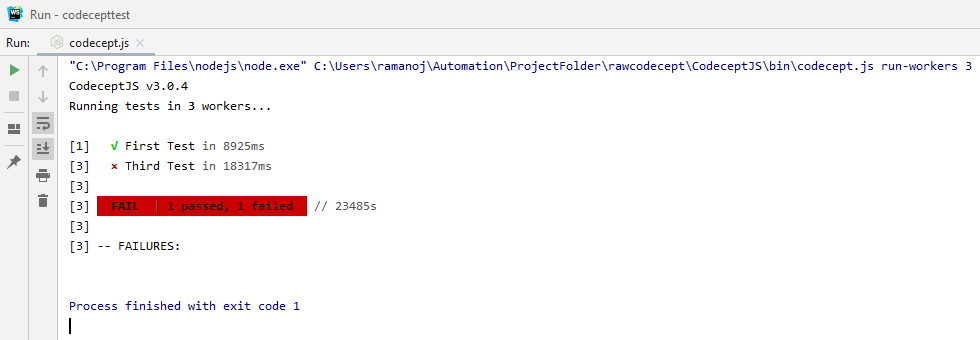
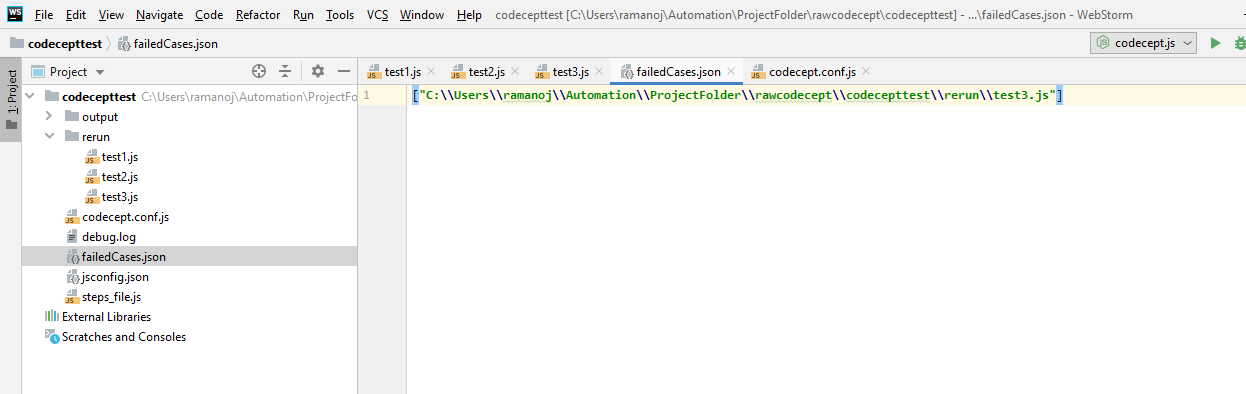
- When the run is initiated and when script(s) fail, the test script will be added in failedCases.json file.
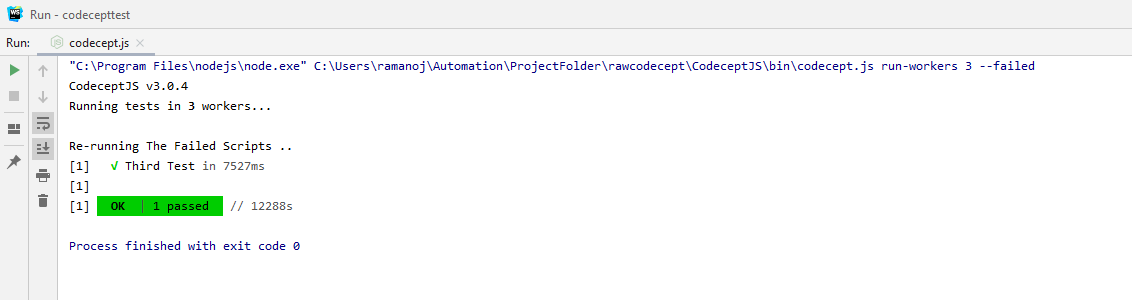
- When the rerun is initiated with the run --rerun-test or run-workers 2 --rerun-test command, test files will be picked from the json file instead of the config file.
- Failed Tests will be updated from the last execution regardless of the mode it ran(either run or run --rerun-tests)
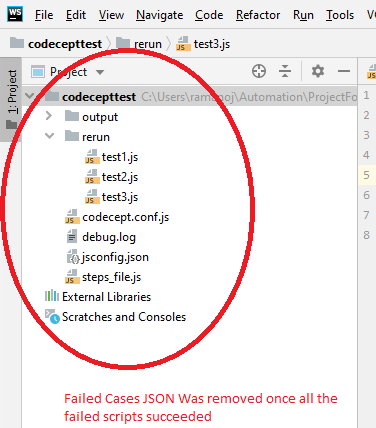
- When all the tests are passed in the last execution, failesCases.json file be deleted from the project folder.
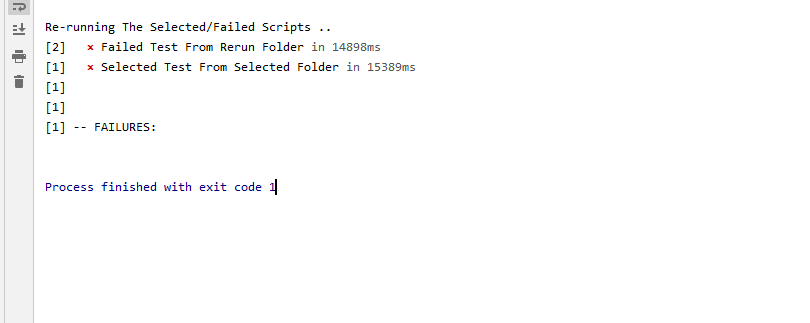
- We can add files from different folders, files which doesn't falls under a single pattern etc.
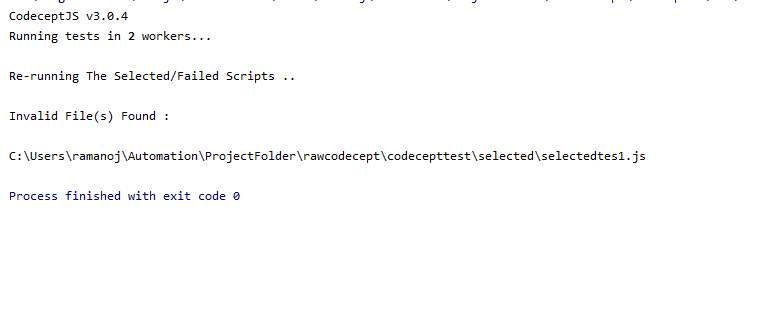
- When a invalid files or files are provided in the json file, message will be thrown with the invalid file.
- When there is no failedCases.json file or no tests in the failedCases.json file and the run is initiated, appropriate message will be displayed to the user.
Benefits :
- If the failed scripts need to run against different environments, it could be accomplished with this approach.
- You can create failedCases.json manually and run the specific scripts you want to execute using the above commands.
- This would be much useful, if you want to run the scripts which doesn't come under a pattern and from test files from different folders.
Console Outputs :
Failed Scripts when run-workers
Failed Worker Script In Failed Cases
Rerun Of the Failed Script
Failed Cases JSON removed after the Failed Script succeeded
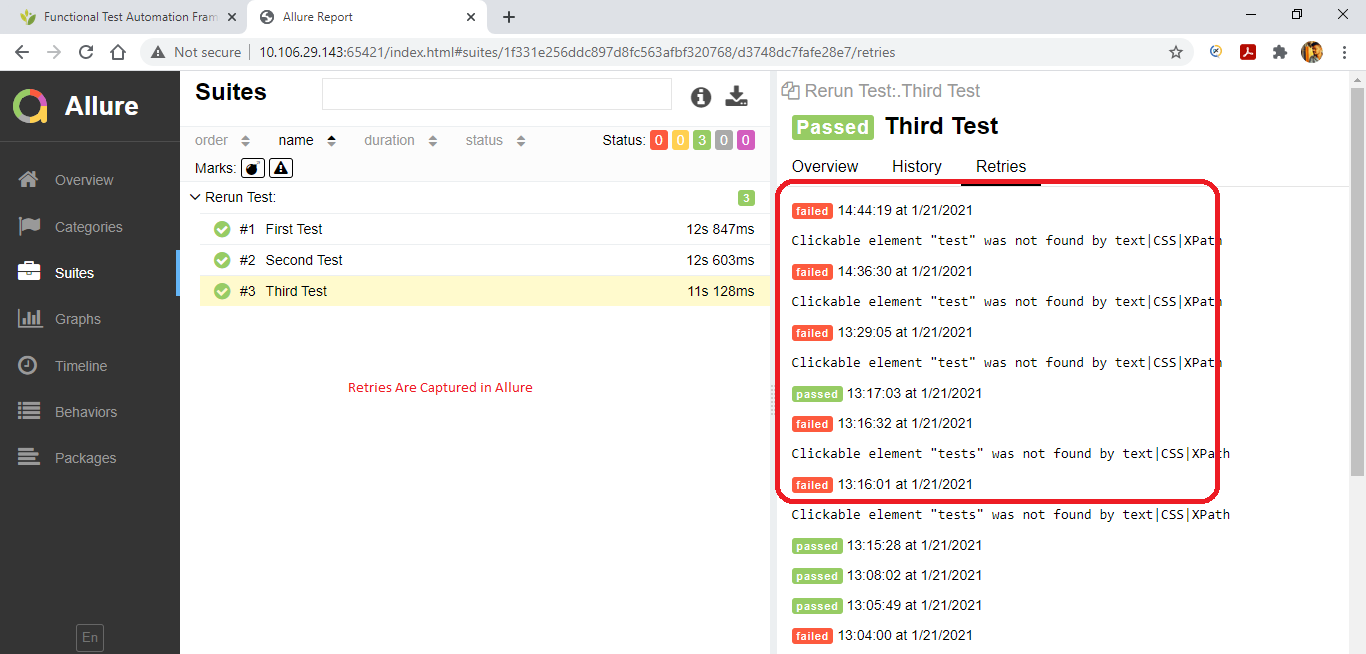
Retries Captured In Allure
Invalid Files Identification
Running Files From Two Different Folder
- Lenguaje dominante
- JavaScript
- Estrellas
- 4.2k
- Forks
- 756
- Merge medio
- 2 d 9 h
- PR fusionados (30 d)
- 16
Guía de contribución
Primeros pasos
- Lee el issue completo y luego la guía de contribución del proyecto.
- Comenta en el issue que vas a ocuparte — evita que dos personas hagan lo mismo.
- Haz un fork del repositorio y trabaja en una rama.
- Abre un pull request que haga referencia al número del issue.
Más de codeceptjs/CodeceptJS
-
stale
Dificultad 2/5 1-3 horas Aptitud para principiantes 72/100
codeceptjs/CodeceptJS#5420 · 1 comentario ·
-
stale
Dificultad 2/5 1-3 horas Aptitud para principiantes 76/100
codeceptjs/CodeceptJS#5358 · 1 comentario ·
-
stale
Dificultad 2/5 1-3 horas Aptitud para principiantes 78/100
codeceptjs/CodeceptJS#4958 · 10 comentarios · 2 reacciones ·
-
stale
Dificultad 1/5 Menos de una hora Aptitud para principiantes 72/100
codeceptjs/CodeceptJS#4778 · 3 comentarios ·
-
stale
Dificultad 4/5 3-5 días Aptitud para principiantes 38/100
codeceptjs/CodeceptJS#5618 · 1 comentario ·
Todos los issues de codeceptjs/CodeceptJS
Issues similares
-
curation good first issue
Dificultad 2/5 1-3 horas Aptitud para principiantes 88/100
amponce/archive-movie-browser#186 ·
-
Dificultad 2/5 1-3 horas Aptitud para principiantes 86/100
clerk/javascript#9852 ·
-
bug p1 tools
Dificultad 2/5 1-3 horas Aptitud para principiantes 78/100
-
Dificultad 2/5 1-3 horas Aptitud para principiantes 88/100
HarperFast/skills#96 ·
-
factory-active factory-automatic task-bug-reproduction-cannot-reproduce task-identify-harness-labels-done task-identify-issue-type-done
Dificultad 2/5 1-3 horas Aptitud para principiantes 84/100