Add Clear icon to input fields
Nobody has claimed this yet.
Assessment
- Difficulty
- 4/5
- Estimated time
- 3-5 days
- Newbie friendliness
- 35/100
- Issue type
- Feature
- Clarity
- Mostly clear
- Activity status
- Stale
- Tech stack
- typescript
- Domain
- frontend
Research direction
Start by locating the search input fields in Stacks that do not use predictive search; no specific files or tests are named in the issue. Check the existing clear-icon implementation referenced in the admin table, then verify that typing at least one character shows the icon and selecting it clears the input and resets results.
Written by the indexing model from the issue text.
Description
Context
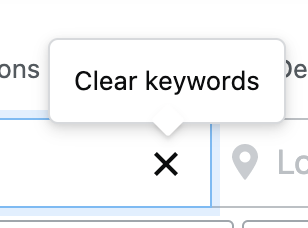
R&R just implemented the clear icon X and feature inside the input field for our admin table. We should make this a standard practice for all search input fields without predictive search. The feature is also available in the Jobs search input field.
UX interaction notes
Once the user starts typing at least 1 character, the @clear icon is added to the right side of the input field. Selecting the @clear icon would reset any search results (if applicable) to default (nothing) and delete any characters the user had typed.
- Dominant language
- TypeScript
- Stars
- 672
- Forks
- 107
- Avg merge
- 2d 12h
- Merged PRs (30d)
- 26
Contributor guide
First steps
- Read the whole issue, then the project's contributing guide.
- Comment on the issue to say you are picking it up — it saves two people doing the same work.
- Fork the repository and make your change on a branch.
- Open a pull request that references the issue number.
More from StackExchange/Stacks
-
Difficulty 1/5 1-3 hours Newbie friendliness 62/100
StackExchange/Stacks#1030 ·
-
Difficulty 2/5 1-3 hours Newbie friendliness 48/100
StackExchange/Stacks#1842 ·
-
Difficulty 5/5 Over a week Newbie friendliness 25/100
StackExchange/Stacks#1413 · 2 comments ·
-
Difficulty 2/5 1-3 hours Newbie friendliness 50/100
StackExchange/Stacks#1242 ·
-
bug
Difficulty 3/5 1-2 days Newbie friendliness 35/100
StackExchange/Stacks#1224 ·
All issues in StackExchange/Stacks
Similar issues
-
VerificationGate: ATTRIBUTION quote guard never matches a normal quotation (\b around the quote) Open
Difficulty 2/5 1-3 hours Newbie friendliness 75/100
danielmiessler/LifeOS#2234 ·
-
T: Bug
Difficulty 2/5 1-3 hours Newbie friendliness 75/100
-
Difficulty 2/5 1-3 hours Newbie friendliness 65/100
-
Difficulty 1/5 Under an hour Newbie friendliness 85/100
-
Mend: dependency security vulnerability untriaged
Difficulty 2/5 1-3 hours Newbie friendliness 70/100