
In ListView, FontIcon does not load properly when loaded inside the Button
#7,093 创建于 2019年8月7日
仓库指标
- 星标
- (5,644 个星标)
- PR 合并指标
- (30 天内没有已合并 PR)
描述
Description
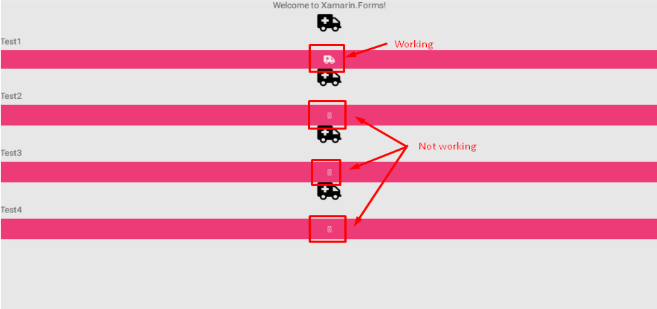
When FontIcon loaded inside Button, icon does not load properly for all the listview items. Only the first icon loads as expected. We have ListView-StackLayout-{Image-Label-Button}
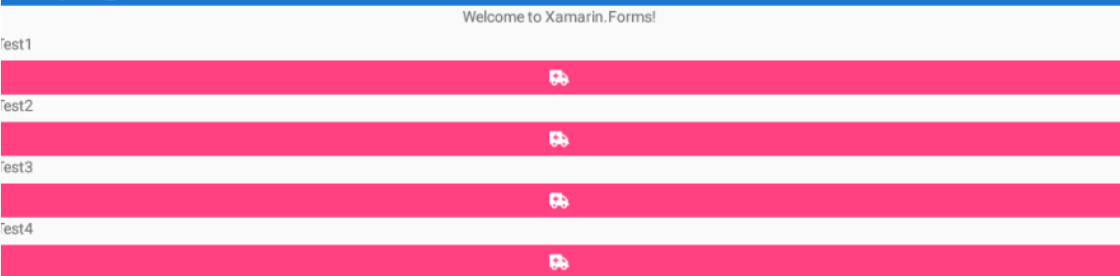
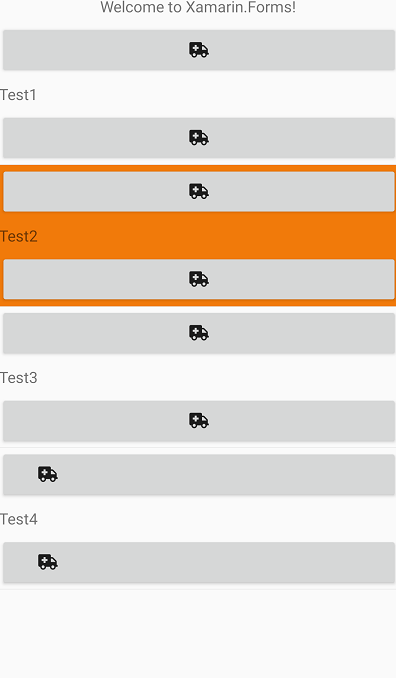
1.If ListView format is ListView-StackLayout-{Label-Button} -> No issue occurs and Button inside icon loads properly for all listview items. 2. If ListView format is ListView-StackLayout-{Button-Label-Button} -> No issue occurs and Button inside icon loads properly for all listview items.
Steps to Reproduce
1.Run the sample 2. Note when image is added inside the ItemTemplate- FontIcon inside the button will not render in all properly in all items properly.
Expected Behavior
Even Image added to the Itemtemplate Button should also display properly
Actual Behavior
When image is added inside the ItemTemplate- FontIcon inside the button will not render in all properly in all items properly.
Basic Information
- Version with issue: 4.1
- IDE: VS 2019
Screenshots
Edit StackLayout with {Button-Label-Button }
Reproduction Link
https://www.syncfusion.com/downloads/support/directtrac/general/ze/GettingStarted-232219824