
描述
Describe the bug The Overseerr Theme does absolutely not look like whats on the website.
Theme Install Method (Don't skip)
- Docker run / Compose Config No. Useing Gitea under windows.
- Webserver subfilter Config None. Gitea gets forwarded to a port.
- Stylus Config ?
Application Info (Don't skip)
- Version 1.25.2 (gitea)
- Branch ?
- Container ?
- Logs none?
i just used the guide under here https://docs.theme-park.dev/themes/gitea/
To Reproduce Steps to reproduce the behavior: https://docs.gitea.com/administration/customizing-gitea?_highlight=tmpl#customizing-the-look-of-gitea Install Gitea Theme.
Expected behavior SHOULD look like this: https://docs.theme-park.dev/site_assets/gitea/overseerr.png Looks like this: Screenshot 1
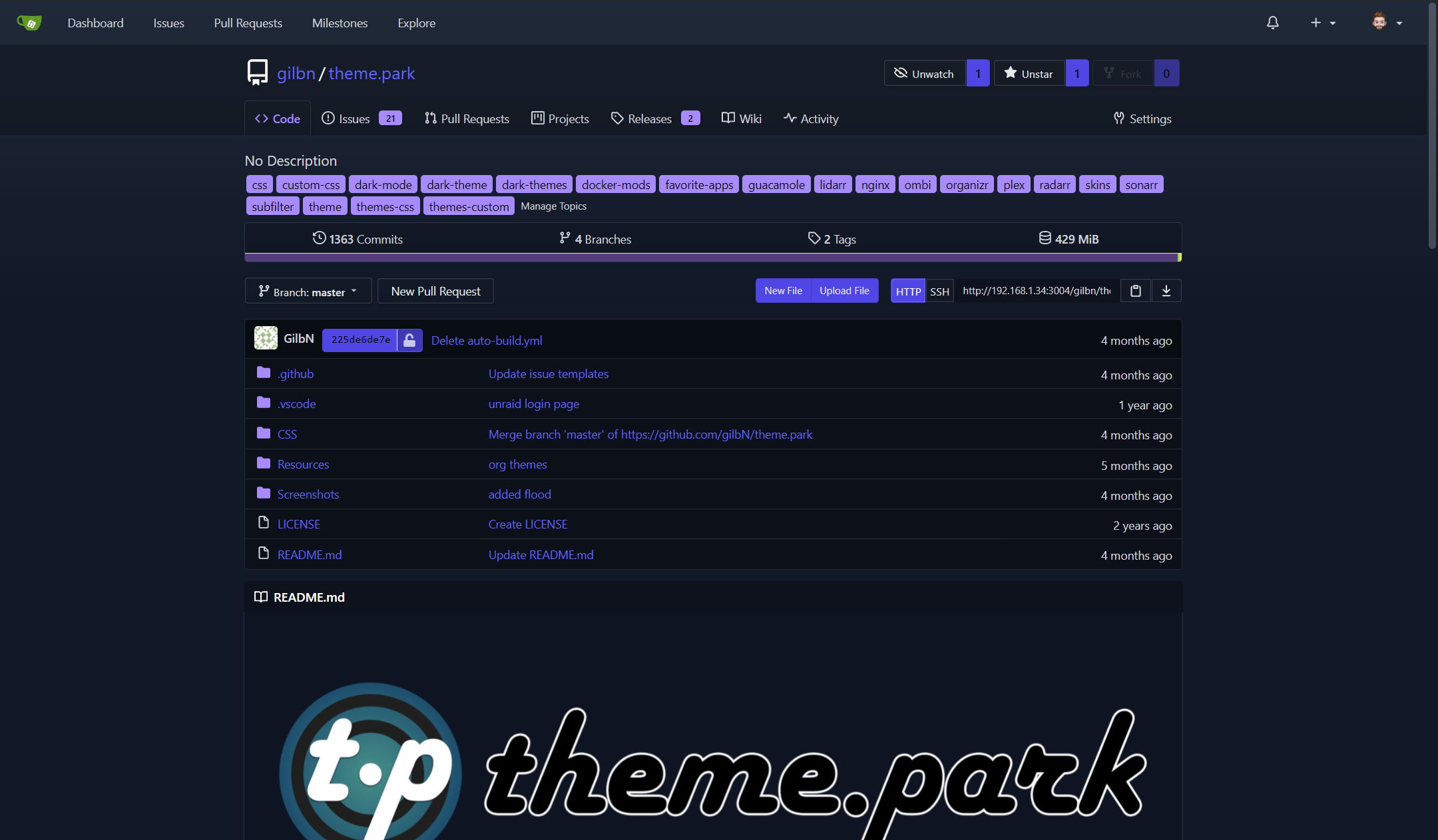
Screenshots see above
Desktop (If applicable) (please complete the following information):
- OS: Windows 11 Pro for Workstation
- Browser Chrome
- Version 143.0.7499.170
Additional context The theme doesnt look like whats in the screenshot on the website, i cleared my cache and tryed on diffent browsers MULTIPLE times. It looks nothing like whats on the website.
@import "https://theme-park.dev/css/base/gitea/overseerr.css";
:root {
  --is-dark-theme:true;
}