
palantir/blueprint
Table header cell - Clicking on an an element also selects the column.
开放
#3,685 创建于 2019年7月30日
Domain: APIPackage: tablehelp wanted
仓库指标
- 星标
- (20,263 个星标)
- PR 合并指标
- (PR 指标待抓取)
描述
Environment
- Package version(s): blueprint-table 3.4.1
- Browser and OS versions: Chrome 75.0.3770.142
Steps to reproduce
- Have a table with buttons or a drag handle in the column header cells, and selection enabled.
- Click on the button or handle.
Actual behavior
The column is selected, since selection is enabled.
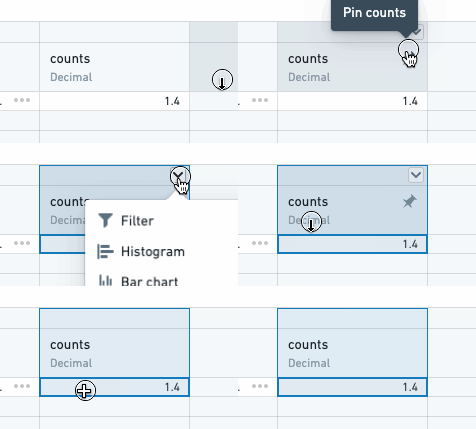
This is particularly annoying when selection causes other things on the page to render, potentially moving the table and then no longer executing the intended click action.
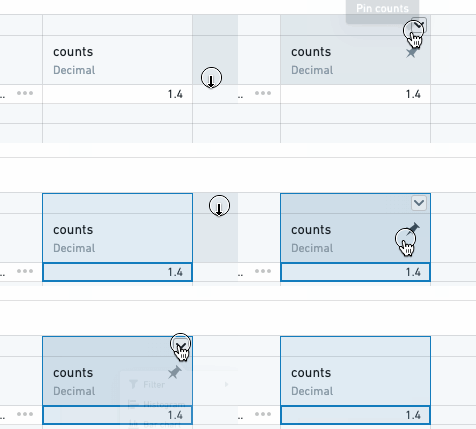
Expected behavior
Clicking on an element in the header that has interaction ignores selection.
Possible solution
I noticed that header cells have an ignoredSelectors prop, which does exactly what is needed here, but isn't exposed. Would be nice if this was exposed, so we can add css selectors that could be ignored.
I also noticed the isHeaderMouseTarget static method in the ColumnHeaderCell, but then we need some sort of callback on header click to know what the target is.