
仓库指标
- Star
- (5,815 star)
- PR 合并指标
- (平均合并 5天 15小时) (30 天内合并 9 个 PR)
描述
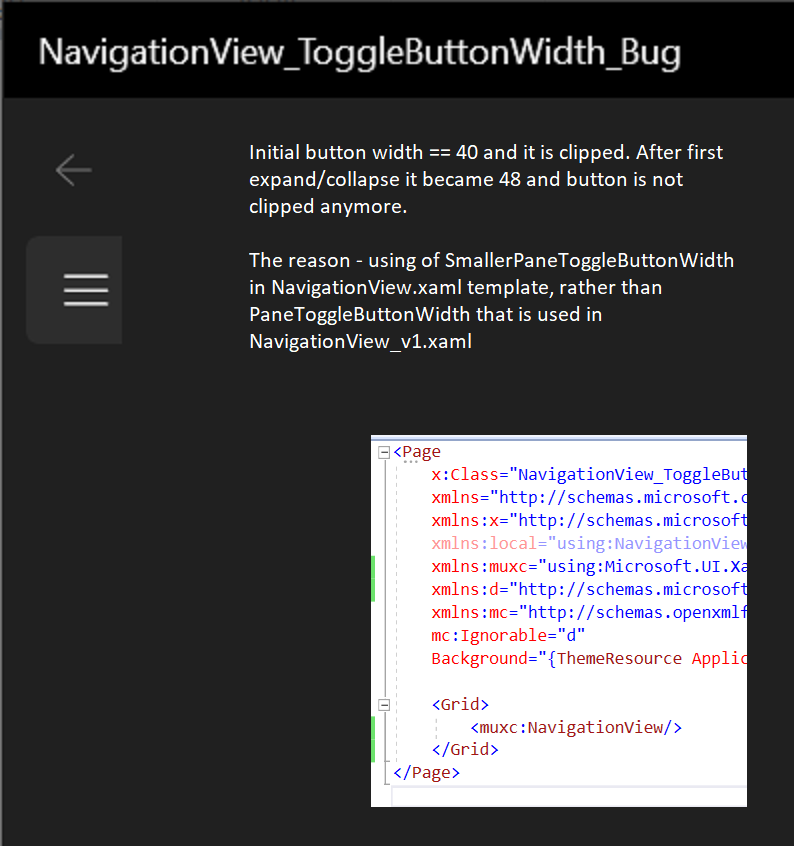
Describe the bug Pane toggle button is initially clipped in NavigationView, MUX 2.6.2, default Win11-like styles
Steps to reproduce the bug
- VS2019, new blank C++/CX project, add MUX 2.6.2, in MainPage add such code
<muxc:NavigationView/>
- Hover over pane toggle button - it has rounded corners, and it is definitely clipped.
- Close and reopen pane - button is not clipped anymore
Expected behavior Button should not be clipped
Screenshots
Version Info
NuGet package version: [Microsoft.UI.Xaml 2.6.2]
Windows app type:
| UWP | Win32 |
|---|---|
| Yes |
| Windows version | Saw the problem? |
|---|---|
| Insider Build (xxxxx) | |
| May 2021 Update (19043) | Yes |
| October 2020 Update (19042) | |
| May 2020 Update (19041) | |
| November 2019 Update (18363) | |
| May 2019 Update (18362) | |
| October 2018 Update (17763) | |
| April 2018 Update (17134) | |
| Fall Creators Update (16299) | |
| Creators Update (15063) |
| Device form factor | Saw the problem? |
|---|---|
| Desktop | Yes |
| Xbox | |
| Surface Hub | |
| IoT |
Additional context Initially in in NavigationView.xaml TogglePaneButton width == 40 is determined by MinWidth="{Binding ... Path=TemplateSettings.SmallerPaneToggleButtonWidth}" and not set Width property. After pane collapsing/expanding NavigationView::UpdatePaneToggleSize() recalculate it starting with GetTemplateSettings()->PaneToggleButtonWidth() and optionally adjusting it. Note, that PaneToggleButtonWidth == 48 is used here, not , SmallerPaneToggleButtonWidth == 40. Also note, that in NavigationView_v1.xaml MinWidth="{Binding ... Path=TemplateSettings.PaneToggleButtonWidth}" - not SmallerPaneToggleButtonWidth.