
microsoft/Terminal
NavigationView's scrollbar covers up icons when accessibility feature is enabled
开放
#8,894 创建于 2021年1月26日
Area-SettingsUIHelp WantedIssue-BugPriority-3Product-Terminal
仓库指标
- 星标
- (103,173 个星标)
- PR 合并指标
- (平均合并 27天 19小时) (30 天内合并 24 个 PR)
描述
- Go to Settings app > Ease of Access > Display
- Clear the box next to "Automatically hide scroll bars in Windows"
- Launch Terminal
- Size the Terminal app so its left-hand NavigationView is in compact mode, but not completely hidden
- The scrollbars encroach on the icons on the left side:
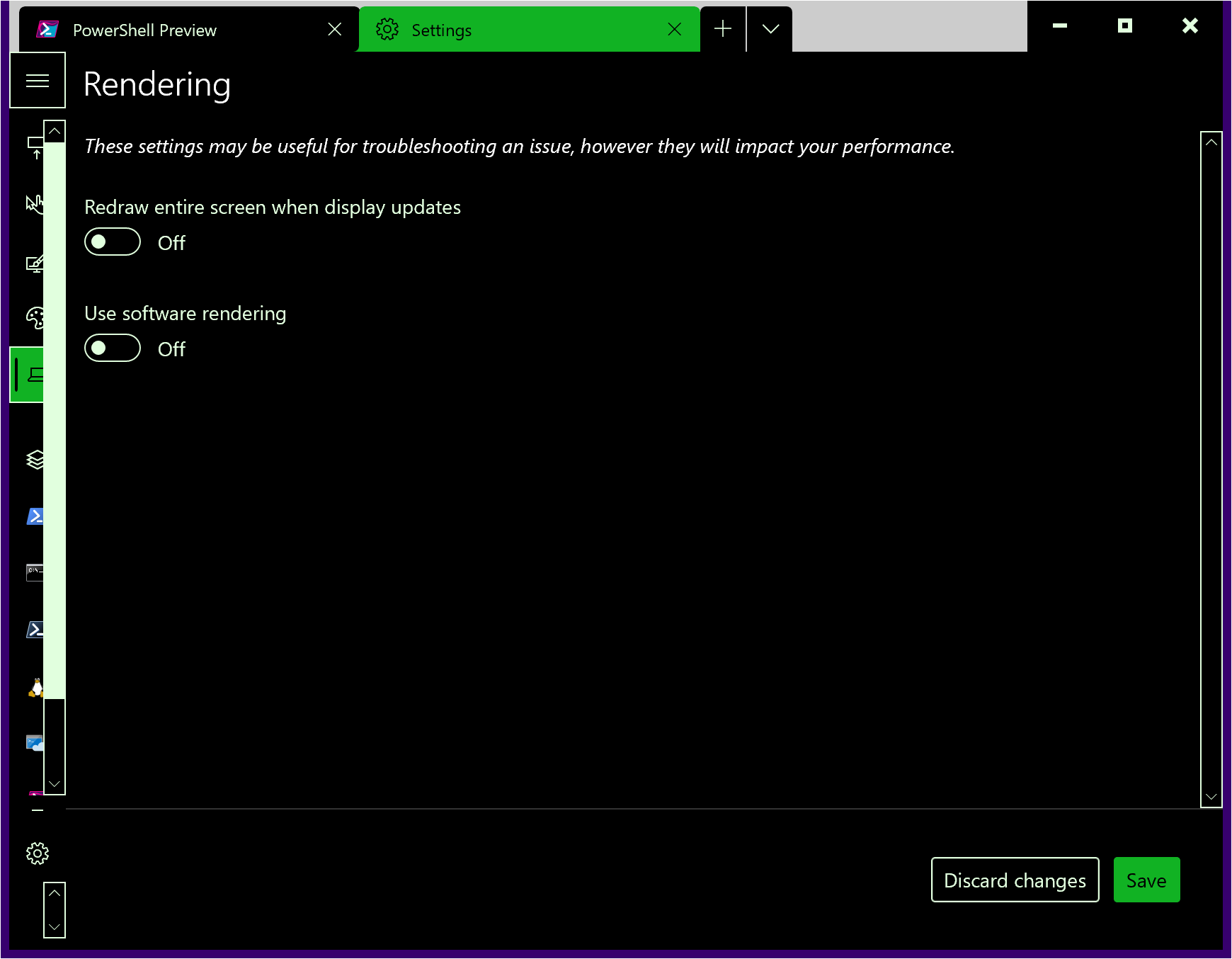
Apparently this is MUX bug 2376, wherein they wash their hands and point at you -- it's somehow the app's fault that this happens.
Note that the other intrusive scrollbar is MUX bug 3771, which they haven't punted yet.