Team:Securityenhancementgood first issue
仓库指标
- 星标
- (19,065 个星标)
- PR 合并指标
- (PR 指标待抓取)
描述
Related: #42503
Kibana version: 7.14.0 and earlier
Describe the bug:
Creating (or editing) a role takes several steps:
- Add ES privileges
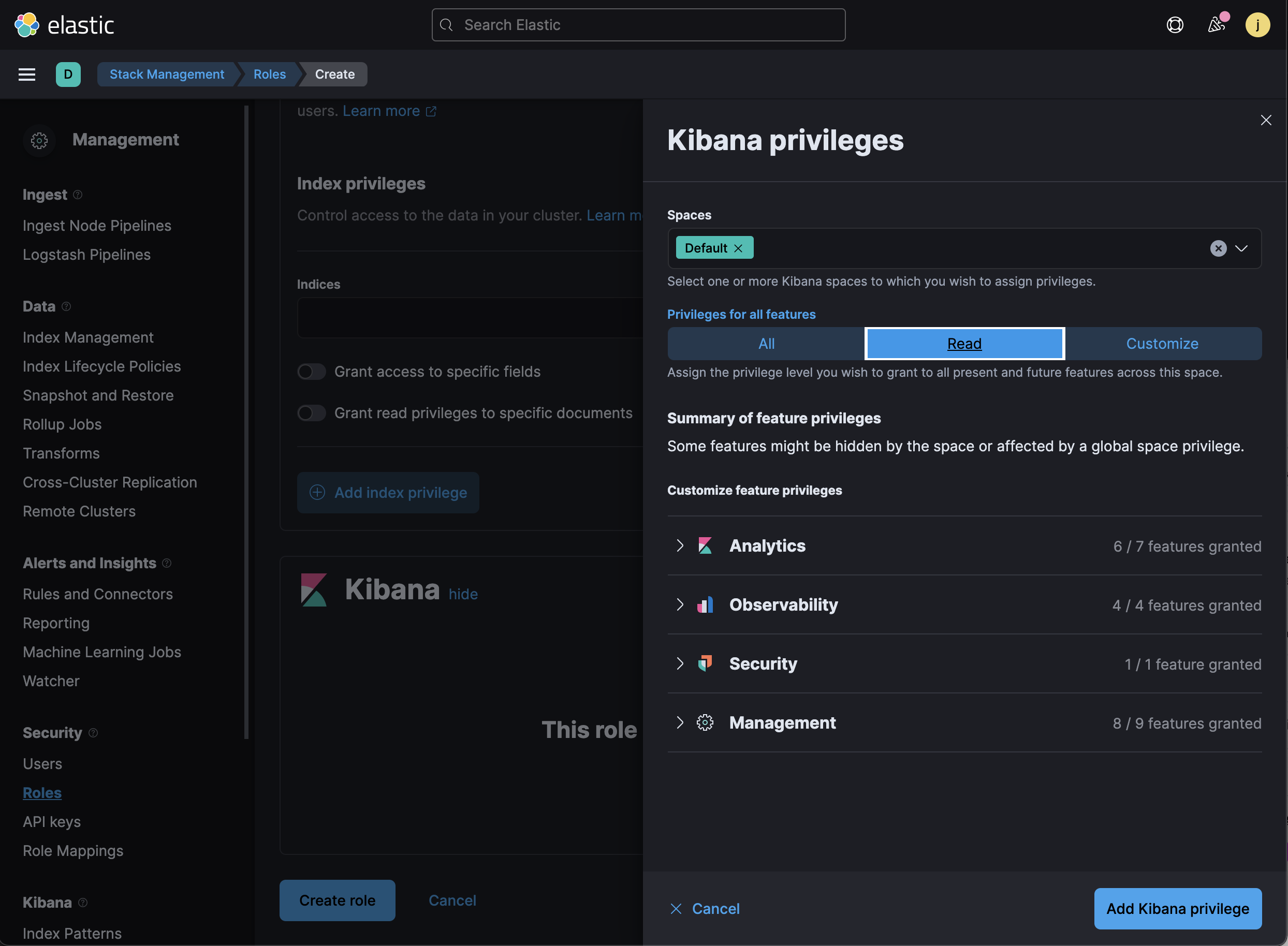
- Add Kibana privileges
- Click the "Save role" (or "Create role") button
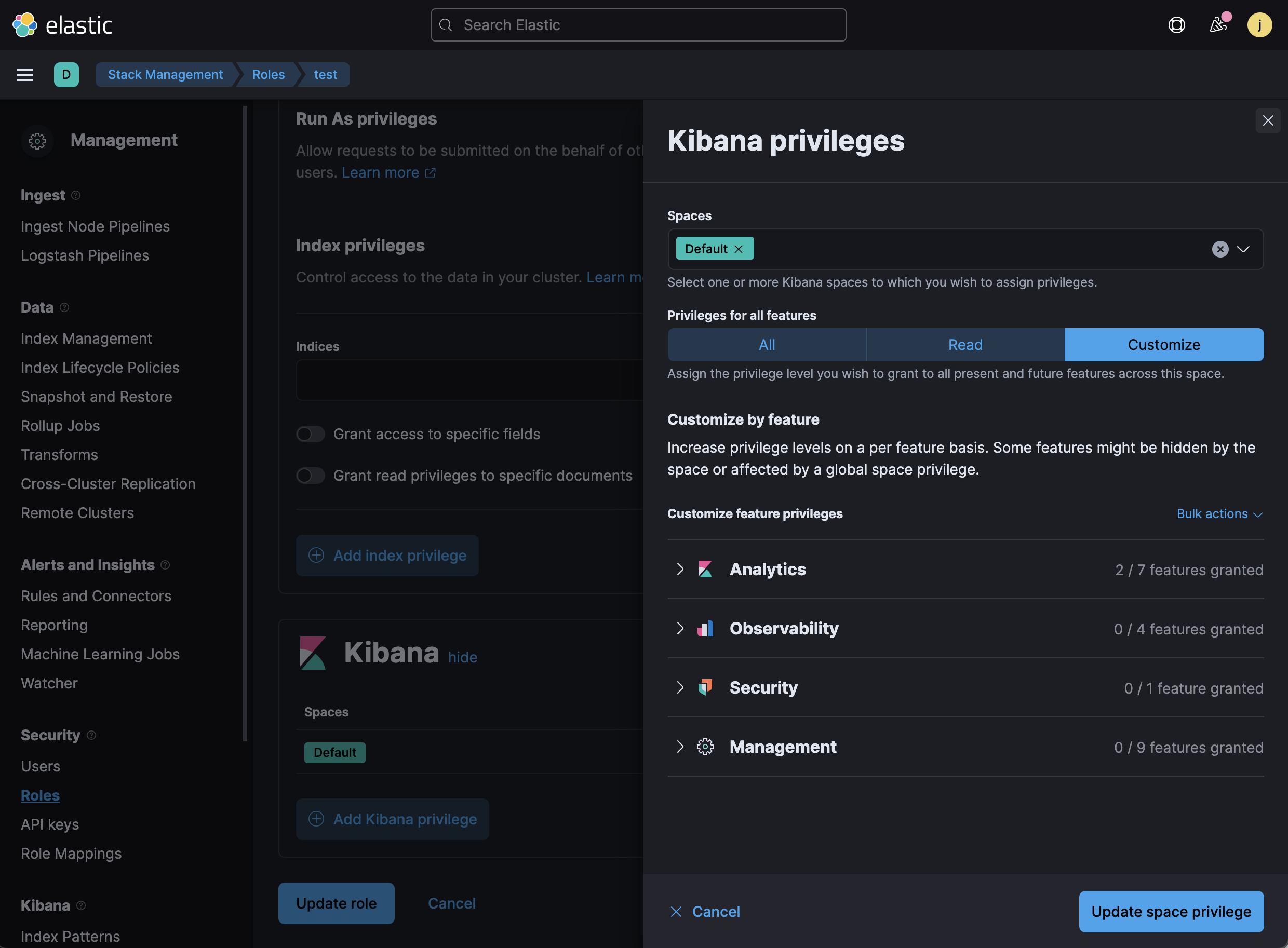
This is particularly easy to overlook when you are adding a Kibana privilege, because there is a filled in "Add Kibana privilege" (or "Update space privilege") button
Steps to reproduce:
- Navigate to Stack Management > Roles
- Create or edit a role
- Change the role and navigate to a different page
- Observe that Kibana lets you leave without saving the role
Expected behavior:
- The "Add Kibana privilege" (or "Update space privilege") button on the Kibana privileges flyout should be renamed and/or made less prominent (changed to an outline button?); it's too easy to mistake that that actually updates the role when it doesn't. Also, these names should be more similar (perhaps they can both just be "Continue"?)
- If changes are detected but not saved, we should probably catch the user before they navigate away from the page. Note that we should make sure session timeout is not negatively impacted.
Screenshots (if relevant):