
Client doesn't respect Windows 10 language preferences, no proper way to switch UI to English
#2,926 建立於 2020年7月28日
倉庫指標
- 星標
- (59,558 顆星)
- PR 合併指標
- (30 天內沒有已合併 PR)
描述
Describe the bug
The client displays the UI in the language defined by regional formats. In my case, I have English as the preferred language and Russian as the regional format language. The result is that the UI is in Russian, while I expect English.
The client should rely on the preferred user language (see more below).
Environment
- Shadowsocks client version: 4.1.10.0
- OS version: Windows 10 20H1 (2004)
- .NET version: 4.8
Steps you have tried
I don't need to try anything, as my Windows is configured correctly according to my preferences.
What did you expect to see?
The UI language should match the preferred (top) language defined in Settings - Time & Language - Language - Preferred languages.
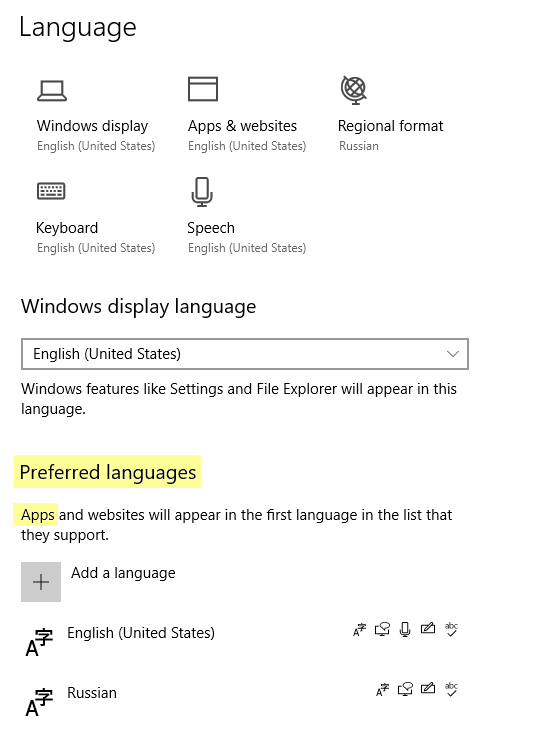
What did you see instead?
The UI language matches the language defined in Settings - Time & Language - Language - Regional format.
Notes
Changing the Regional format language to English is not an acceptable solution, because it affects user-wide format settings. I should not be changing the regional formats for the purpose of changing the UI language for a single app.
Either code the client properly, or provide an option to fall back the UI to English.