
dotnet/winforms
Setting AutoEllipsis property as true, tooltip still appears after running project when no ellipsis is shown
開放
#5,527 建立於 2021年8月25日
help wanted
倉庫指標
- 星標
- (4,100 顆星)
- PR 合併指標
- (PR 指標待抓取)
描述
-
.NET Core Version: .Net 6.0.100-rc.1.21417.19
-
Have you experienced this same bug with .NET Framework?: Yes
More info:
- This issue can also repro on .Net Framework project.
- This issue can also repro on .Net 3.1 and .Net 5.0.
Minimal repro:
- Extract the “WinFormsApp3.zip” and open it in VS. WinFormsApp3.zip
- Build and run this application.
- Move the mouse hover over button1 and button2, then observe the form.
Actual behavior:
It is incorrect behavior, when setting AutoEllipsis(Enables the automatic handing of text that extends beyond the width of the button) as true, but the texts don't beyond the width of button1 and button2. Tooltip still appears when moving the mouse hover over button1 and button2.
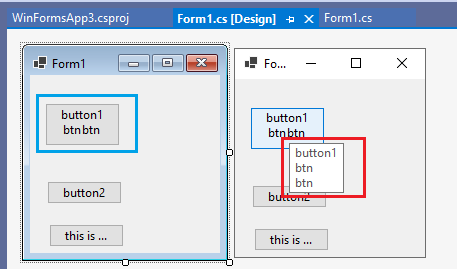
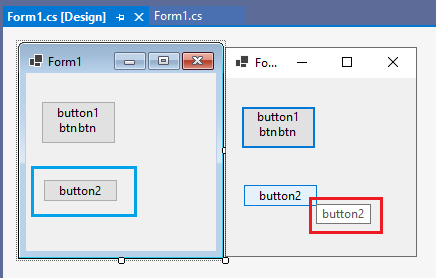
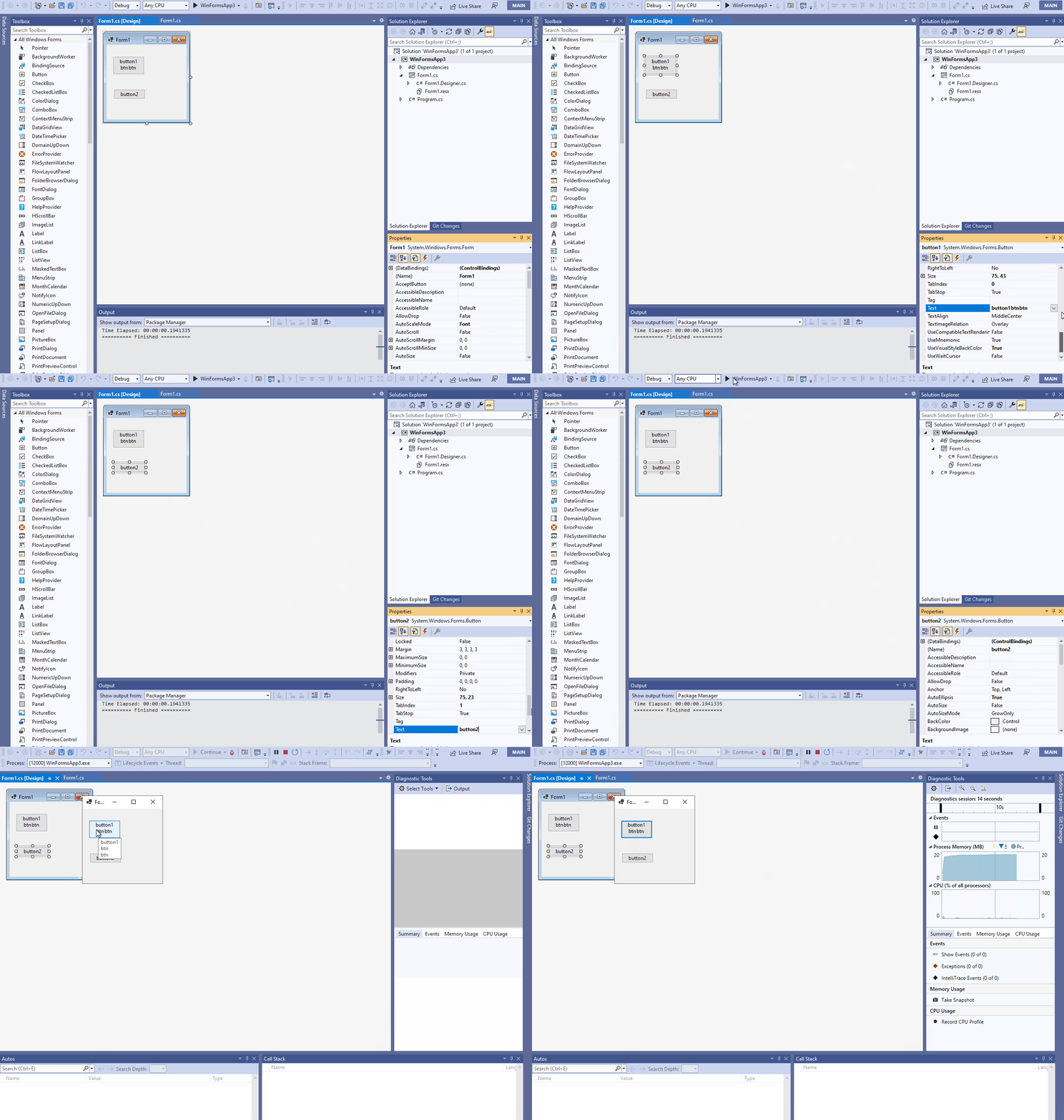
Below is the correct behavior, when setting AutoEllipsis as true, tooltip appears when moving the mouse hover over button3.
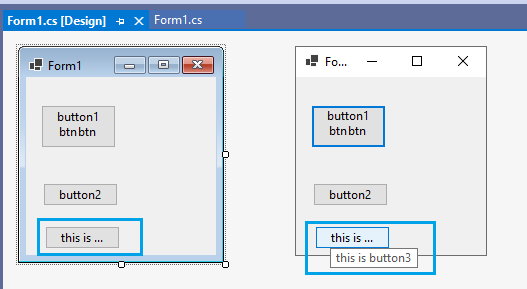
Expected behavior: Tooltip doesn’t appear when moving the mouse hover over button.