dotnet/winforms
Double-clicking the text in the custom webbrowser component that put into SplitContainer cannot be selected
開放
#2,910 建立於 2020年2月26日
:beetle: bughelp wanted
倉庫指標
- 星標
- (4,100 顆星)
- PR 合併指標
- (PR 指標待抓取)
描述
-
.NET Core Version: .Net Core 3.1.200-preview-015002 from 3.1 Release branch + VS2019 with latest core designer
-
Have you experienced this same bug with .NET Framework?: Yes
More Info:
- This issue cannot reproduce without SplitContainer.
- This issue cannot reproduce on WebBrowser from Winforms control that put into SplitContainer.
- This issue cannot reproduce on custom webbrowser component that put into other containers(Panel, TabControl, GroupBox..).
Steps to reproduce:
-
Open the attached app “Custom_component_WebBrowser_issue.zip” in VS. Custom_component_WebBrowser_issue.zip
-
Build and run this application.
-
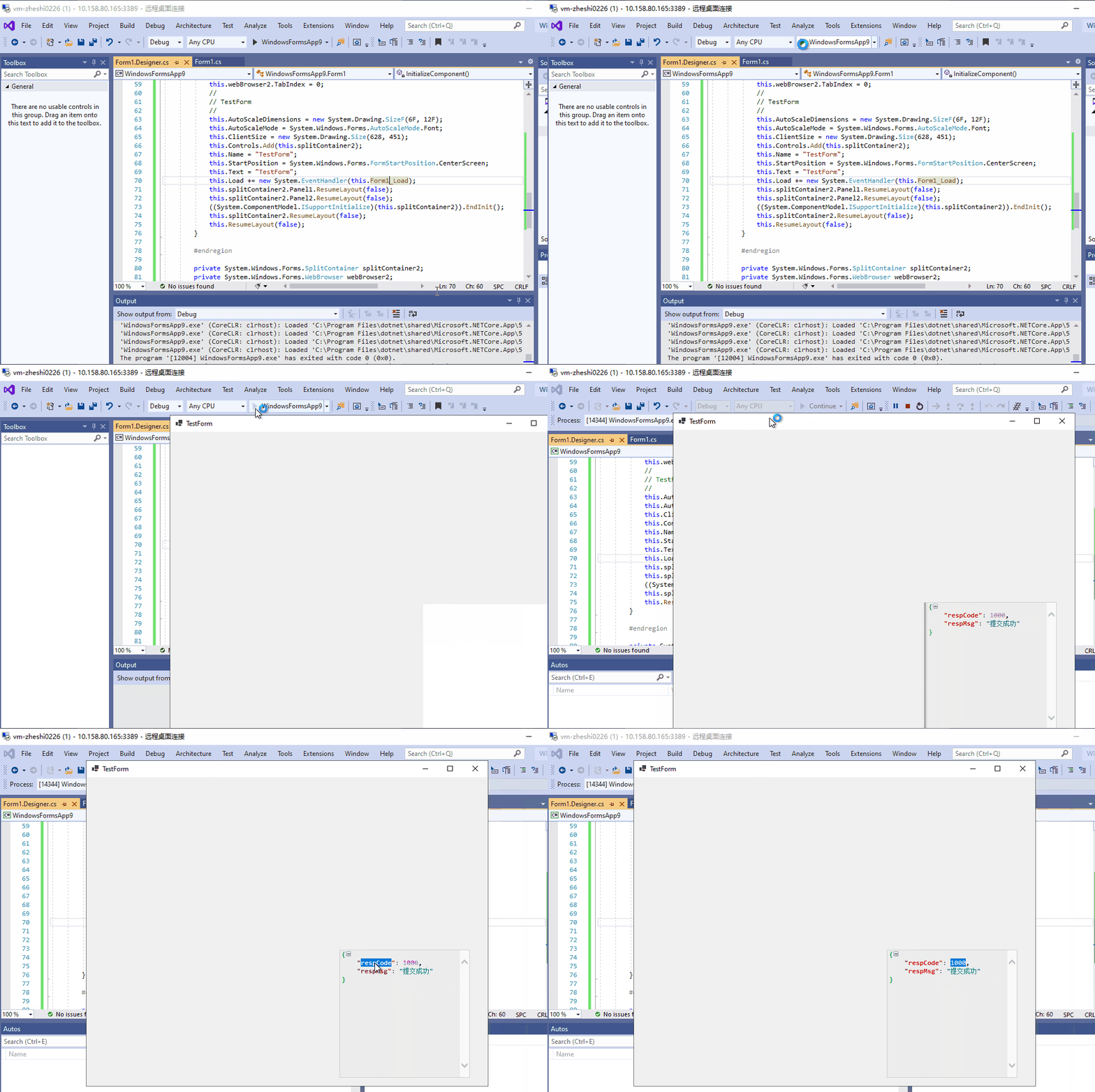
Double-clicking the text in the custom webbrowser component and observe the behavior.
Actual behavior: Double-clicking the text in the custom webbrowser component that put into SplitContainer cannot be selected.
Expected behavior:
Double-clicking the text in the custom webbrowser component that put into SplitContainer should be selected. The behavior should be like below: