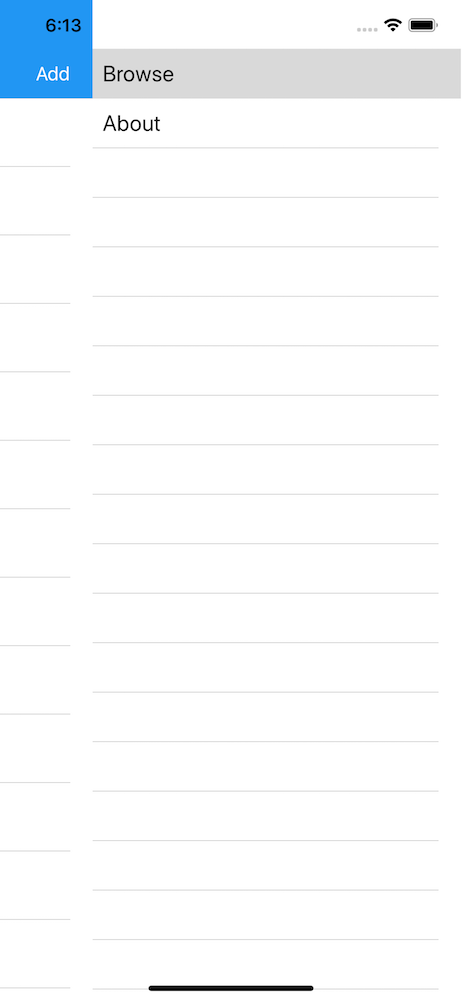
FlowDirection in iOS 12 Simulator [Screenshots]
#4,287 opened on Nov 2, 2018
Repository metrics
- Stars
- (5,644 stars)
- PR merge metrics
- (No merged PRs in 30d)
Description
Description
I am facing a strange interaction when setting the Flowdirection to RTL. If i run the app for the first time (just created), it will show the correction direction. but when i navigate from a page to another or click on the list, some of the components return to LTR direction and never respect the RTL setting even if i removed the app and cleaned + rerun the project.
This happens in iOS only and the MasterDetail menu is still coming from the right which means that not all views lose flow direction.
Steps to Reproduce
- Create a new project in Visual Studio For Mac with MasterDetail or any template
- Set the FlowDirection to RightToLeft
- Notice the interaction in the labels and other components when navigating or clicking on the list.
Expected Behavior
The views should respect the flow direction and not lose it on navigating to other pages or being clicked on.
Actual Behavior
Some views lose the flow direction and never follow it again.
Basic Information
Xcode, Visual Studio for mac, and Xamarin form packages are all up to date. OSX is high serria
- Version with issue:
- Last known good version: iOS 11 was working fine.
- IDE:Visual Studio for Mac Latest version
Screenshots
First Run
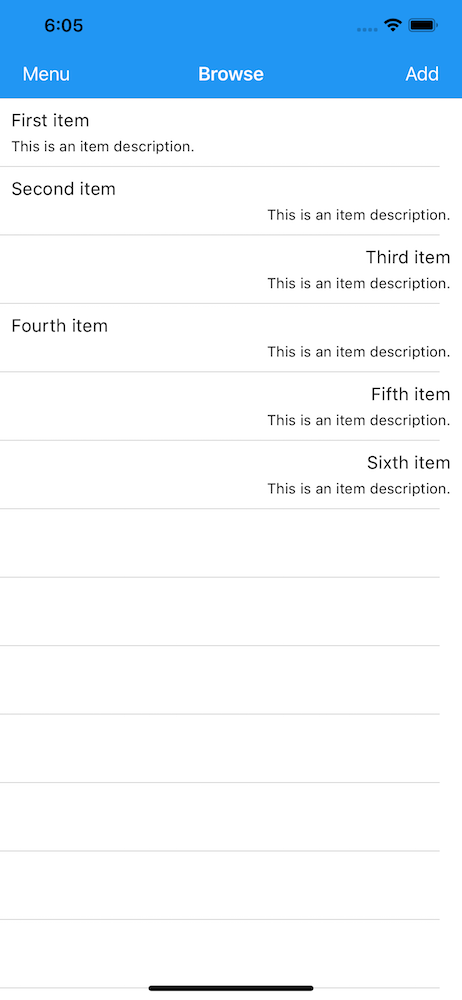
After second run all items will start from left to right except the MasterDetail menu: