[Bug] [Xamarin.Forms] [Android] Picker editable with IsEnabled == False
#8.178 aberto em 23 de out. de 2019
Métricas do repositório
- Stars
- (5.644 estrelas)
- Métricas de merge de PR
- (Nenhuma PRs mesclada em 30d)
Description
Description
A disabled picker is still editable.
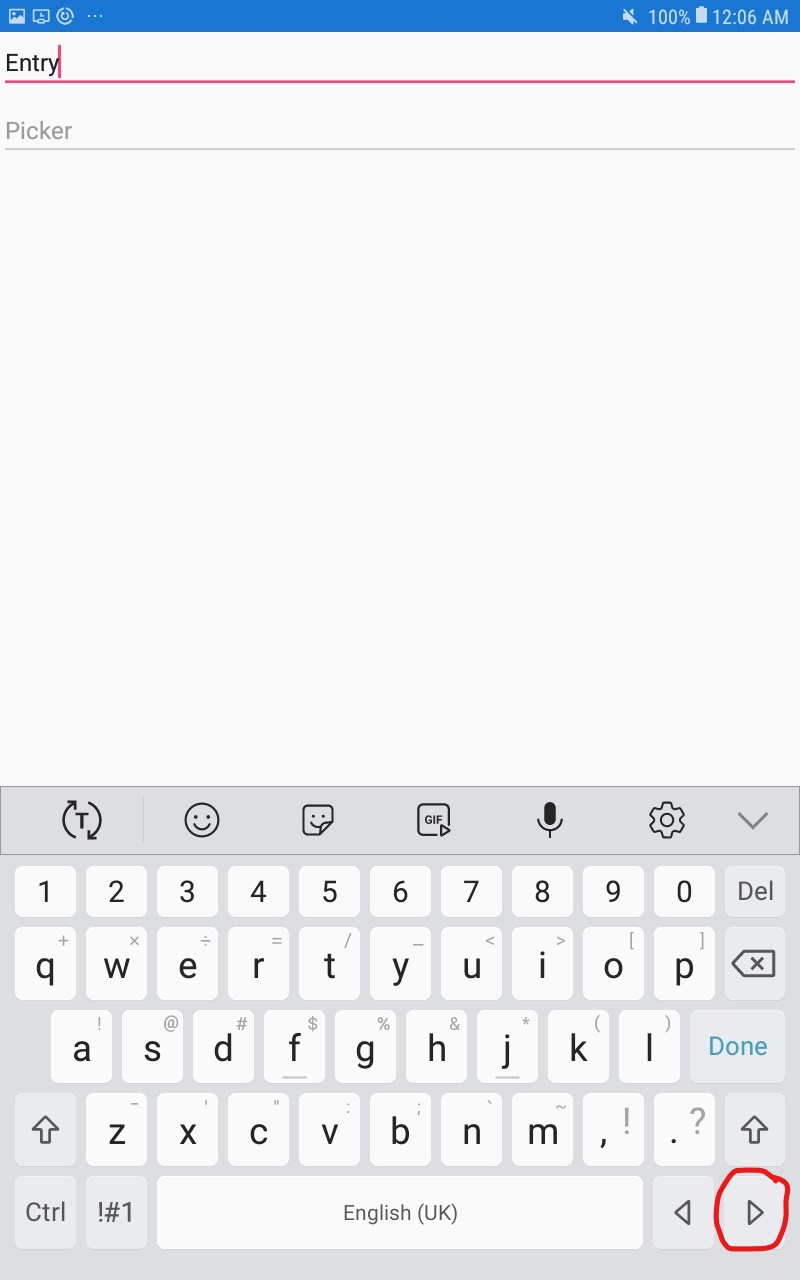
Android's keyboard has 'next' and 'back' buttons that look like right and left arrows, respectively. These can be used like a 'tab' to tab between controls based on their tab order. While a disabled picker cannot be selected directly, the user can select another element and use the 'next' or 'back' buttons to navigate to and focus the picker, allowing the user to change the picker's selected value.
Steps to Reproduce
- Create an entry followed by a picker
- Set the picker's IsEnabled to False
- Select the entry (virtual keyboard opens)
- Click the 'Next' button (right arrow) on the virtual keyboard.
- Notice how the picker is now selected and will allow you to select an item.
- Select an item from the list and observe how the picker now reflects the selected value.
   <StackLayout>
        <Entry Text="Entry" IsEnabled="True"/>
        <Picker Title="Picker" IsEnabled="False">
            <Picker.Items>
                <x:String>100</x:String>
                <x:String>200</x:String>
            </Picker.Items>
        </Picker>
    </StackLayout>
Expected Behavior
With the entry selected, the 'next' button should not even focus the picker. However, even if the picker can be focused, it should not be allowed to change value.
Actual Behavior
A disabled picker's selected value can be changed.
Basic Information
- Version with issue: 4.3.0.908675
- Last known good version: Unknown
- IDE: VS 2019 16.3.5
- Platform Target Frameworks:
- Android: 9
- Affected Devices: Galaxy Tab A
Additional information
It is worth mentioning that I have found the Entry has a similar issue. A disabled entry can be focused with the 'Next' and 'Back' buttons on the Android keyboard. However, the disabled entry cannot be edited even if it is focused. Perhaps the issue is deeper than in the Picker itself.
Screenshots