Button Background Color is Sometimes Transparent When Button is Contained Within StackLayout Element
#4.635 aberto em 4 de dez. de 2018
Métricas do repositório
- Stars
- (5.644 estrelas)
- Métricas de merge de PR
- (Nenhuma PRs mesclada em 30d)
Description
Description
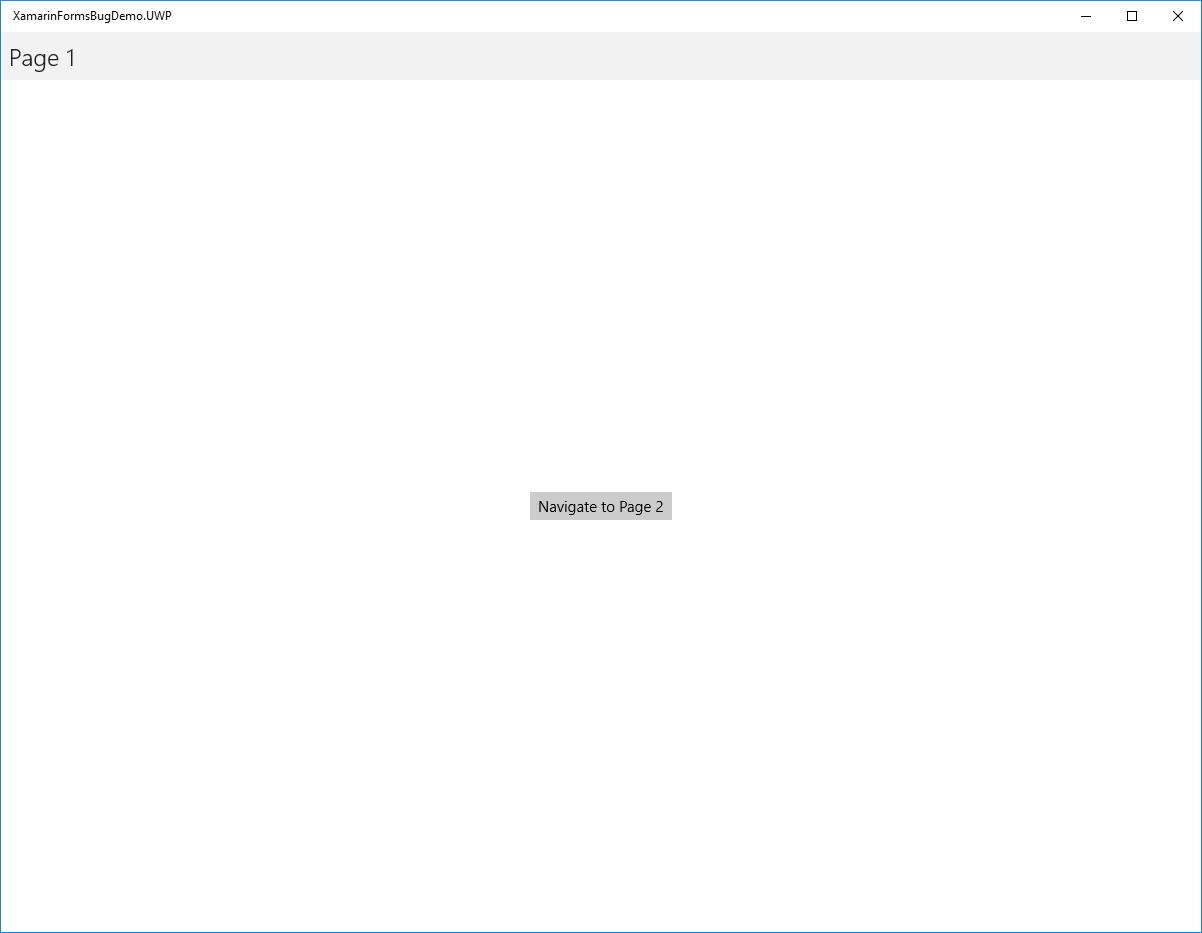
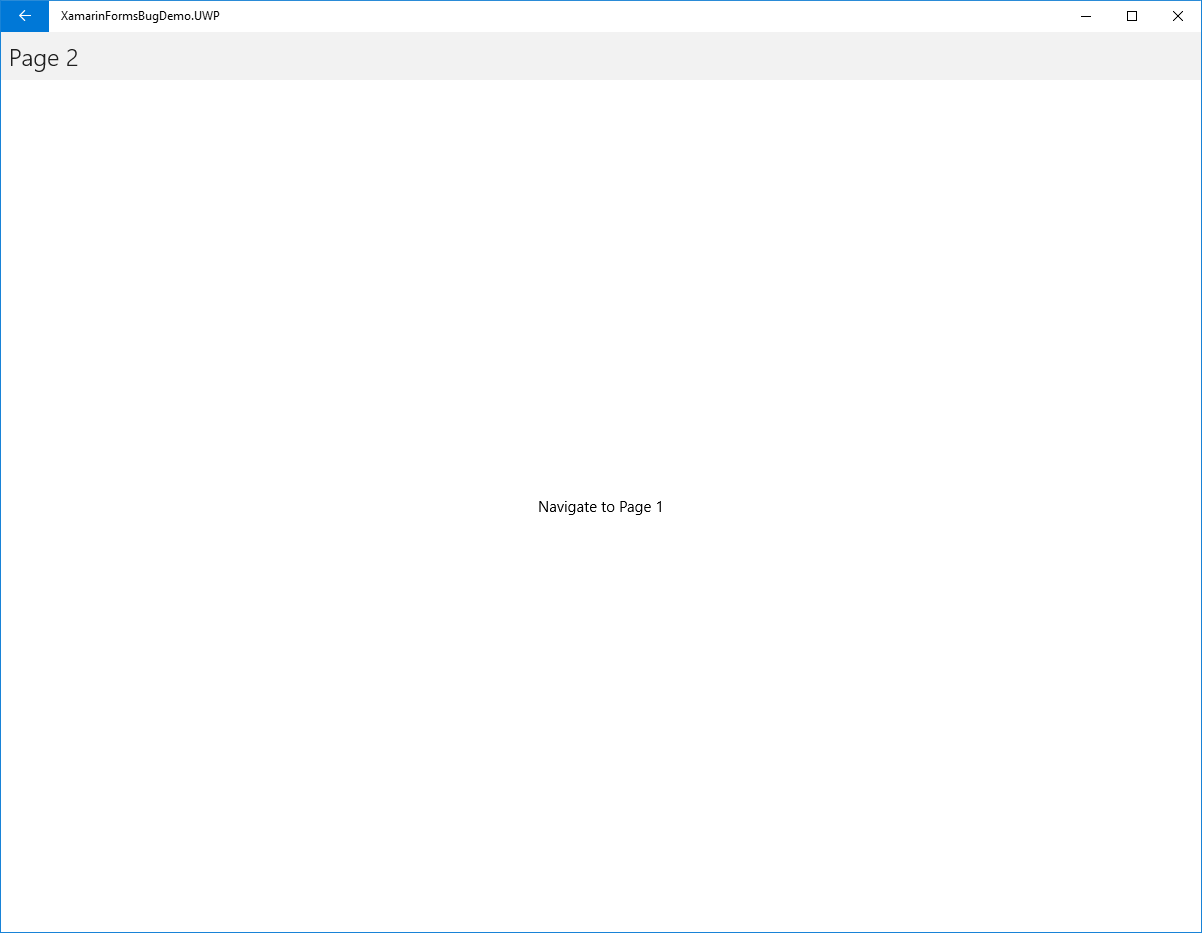
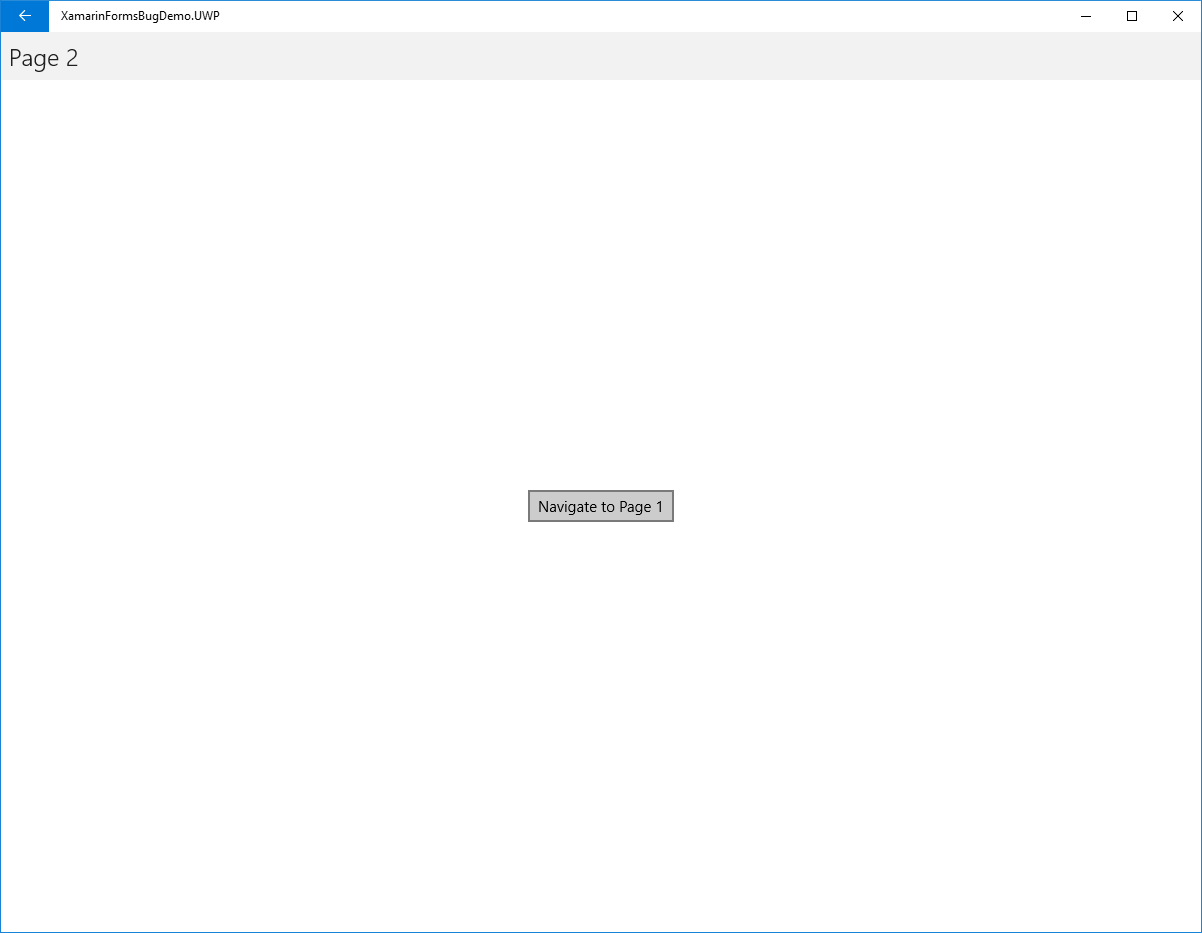
In certain cases, the background color of a button on a page will be transparent until you hover over this button. Please see the "Steps to Reproduce" section for specific detail. Please note that this issue seems to only affect UWP applications.
Steps to Reproduce
- Download the .ZIP file attached to this issue (named XamarinFormsBugDemo.zip) which contains a simple application that demonstrates the issue.
- Extract the Xamarin Forms project from the downloaded .ZIP file from step 1.
- Open the Xamarin Forms project.
- Build the Xamarin Forms project.
- Make sure the startup project is set to XamarinFormsBugDemo.UWP and run the project.
- Click the "Navigate to Page 2" button.
- Move the mouse away from the button on Page 2 if it is hovering over the button.
- Notice that the background color appears to be transparent until the mouse hovers over the button.
Expected Behavior
The background color of the button will be the default color and not transparent (similar to the button on Page 1), regardless of whether the mouse is hovered over the button.
Actual Behavior
The background color of the button is transparent until the mouse is hovered over the button.
Basic Information
It appears that this issue exists only when including either the attributes "HorizontalOptions" or "VerticalOptions" (or both) on the "StackLayout" element (using any value for these attributes). If both of these attributes are removed, the issue goes away. Also, these attributes can be used if the page is the main page (see the XAML for Page 1 as it is nearly identical to that of Page 2 and Page 1 does not exhibit the described behavior).
- Version with issue:
- Last known good version:
- IDE:
- Platform Target Frameworks:
- iOS:
- Android:
- UWP:
- Android Support Library Version:
- Nuget Packages:
- Affected Devices:
Screenshots