MaterialDesignInXAML/MaterialDesignInXamlToolkit
Scale transforms do not render consistently
Aberta
#1.064 aberto em 10 de out. de 2018
Hacktoberfestbug
Métricas do repositório
- Stars
- (16.143 estrelas)
- Métricas de merge de PR
- (Mesclagem média 2d 7h) (9 fundiu PRs em 30d)
Description
Reproduction steps:
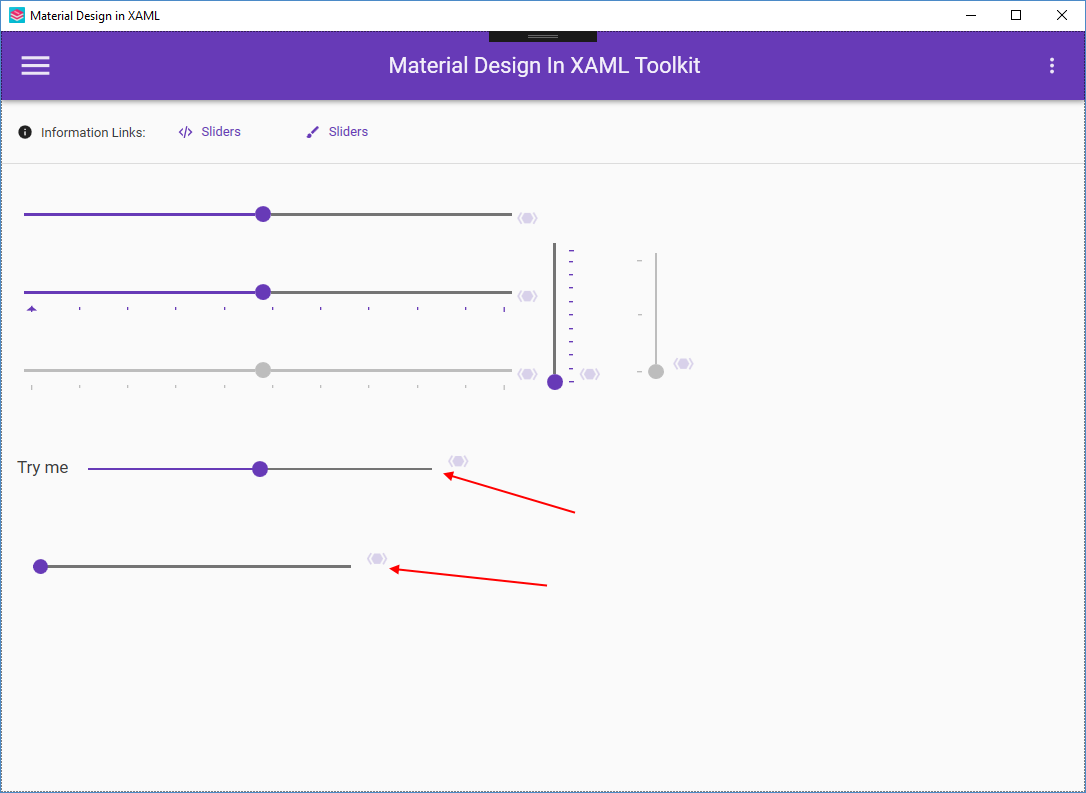
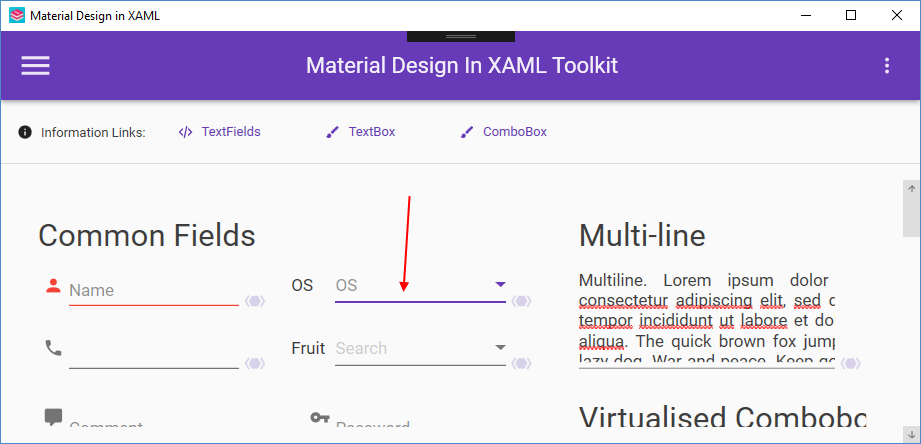
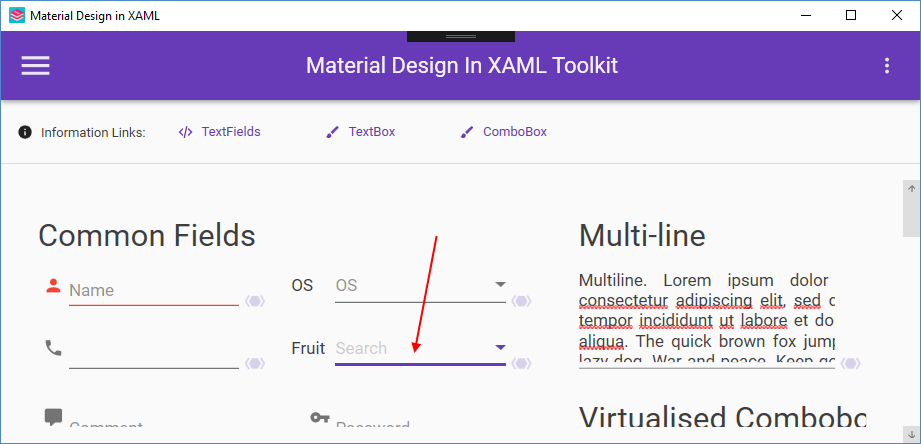
Apply a ScaleTransform to the ContentControl in the MainWindow of the demo app.
<ContentControl Content="{Binding ElementName=DemoItemsListBox, Path=SelectedItem.Content}">
    <ContentControl.LayoutTransform>
        <ScaleTransform ScaleX="1.3" ScaleY="1.3" />
    </ContentControl.LayoutTransform>
</ContentControl>
The problem can be observed with most of the controls that have fine lines. ComboBox and TextBox both use the Underline control, and Slider is another obvious one. The issue is that the rendered thickness of these lines is inconsistent.
This problem is typically resolved with the UseLayoutRounding and SnapToDevicePixels
The "fix" for this may be partially or fully in the demo application, in which case those changes should be documented here.