
initially-hidden sub-tabs not styled correctly when first viewed
#1,544 opened on Sep 10, 2017
Repository metrics
- Stars
- (20,263 stars)
- PR merge metrics
- (PR metrics pending)
Description
Bug report
- Package version(s): 1.27.0
- Browser and OS versions: All browsers, Latest Windows 10 (probably not relevant)
Steps to reproduce
- Create a Tabs2 with two or more Tab2. Keep default activeTabId settings (i.e., the first tab is active)
- Within the panel component for the second Tab2, create another Tabs2 with two or more Tab2. It doesn't matter if one of these lower-tier tabs is set as the default active tab.
- Load page and navigate to the second top-level tab.
Actual behavior
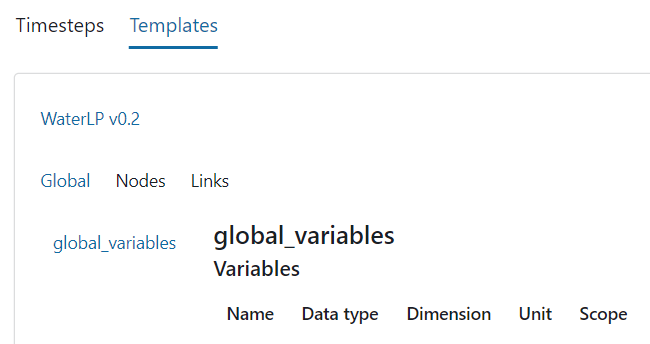
In the panel in the second top-level tab, the active sub-tab is activated (the panel is shown), but the tab itself not styled completely. There is no underline, for example, even though the tab font is shown as active. The same is true for further sub-tabs. See attached image as an example: No sub-tabs in the second top-level panel are rendered correctly (this was initially hidden; there are a total of three sub-tab tier levels in the image). HOWEVER, when a sub-tab other than the active tab is clicked, rendering re-commences as expected.
Expected behavior
When navigating to the initially-hidden sub-tabs, the active sub-tab should be styled completely and correctly.
A workaround of course is to only render upon tab selection, but that is not ideal.