
approvedbugfeature: filesgood first issuenavigationpr existsstable-3.18
Repository metrics
- Stars
- (3,752 stars)
- PR merge metrics
- (PR metrics pending)
Description
Steps to reproduce
- Select "Uploads" from the menu.
- Select "On device" from the menu.
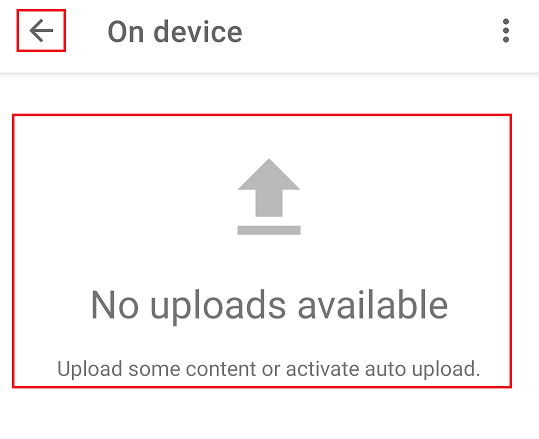
The window for "On device" does not change. It remains with "Uploads". The "Return Arrows" icon appears in place of the "Menu" icon:
Correct window that should appear:
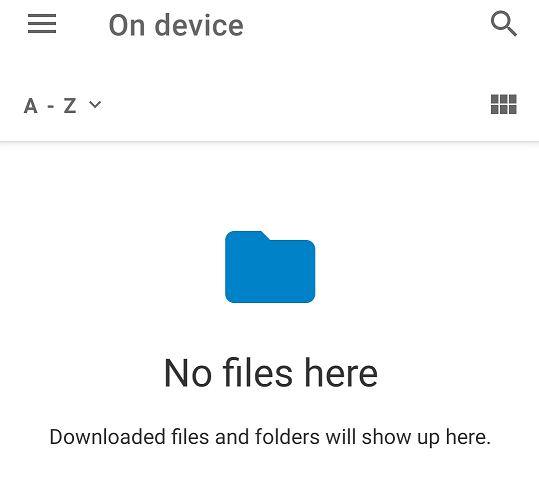
- Tap on the "Return Arrow" icon (there should be a "Menu" icon).
- Select "All files" from the menu.
After selecting "All files" from the menu, the "On device" window appears with a file search window:
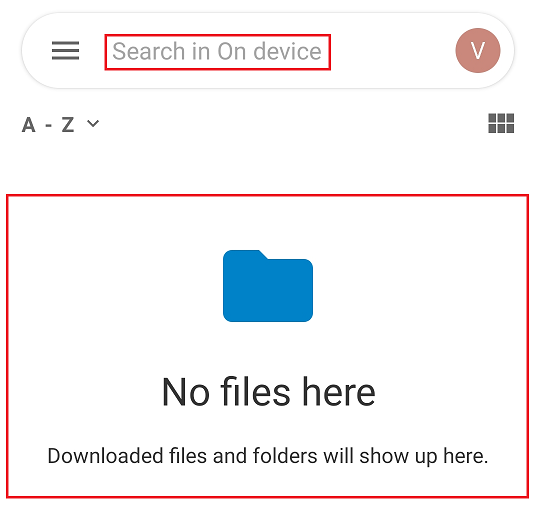
@AlvaroBrey @tobiasKaminsky @AndyScherzinger Overall there is a bug with the transition from "Uploads" to "On device". I think the return to the "All files" menu is just a later consequence of this error.
Environment data
Android version: 10 Nextcloud app version: 3.18.0, 3.18.1 RC1 and Dev 20211211