
[Android] Xamarin Forms WebView's Navigated callback returns "Failure" on first install / initial navigation to page containing CSS font-face declarations with WOFF, WOFF2, or TTF references
#5,962 opened on 2019/04/19
Repository metrics
- Stars
- (5,644 個のスター)
- PR merge metrics
- (30d に merged PR はありません)
説明
Description
The very first time a new Xamarin Forms app is installed on a device and launched, when a WebView is shown that contains a remote HTML page which has a <link> to a CSS file, and that CSS file contains a @font-face declaration with any combination of a WOFF, WOFF2, or TTF reference, the Navigated's callback reports back Failure, despite the page load being successfully and the font being correctly rendered on the screen.
Fonts that appear to not be supported by the WebView (e.g., .eot) correctly set that the Navigated call back to Success, but the font does not correctly render on the screen (I think this is what I would expect)
There are lots of mitigations for this (see below), but for our App we're seeing this issue in, it's primarily web-view driven, and this is causing the user's first impression of the app to be a negative one since we get a Failure callback and then show an error screen, when there is clearly no need to show an error screen since the page loads just fine.
Steps to Reproduce
- Create a website with a heading, a CSS link pointing to a valid CSS file. Update the CSS file to include reference to a
.wofffont-faceand create a rule allowing the font to apply to anh1tag so that it is loaded and applied.
<!DOCTYPE html>
<html lang="en">
    <head>
        <link href="index.css" rel="stylesheet" />
    </head>
    <body>
        <h1>Hello from test site</h1>
    </body>
</html>
@font-face{
	font-family:"DIN Next W01 Regular";
        src:url("c5a7f89e-15b6-49a9-8259-5ea665e72191.woff") format("woff");
}

/* DIN Regular */
	body, .fa > span{font-family: 'DIN Next W01 Regular', Arial, Helvetica, sans-serif;}
- Deploy the website somewhere for testing.
- Create a new Xamarin Forms app (Android Only) where the app loads a webview pointed at the website. Hook up the
Navigatedevent and report the callback status on the screen
<?xml version="1.0" encoding="utf-8"?>
<ContentPage xmlns="http://xamarin.com/schemas/2014/forms" xmlns:x="http://schemas.microsoft.com/winfx/2009/xaml" xmlns:local="clr-namespace:test" x:Class="test.MainPage">

    <StackLayout>
        <Label x:Name="status" />
        <Button Text="Reload" Clicked="Handle_Clicked" />
        <!-- Place new controls here -->
        <WebView x:Name="web" HorizontalOptions="FillAndExpand" VerticalOptions="FillAndExpand" />
    </StackLayout>
</ContentPage>
namespace test
{
    // Learn more about making custom code visible in the Xamarin.Forms previewer
    // by visiting https://aka.ms/xamarinforms-previewer
    [DesignTimeVisible(true)]
    public partial class MainPage : ContentPage
    {
        public MainPage()
        {
            InitializeComponent();

            web.Navigated += Web_Navigated;

            web.Source = new UrlWebViewSource
            {
                Url = "https://ionxskmskstglog.blob.core.windows.net/test/index.html",
            };
        }

        void Handle_Clicked(object sender, EventArgs e)
        {
            web.Reload();
        }

        void Web_Navigated(object sender, WebNavigatedEventArgs e)
        {
            status.Text = e.Result.ToString();
        }
    }
}
- Deploy the app to an Android device (new install) and Launch the app. (Alternately, this can also be observed when starting the app after clearing the App's Local Data in Android Settings)
Expected Behavior
Status reports success
Actual Behavior
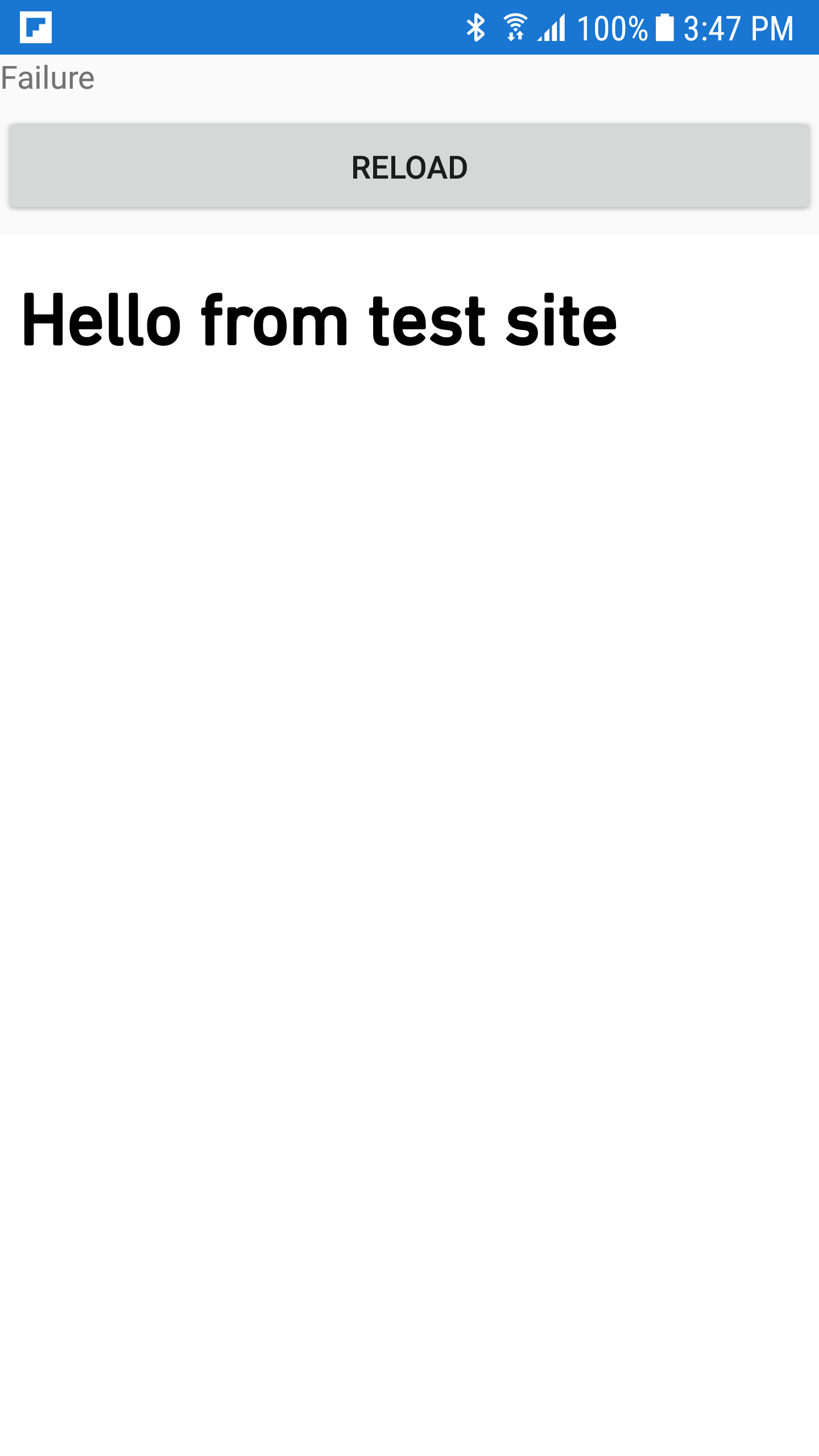
Status reports failure
Workarounds
To workaround this issue, either one of these will mitigate the error:
- Call
.Reload()on the webivew - Force quit / relaunch the app
Basic Information
- Version with issue: 3.6.0.264807
- Last known good version: n/a
- IDE: Visual Studio 2019
- Platform Target Frameworks:
- Android: 28
- Android Support Library Version: 28.0.0.1
- Nuget Packages: n/a
- Affected Devices: Tested on Samsung Galaxy S6 (API 24)
Screenshots
With a .woff reference (Navigated reports Failure - expecting Success):
With a .eot reference (Navigated reports Success - expecting Success):
