
xamarin/Xamarin.Forms
Absolute layout working inconsistently across platforms
オープン
#3,649 opened on 2018/08/24
a/layoute/6 :clock6:help wantedinactivep/Androidp/iOS 🍎t/bug :bug:up-for-grabs
Repository metrics
- Stars
- (5,644 個のスター)
- PR merge metrics
- (30d に merged PR はありません)
説明
Description
Using an AbsoluteLayout to position a floating button behaves inconsistently between UWP, iOS and Android.
Steps to Reproduce
Please see the attached zip for a reproduction.
- Create a new blank Xamarin Forms project
- Use the following XAML code
<?xml version="1.0" encoding="utf-8" ?>
<ContentPage xmlns="http://xamarin.com/schemas/2014/forms"
             xmlns:x="http://schemas.microsoft.com/winfx/2009/xaml"
             xmlns:local="clr-namespace:AbsoluteLayoutBugs"
             x:Class="AbsoluteLayoutBugs.MainPage">

    <StackLayout>

        <ListView>

            <ListView.ItemsSource>
                <x:Array Type="{x:Type x:String}">
                    <x:String>Item 1</x:String>
                    <x:String>Item 2</x:String>
                    <x:String>Item 3</x:String>
                    <x:String>Item 4</x:String>
                    <x:String>Item 5</x:String>
                    <x:String>Item 6</x:String>
                    <x:String>Item 7</x:String>
                    <x:String>Item 8</x:String>
                    <x:String>Item 9</x:String>
                    <x:String>Item 10</x:String>
                    <x:String>Item 11</x:String>
                    <x:String>Item 12</x:String>
                    <x:String>Item 13</x:String>
                    <x:String>Item 14</x:String>
                    <x:String>Item 15</x:String>
                    <x:String>Item 16</x:String>
                    <x:String>Item 17</x:String>
                    <x:String>Item 18</x:String>
                    <x:String>Item 19</x:String>
                    <x:String>Item 20</x:String>
                </x:Array>
            </ListView.ItemsSource>

        </ListView>

        <AbsoluteLayout HeightRequest="1" MinimumHeightRequest="1">
            <Button Text="?" BackgroundColor="Blue" HeightRequest="50" WidthRequest="50"
                        CornerRadius="25" x:Name="Button" AbsoluteLayout.LayoutBounds="0,-100,50,50" />

        </AbsoluteLayout>

    </StackLayout>

</ContentPage>
- Use the following code behind:
	public partial class MainPage : ContentPage
	{
		public MainPage()
		{
			InitializeComponent();

                        Button.Clicked += async (s, e) =>
                        {
                             await DisplayAlert("Clicked", "Clicked", "OK");
                        };
		}
	}
Expected Behavior
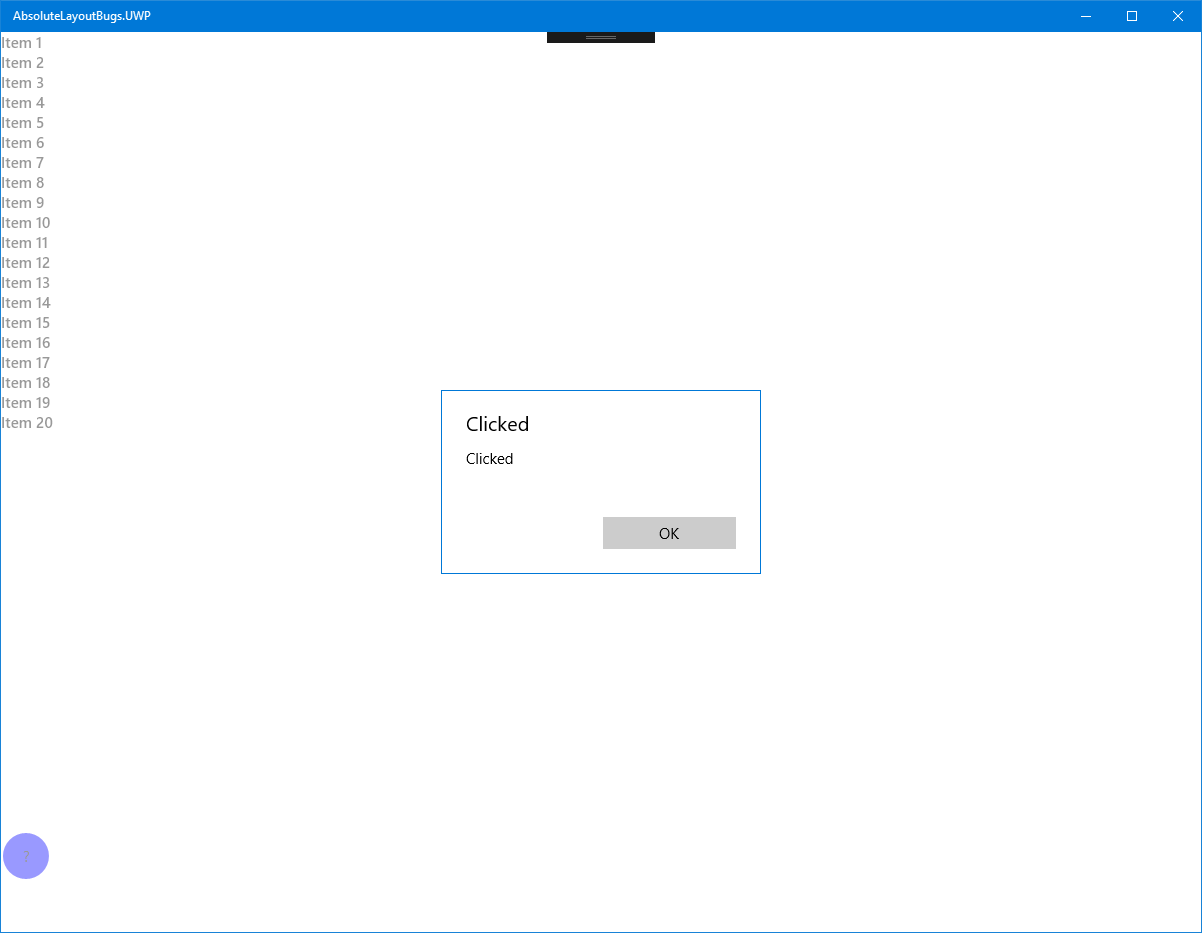
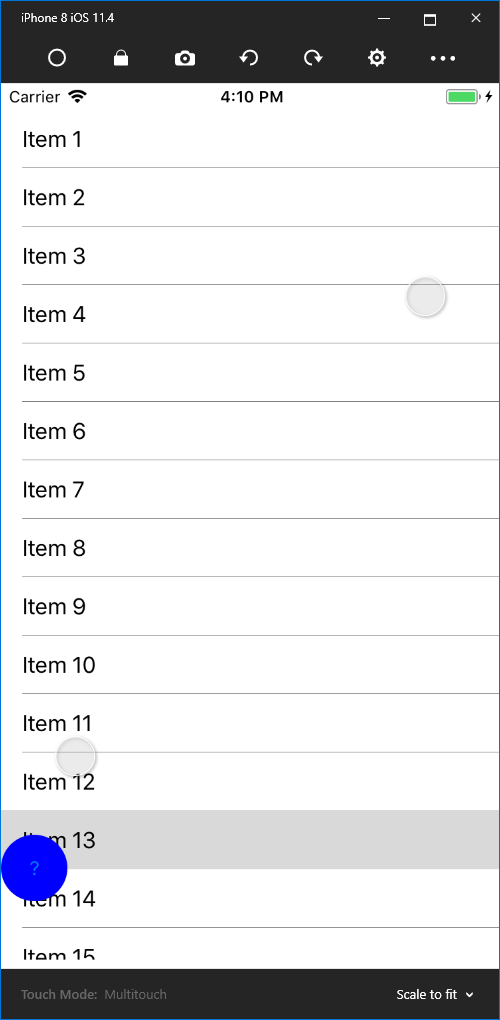
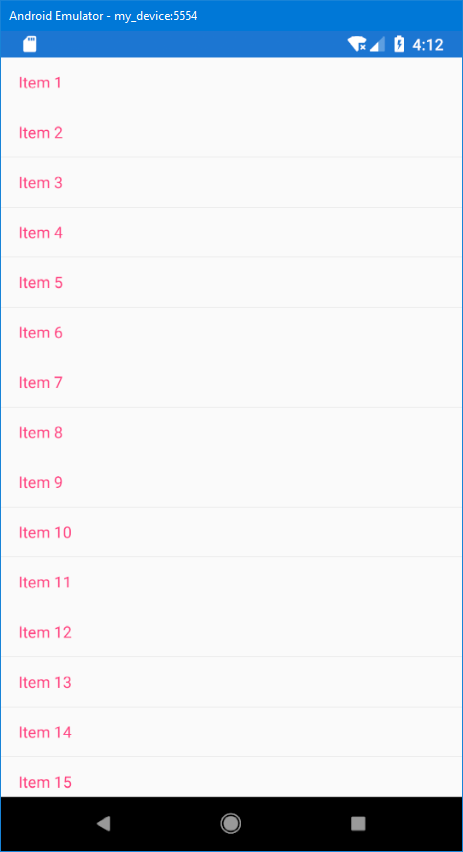
The floating button should be positioned over the listview and clickable.
Actual Behavior
UWP Working as expected
iOS
Positioned as expected, Clicked event not firing
Android
Not positioned as expected. Unknown whether Clicked event is fired.
Basic Information
- Version with issue: 3.1.0.697729
- Last known good version: N/A
- IDE: VS 2017 15.7.4
- Platform Target Frameworks:
- iOS: 11.4
- Android: 7.1
- UWP: 16299
- Android Support Library Version: N/A
- Nuget Packages: N/A
- Affected Devices: Android, iOS
Screenshots
Reproduction Link
Please see attached zip. AbsoluteLayoutBugs.zip