
The functions for "match the whole word" and "match case sensitive" fail
#200,295 opened on 2023年4月13日
Repository metrics
- Stars
- (74,848 stars)
- PR merge metrics
- (平均マージ 11h 43m) (30d で 1,000 merged PRs)
説明
Applies To
- Notebooks (.ipynb files)
- Interactive Window and/or Cell Scripts (.py files with #%% markers)
What happened?
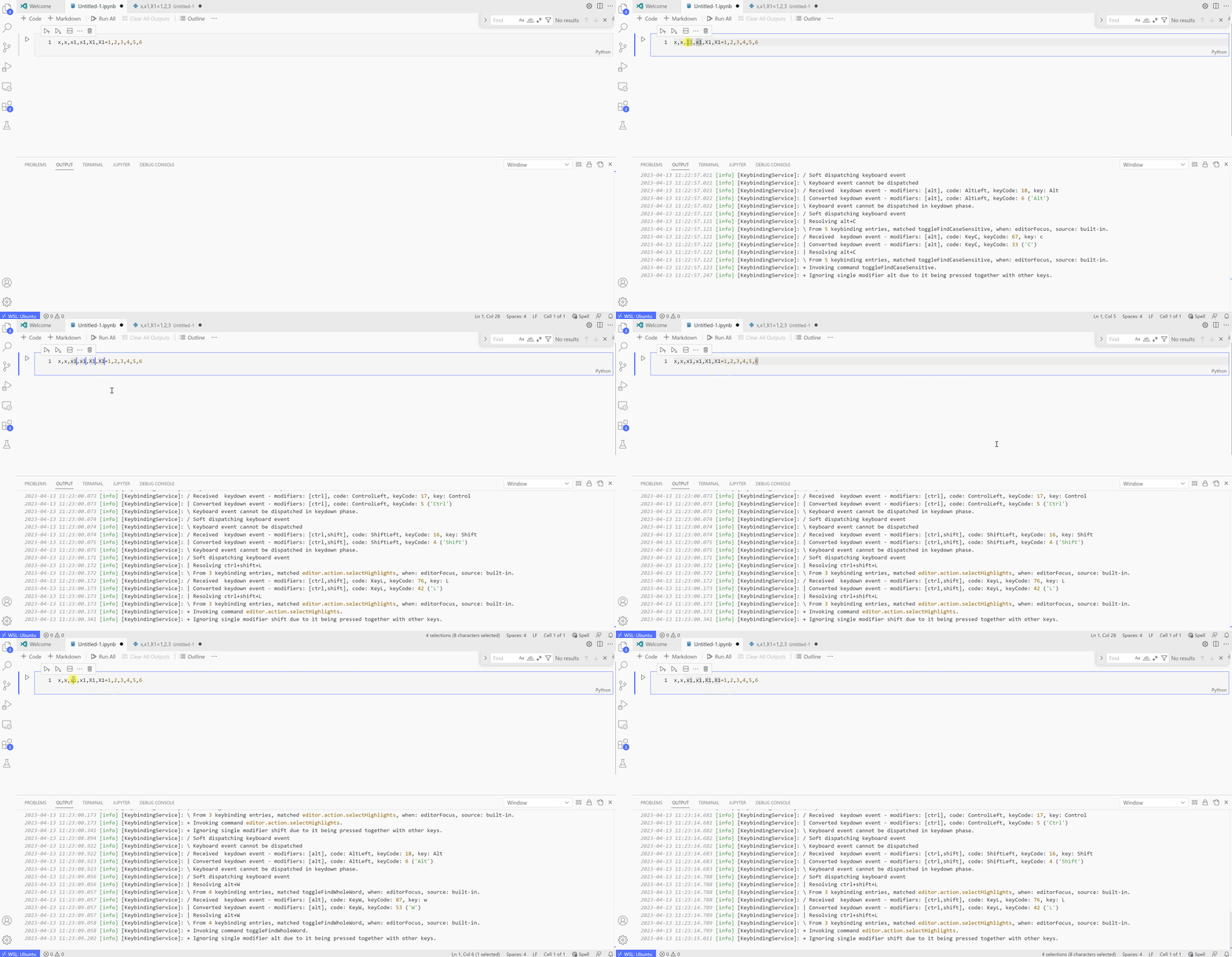
Below is an example for "match case sensitive", where I first pressed Alt+C, and then, by selecting x1 , typedShift+Ctrl+L to match all. But it still matches X1 (which should only match x1 with lowest case).
To show that this is not because that I am already in "case sensitive mode" before pressing Alt+C, I pressed Alt+C again, still, X1 is being matched.
Also from the search panel on the top right, it shows that the icon "Aa" is not activated when I pressed Alt+C. (Though I can manualy click that icon, but nothing changes but the icon will be highlighted, as if it is activated, but still did not do the right matching)
The same issue happens to Alt+W (match the whole word) too.
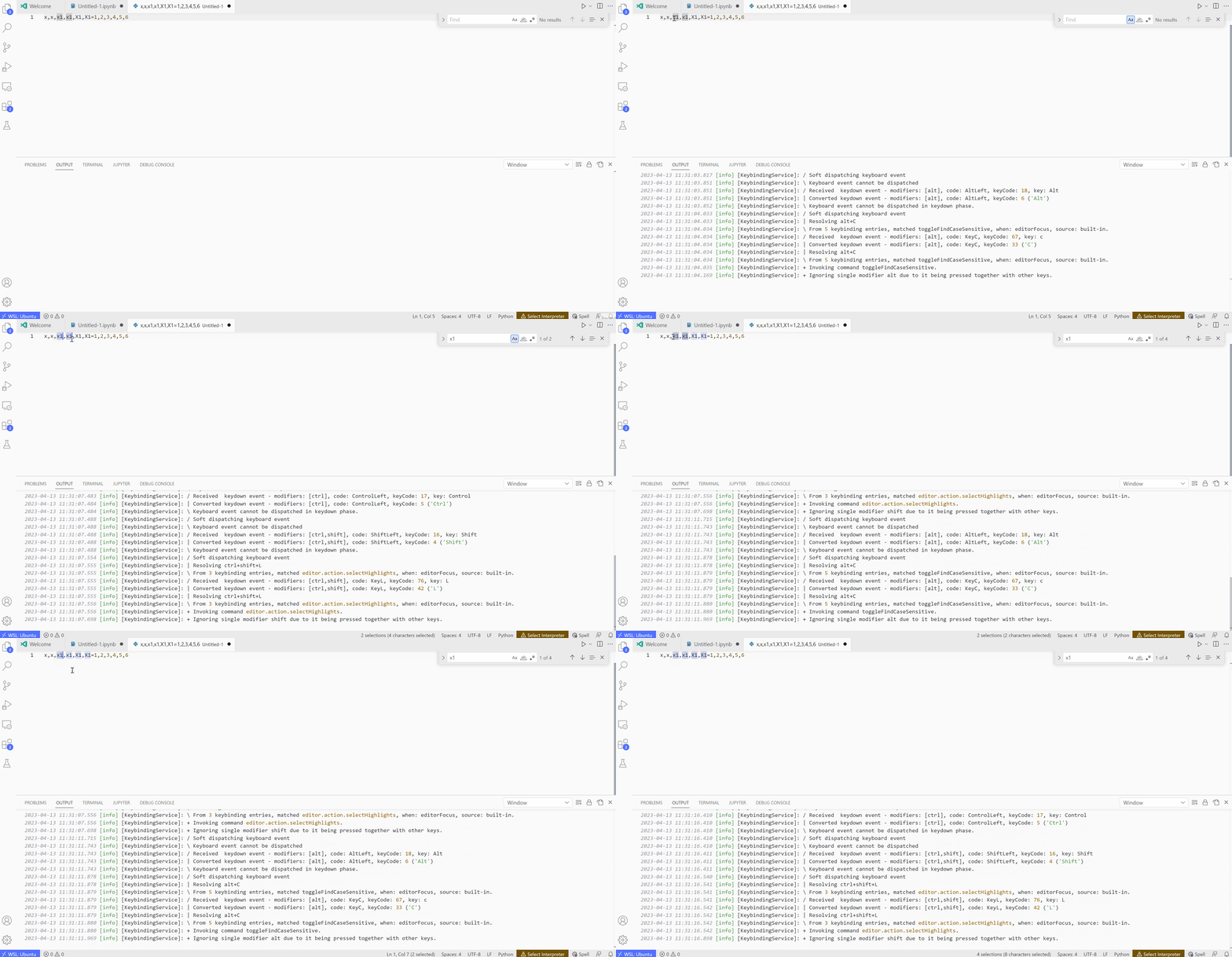
This only happens in Jupyter notebook. For example, in normal plain text editor, Alt+C and Alt+W works normally as shown below.
VS Code Version
Version: 1.78.0-insider (user setup) Commit: 7f03ec6f7a48791d8027761b22773b454fc52478 Date: 2023-04-10T15:38:56.561Z Electron: 22.4.4 Chromium: 108.0.5359.215 Node.js: 16.17.1 V8: 10.8.168.25-electron.0 OS: Windows_NT x64 10.0.19045 Sandboxed: Yes
Jupyter Extension Version
v2023.4.1001051011
Jupyter logs
There is no output in Jupyter Server Console when pressing any of the key above.
Coding Language and Runtime Version
No response
Language Extension Version (if applicable)
No response
Anaconda Version (if applicable)
No response
Running Jupyter locally or remotely?
Local