
hluk/CopyQ
View on GitHubCopyQ Creates a Blank Unclosable Window, Subsequently opens Second Window
Open
#1,228 opened on Oct 7, 2019
Windowsbughelp wanted
Repository metrics
- Stars
- (7,372 stars)
- PR merge metrics
- (Avg merge 17h 35m) (13 merged PRs in 30d)
Description
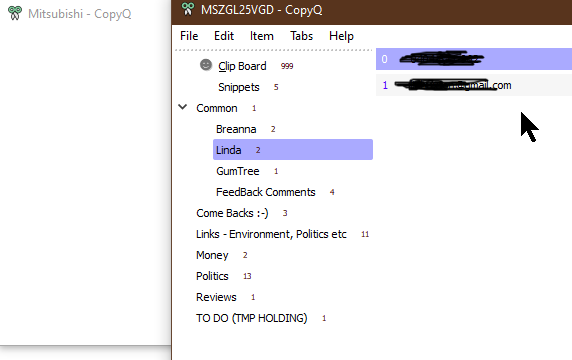
Sometimes when I try to open CopyQ to select an entry it opens a completely Blank & Unclosable Window. Trying again successfully opens a second Window.
I do not know how to reproduce this, perhaps click too many times or too fast on tray icon. Its happened enough times that it can't be too hard to do.
I don't think the log shows anything, will look at it closer next time, but no events logged today and all options ticked.
The only way to close the first blank window is to kill the process.
Environmental Information That should be displayed in the About Box
CopyQ Version: v3.8.0
Windows 10 64 bit
(any other info you need)