
Disable Autocomplete,text prediction feature using IsPredictionEnabled or customKeyboard options not working
#3 487 ouverte le 6 août 2018
Métriques du dépôt
- Stars
- (5 644 étoiles)
- Métriques de merge PR
- (Aucune PR mergée en 30 j)
Description
Description
I have tried setting IsPredictionEnabled property for Entry also using custom keyboard ( entry.Keyboard = Keyboard.Create(KeyboardFlags.None) ) autocomplete,text prediction feature is not disabled for Xamarin Forms Android platform. In iOS and UWP platforms it works correctly.
Note:
Tried with keyboard options in various android version's.
In Android version 4.4 (Kitkat - Moto E device) this works correctly as expected. However, above Android version 5 this option doesn't work as expected.
As IsPredictionEnabled property is only in latest xamarin forms version , tried with this property also in latest forms version. But this also doesn't work.
Tried with Google Keyboard, where autocorrection,prediction options are enables by default in all the devices we tried.
Steps to Reproduce
- Include an Entry to the view
- set Keyboard options to entry = > entry.Keyboard = Keyboard.Create(KeyboardFlags.None);
- set IsPredictionEnabled property as false to entry.
Expected Behavior
In the keyboard for Entry, text prediction,autocomplete should not be viewed.
Actual Behavior
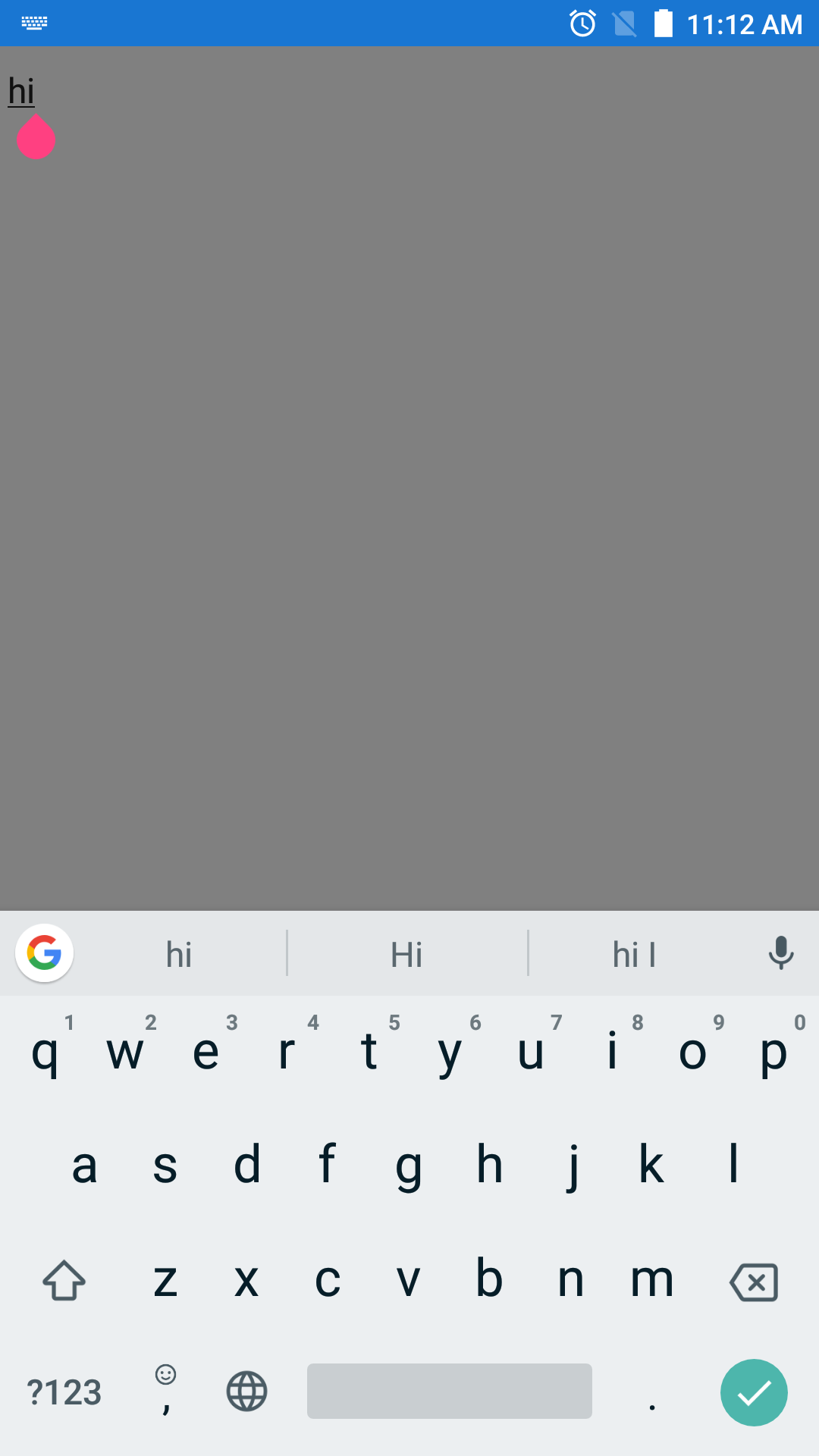
In the keyboard for Entry, text prediction,autocomplete options are enabled.
Basic Information
- Version with issue: Android 6, Android 8.0 (Oreo)
- Last known good version: Android 4.4
- Xamarin Forms version tried - 2.4.0.280 / latest stable : 3.1.0.697729
- Platform Target Frameworks:
- Android:
- Affected Devices:
- Vivo Y66 (Android 6.0)
- Mi A1 (Android 8.0)
Screenshots
Attaching the scrrenshot of Moto E device in which Keyboard option (Keyboard.None) worked.

Screenshot of MiA1 device:
Reproduction Link
Kindly find the sample