
eclipse-theia/theia
View on GitHubFind & Replace is not fully functional for keyboard users.
Open
#8,055 opened on Jun 19, 2020
accessibilityhelp wantedsearch in workspace
Repository metrics
- Stars
- (18,676 stars)
- PR merge metrics
- (Avg merge 15d 4h) (75 merged PRs in 30d)
Description
Bug Description:
In both Theia and VS Code pressing enter in the focused input(where the new value is entered in find and replace) does not replace the contents I have to manually click on the small icon next to the input. I was expecting it to work when the enter key is pressed.
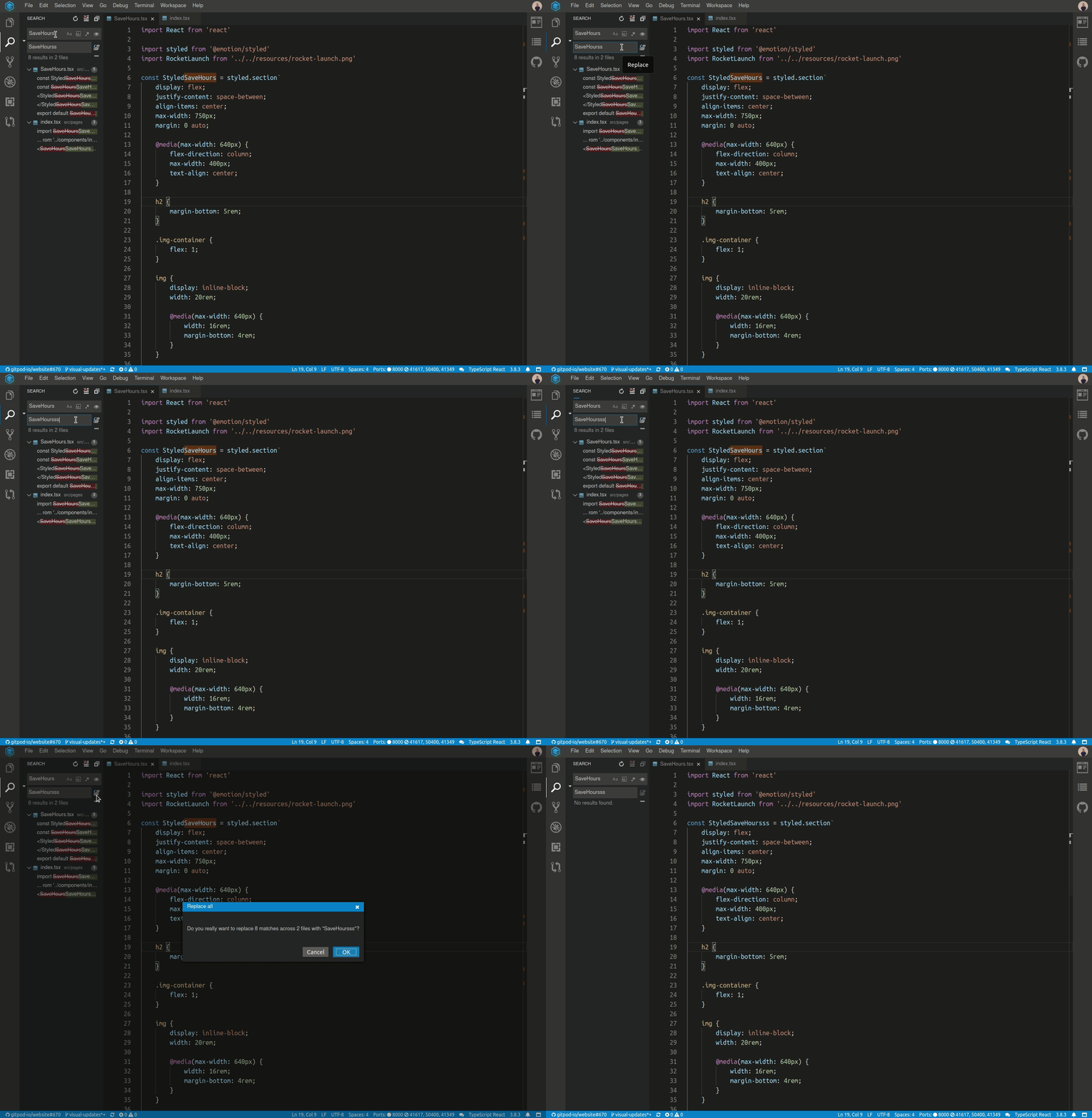
To me, it looks like a serious accessibility issue for Keyboard users and generally, it would be great if the whole Theia IDE is accessible for those users who only use a keyboard and can't use a mouse.
Steps to Reproduce:
- Open a Gitpod workspace.
- Try to find and replace some text via the Keyboard.
Additional Information
- Operating System:
- Theia Version: