eclipse-theia/theia
View on GitHubUsing vscode-maven plugin with Theia make the application looping
Open
#6,464 opened on Oct 29, 2019
help wantedjavaplug-in systemvscode
Repository metrics
- Stars
- (18,676 stars)
- PR merge metrics
- (Avg merge 15d 4h) (75 merged PRs in 30d)
Description
Description
Using a maven project, try to close and re-open the plugin folder make the application running in a loop
Reproduction Steps
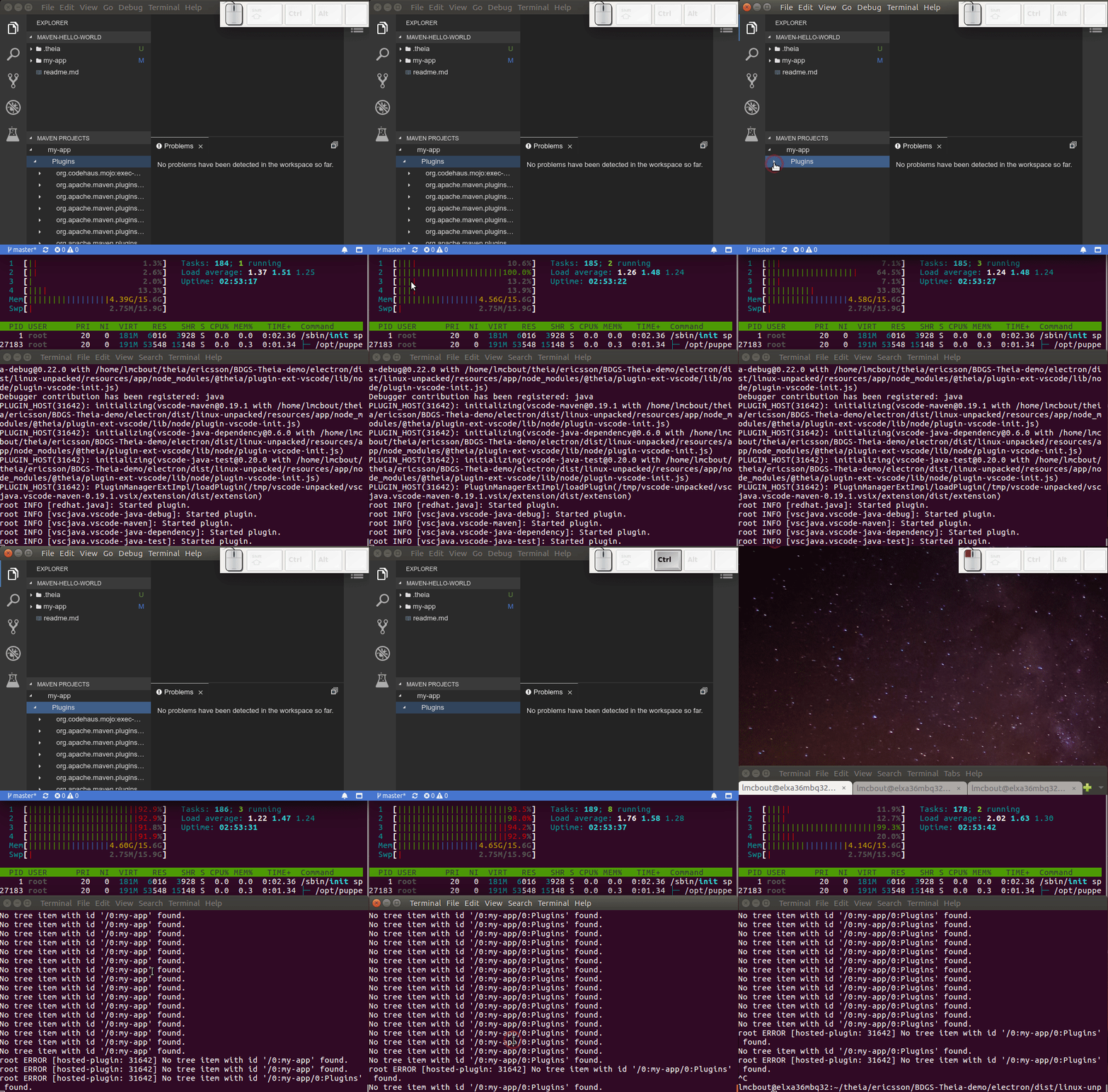
Open a maven project In the maven view, close and re-open the plugin folder --> The cpu goes crazy until we stop the application, we see the plugin folder open-close repeatedly without any user intervention. We see the cpu going down when we kill the application Note: If I open the same workspace with VSCode, it works well
OS and Theia version: Theia: master
Configuration: package.json: remove @theia/java
Plugins installed:
    redhat.java-051.0.vsix
    vscjava.vscode-java-debug-0.22.0.vsix
    vscode-java-dependency-0.6.0.vsix
    vscode-java-test-0.20.0.vsix
    vscjava.vscode-maven-0.19.1.vsix
Diagnostics:
Video split in 3 pieces:
Top: electron application containing the maven project
Middle: htop: showing the running cpu
Bottom: Console showing the traces