
dotnet/winforms
RootFolder property doesn't work for modernize ForderBrowserDialog
Open
#3,290 opened on May 15, 2020
:beetle: bughelp wanted
Repository metrics
- Stars
- (4,100 stars)
- PR merge metrics
- (PR metrics pending)
Description
-
.NET Core Version: .Net Core 5.0 from master branch: 5.0.100-preview.5.20262.7
-
Have you experienced this same bug with .NET Framework?: No
Minimal repro:
- Create a Winforms .Net Core Application
- Add following code to show modernize folderBrowserDialog and set its RootFolder property to specific Folder
public Form1() { InitializeComponent(); FolderBrowserDialog folderBrowserDialog = new FolderBrowserDialog(); **folderBrowserDialog.RootFolder = Environment.SpecialFolder.CommonStartMenu;** folderBrowserDialog.ShowDialog(); } - Build and run application
Actual behavior:
RootFolder property setting doesn't work, please see following screenshot:
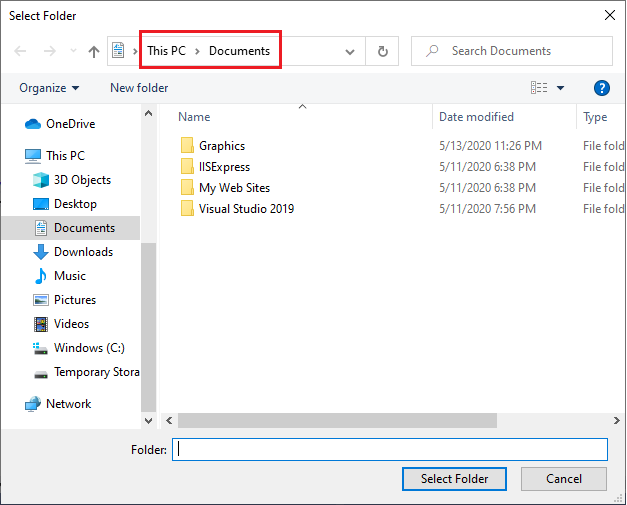
Expected behavior:
RootFolder should be changed in modernize folderBrowserDialog, see below screenshot in old folderBrowserDialog(.Net Framework behavior)
